

LPR school car lines visitor management
Schools can use license plate recognition software connected to existing IP cameras to automate car-line dismissal management, log visitor vehicles for compliance documentation, and detect unauthorized vehicles in restricted zones — without purchasing dedicated LPR hardware. Most school campuses have IP cameras already installed; adding LPR software activates capabilities the hardware already supports.
Key Takeaways
- LPR software works with IP cameras already installed on most school campuses — no new hardware required in most cases
- Authorized pickup lists reduce car-line chaos: cameras read plates and match them to the student’s approved pickup list automatically
- Visitor vehicle logs create timestamped documentation useful for compliance, incident response, and court proceedings
- After-hours unauthorized vehicle detection alerts administrators to trespassers in real time
- placa.ai operates on a strict no-law-enforcement-data-sharing policy — student and family vehicle data stays private
The School Security Problem: Three Scenarios LPR Solves
Scenario 1: Car-Line Identification and Authorized Pickup
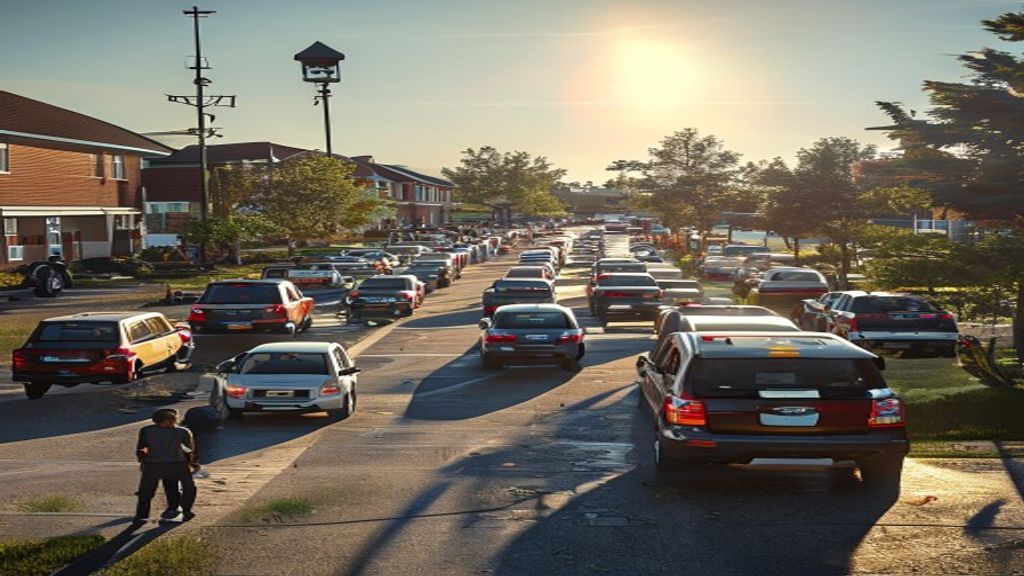
School dismissal car lines are slow, chaotic, and create security gaps when staff can’t verify who is picking up which student. Traditional car tags (paper or laminated) are lost, forgotten, or shared. A license plate recognition system reads approaching vehicles and matches them to the student’s authorized pickup list, giving staff immediate confirmation before a student is released — without requiring parents to present anything or roll down a window.
Scenario 2: Visitor Vehicle Logging for Compliance
Schools are legally required to document visitor access in many states. A visitor who signs a paper log at the front office creates a record of their presence — but doesn’t capture the vehicle they arrived in or when they left. LPR software creates a continuous, timestamped log of every vehicle entering the campus during the school day, providing documentation that supports incident investigations, custody dispute management, and regulatory compliance.
Scenario 3: After-Hours Unauthorized Vehicle Detection
Campuses are high-value targets for vandalism, theft, and unauthorized access after hours. A camera at the parking lot entrance with LPR software can detect vehicles that are not on the staff/authorized vendor list and send an immediate alert to campus security or local dispatch. Unlike motion-triggered cameras that generate dozens of false alerts per night, LPR alerts are triggered by specific vehicle identities — reducing alert fatigue while increasing actionable detection.
How LPR Works with Existing School Cameras
Most school campuses have IP cameras installed as part of their security infrastructure. If those cameras support RTSP streaming (which virtually all business-grade IP cameras do), they can be connected to LPR software without replacement. The LPR software connects to the camera’s video stream, reads plates in real time, and compares them against configured lists.
Cameras don’t need to be purpose-built for LPR. A standard 1080p or 4MP IP camera positioned correctly at a car-line entrance or parking lot can achieve 95%+ daytime accuracy at gate speeds. See the IP camera compatibility guide for compatible brands and models.
Authorized Pickup List: How It Works
- Parents register their vehicle plate numbers through the school’s parent portal or enrollment form
- Each plate is linked to one or more students and marked as authorized, emergency authorized, or restricted (custody-limited)
- At dismissal, as vehicles approach the car-line pickup zone, the camera reads each plate and looks it up in the student database
- A match triggers an alert on the dismissal staff’s tablet or screen: “Grade 3 — Emily Johnson — Mom’s Vehicle — Authorized”
- Unrecognized plates generate a staff alert: vehicle not in system, approach staff before student release
This system works without any parent app or device — the only requirement is that the parent’s plate is pre-registered. It reduces car-line confusion, accelerates throughput by giving staff advance notice before the vehicle reaches the pickup point, and creates a digital record of every pickup.
Visitor Vehicle Logging for Compliance
A visitor vehicle log captures the plate, entry time, and exit time of every vehicle entering the campus. This log:
- Documents the timeline of every vehicle visit for incident investigation
- Identifies vehicles associated with individuals who have been trespassed or have court-ordered restrictions
- Provides documentation for custody disputes — proof that a restricted party’s vehicle was or was not on campus
- Creates a chain-of-evidence trail for police reports when a vehicle-related incident occurs on campus
Unlike manual visitor logs, the camera-based record cannot be falsified, is timestamped automatically, and captures the vehicle image — not just a name a visitor wrote on a clipboard.
After-Hours Unauthorized Vehicle Detection
After school hours, the LPR system switches from a pickup management mode to a perimeter monitoring mode. Cameras continue to read plates at campus entry points. Any plate not on the after-hours authorized list (staff vehicles, contracted vendors, scheduled event attendees) triggers an immediate alert to campus security, the principal, or local law enforcement dispatch (at the school’s discretion).
This capability is particularly valuable for:
- Districts that experience vandalism or graffiti during evening and weekend hours
- Schools with shared athletic facilities used by community sports leagues (verify only authorized vehicles are present)
- Campuses near areas with high after-hours vehicle loitering
What You Already Have vs. What You Need to Add
| Component | Most Schools Already Have | What to Add |
|---|---|---|
| Cameras at entry points | Usually yes (IP cameras) | Verify RTSP support; reposition if needed |
| Internet connection | Yes | Ensure cameras are on school network |
| Parent vehicle data | Partial (fob registration, emergency cards) | Collect plate numbers from parents at enrollment |
| LPR software | No | placa.ai subscription |
| Staff device for dismissal alerts | Yes (tablet, phone, or PC) | Browser access to placa.ai dashboard |
Data Privacy and FERPA Considerations
Schools collecting vehicle data as part of student dismissal or visitor management systems should consider FERPA implications when plate data is linked to student records.
Key considerations:
- License plates alone are not FERPA-protected records — they are visible on public roads. The data becomes more sensitive when plates are linked to specific student identities.
- Data minimization: Collect only the plate numbers needed for the authorized pickup list. Avoid collecting vehicle make, model, or occupant information beyond what the system reads automatically.
- Retention limits: Define and enforce a data retention policy. Many schools delete vehicle logs older than 90 days unless an active investigation requires retention.
- Third-party sharing: placa.ai does not share plate data with law enforcement without a court order and operates on a strict no-law-enforcement-data-sharing policy.
- Parent notification: Include vehicle plate registration in school enrollment forms with a clear disclosure of how the data is used and retained.
Consult legal counsel for specific state privacy requirements. States like California have additional student privacy laws (SOPIPA) that may apply.
Implementation Checklist for a School with Existing IP Cameras
- Inventory existing IP cameras at car-line entry, visitor parking entrance, and staff lot entry
- Verify RTSP support for each camera (VLC playback test — see the setup guide)
- Identify camera repositioning needs: plates must be readable at approach angles, 10–25 feet from the camera
- Send home parent enrollment update requesting plate registration
- Configure placa.ai with: car-line camera, authorized pickup list, staff vehicle list, visitor alert rules
- Train dismissal staff on reading the tablet dashboard during car-line
- Run a full dismissal pilot for 3–5 days before full implementation
- Establish and document the data retention and sharing policy
Frequently Asked Questions
Does the LPR system require parents to install an app?
No. The LPR system reads the vehicle’s license plate — parents don’t need an app, a window sticker, or any device. The only requirement is that their plate is pre-registered in the school’s system. This has significantly better adoption than app-based dismissal systems that require parents to download, install, and actively manage a phone application.
What if a parent picks up in a different car (grandparent’s car, rental)?
For unrecognized plates, the dismissal staff receives an alert. The parent (or grandparent) is asked to come to the office for manual verification before the student is released. The staff can add the temporary plate to the approved list for that day if the pickup is verified. This is the standard exception workflow for any car-line system.
Can the system handle high car-line volume (100+ vehicles in 20 minutes)?
Yes. placa.ai processes video in the cloud with no volume cap per camera. At car-line speeds (5–10 mph), the system reads and matches plates within 1–2 seconds of vehicle entry into the capture zone — well within the time needed for a car-line workflow. Multiple cameras can cover multiple lanes simultaneously.
Is this system useful for preschools and small schools with low budgets?
Yes. placa.ai’s pricing is based on the number of cameras, not the size of the school or number of students. A single-camera deployment at a small preschool costs significantly less than enterprise school security systems. The self-install capability eliminates professional installation costs that make many security systems cost-prohibitive for small schools.
What happens if a custody-restricted parent shows up?
Their plate can be added to a watchlist (instead of a whitelist). When their vehicle is detected, an immediate alert goes to the front office and/or the designated staff member. The student is held in the office while staff follows the school’s custody restriction protocol — which typically means contacting the custodial parent and, if necessary, local law enforcement. The LPR system provides early warning; the human response follows established procedures.
Use the cameras your school already has
placa.ai works with existing IP cameras on most school campuses. Set up authorized pickup lists, visitor logging, and after-hours alerts without new hardware or professional installation.
Data reference: National Center for Education Statistics
Internal Resources
- Emergency Dismissal Drill Workflow for School Pickup
- How Elementary School Leaders Can Standardize Dismissal Across Campuses With Better Vehicle-Based Workflows
- What to Ask Before Replacing a Flock Camera System
Related Resources

LPR for School Car Lines: Practical Implementation
Implementing LPR for school car line management and visitor tracking involves three phases: camera placement, parent enrollment, and staff workflow integration. Schools that complete all three phases before go-live report smooth first-day operations. Schools that rush implementation or skip enrollment outreach see higher missed-read rates and staff confusion during the first weeks.
Where should LPR cameras be placed for school car line management?
The most effective placement positions the camera 15 to 25 feet before the loading zone, at a height of 6 to 10 feet, angled slightly downward. This captures the plate before the vehicle stops, allowing the software to stage the student while the vehicle is still in queue. A second camera at the exit logs departure times, creating a complete student-vehicle audit trail.
How does LPR handle school visitor vehicles?
Visitor vehicles are logged on capture regardless of whether they are registered. Administrators can view all visitor plate captures in the dashboard and add specific plates to a watch list for recurring or flagged visitors. Pre-authorized visitor plates-for parent volunteers, vendors, or district staff-can be added to the system with time-limited access windows that expire automatically.
What staff training is required for LPR school car line management?
Dismissal staff need training on the staging display interface-typically a tablet or monitor showing student names queued for pickup-and the manual override process for missed reads. Training takes 45 to 90 minutes. Administrators need additional training on the reporting dashboard, which takes another 60 to 90 minutes. Remote training sessions are included with most school LPR implementations.
Related planning resource: school car line accountability with LPR.
Related planning resource: authorized vehicle checks in school car lines.
Related planning resources: school pickup line safety checklist and paper car tag limitations.