

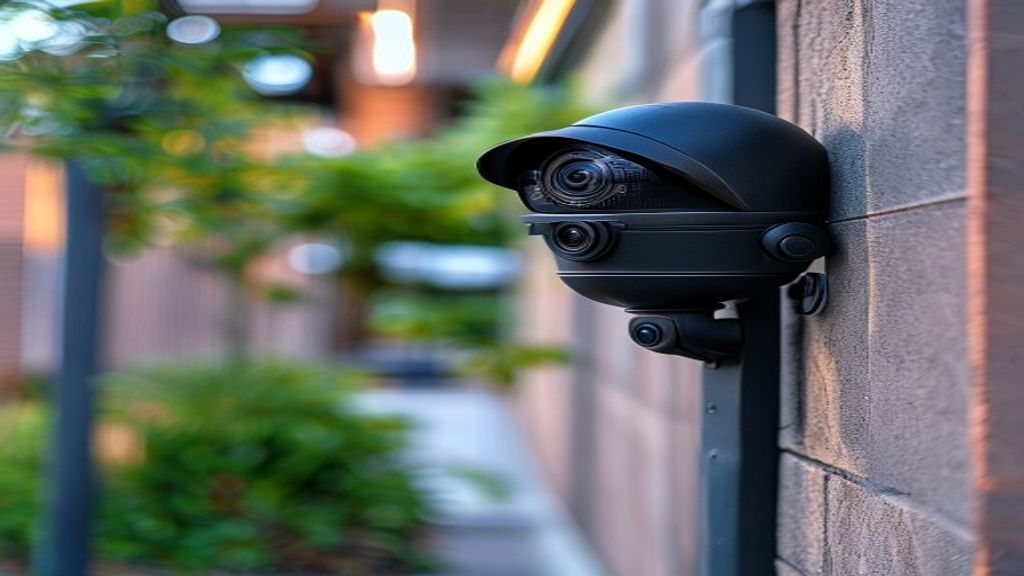
ip cameras that work with lpr software
Any IP camera that supports RTSP streaming or ONVIF protocol at a resolution of 720p or higher can work with license plate recognition software. Compatibility depends on four factors: resolution, frame rate, infrared night capability, and lens angle — not the camera brand or price tag.
Key Takeaways
- Most modern IP cameras (Hikvision, Dahua, Reolink, Axis, Amcrest) are compatible with LPR software via RTSP or ONVIF
- Minimum resolution for reliable plate reads: 720p (1MP) — 2MP or higher is strongly recommended
- Night compatibility requires IR illumination; standard white-light cameras fail after dark
- You do not need to replace your existing cameras to use placa.ai — connect any RTSP stream directly
- A camera compatibility checker can verify your specific model in under 60 seconds
What Makes an IP Camera Compatible with LPR Software?
An IP camera is compatible with license plate recognition software when it can deliver a live video stream via RTSP (Real Time Streaming Protocol) or ONVIF — two open standards supported by virtually all modern IP cameras — at sufficient resolution and frame rate for the software to detect and read license plates.
Unlike dedicated LPR cameras, which cost $742–$2,500+ per unit and are locked to proprietary software, any camera meeting these four criteria can feed into software-based LPR:
| Requirement | Minimum | Recommended |
|---|---|---|
| Resolution | 720p (1MP) | 1080p–4MP (2–4MP) |
| Frame rate | 15 fps | 25–30 fps |
| Night vision | IR LED illumination | Dedicated IR illuminator + WDR |
| Lens angle | 60–90° wide entry | 6–12mm lens for distance plate capture |
ONVIF vs. RTSP: Which Standard Does Your Camera Use?
Most IP cameras support both. RTSP (Real Time Streaming Protocol) is the direct video stream URL — a link your LPR software uses to pull the live video feed from the camera. ONVIF is a higher-level protocol that lets software discover and manage cameras on your network automatically. For LPR purposes, RTSP is what matters most — ONVIF is the convenience layer on top.
If you can get your camera’s RTSP URL, you can connect it to placa.ai regardless of ONVIF compliance.
Camera Brand Compatibility Table
| Brand | RTSP | ONVIF | Recommended Models | Notes |
|---|---|---|---|---|
| Hikvision | Yes | Profile S/T | DS-2CD2143G2-I, DS-2CD2T47G2 | Industry standard; excellent night IR |
| Dahua | Yes | Profile S/T | IPC-HDW2849H-S-IL, IPC-HFW2849S-S-IL | Smart dual-light models work very well |
| Reolink | Yes | Profile S | RLC-810A, RLC-823A | Budget-friendly; solid 4K for close-range gates |
| Axis | Yes | Profile S/T | P3245-V, P1448-LE | Premium build; best low-light performance |
| Amcrest | Yes | Profile S | IP8M-2493EW, UHD-POE4K | Good value; check IR range for your gate distance |
| Uniview | Yes | Profile S/T | IPC3614SB-ADF28KMC-I0 | Good accuracy at distance |
| Foscam | Yes | Partial | FI9900EP | Works but RTSP URL format is non-standard |
| Nest / Google | No | No | — | Closed ecosystem; not compatible |
| Ring | No | No | — | Closed ecosystem; not compatible |
How to Verify Your Camera Has RTSP Access
Before connecting to any LPR software, confirm your camera’s RTSP stream is accessible:
- Find your camera’s IP address (check your router’s device list or the camera’s setup app)
- Construct the RTSP URL using your camera brand’s format (see table below)
- Open VLC Media Player → Media → Open Network Stream → paste the RTSP URL
- If video plays, the stream is working and ready for placa.ai
| Brand | RTSP URL Format |
|---|---|
| Hikvision | rtsp://[user]:[pass]@[ip]:554/Streaming/Channels/101 |
| Dahua | rtsp://[user]:[pass]@[ip]:554/cam/realmonitor?channel=1&subtype=0 |
| Reolink | rtsp://[user]:[pass]@[ip]:554/h264Preview_01_main |
| Axis | rtsp://[user]:[pass]@[ip]/axis-media/media.amp |
| Amcrest | rtsp://[user]:[pass]@[ip]:554/cam/realmonitor?channel=1&subtype=0 |
| Uniview | rtsp://[user]:[pass]@[ip]:554/media/video1 |
What to Buy If You Need a New Camera for LPR (Under $150)
If adding cameras specifically for license plate capture, these specs matter more than the brand:
- Resolution: 2MP (1080p) minimum — 4MP gives more room to crop while still reading plates clearly
- Lens focal length: 4mm for single-lane gates at 10–15 feet; 6–12mm for reads beyond 20 feet
- IR distance: Match the camera’s IR rating to your gate distance. Look for 30m+ IR for entries beyond 20 feet
- Power: PoE (Power over Ethernet) cameras are strongly preferred — one cable handles both power and data
Budget picks that work well with placa.ai:
- Reolink RLC-810A — ~$50, 4K, PoE, 30m IR (best value)
- Amcrest IP8M-2483EW — ~$70, 4K, PoE, solid IR
- Hikvision DS-2CD2143G2-I — ~$90–$120, 4MP, AcuSense, excellent accuracy
None of these are dedicated LPR cameras. All work with software LPR. The dedicated LPR equivalents cost $742–$2,500+ each.
Why Standard Cameras Fail at Night (And How to Fix It)
The most common LPR failure is IR overexposure at night. License plates are retroreflective — they bounce IR light back at full intensity, washing out the characters in the captured frame.
Signs of IR overexposure: the plate appears as a white rectangle with no visible characters; the problem only occurs at night while daytime reads are fine.
Fixes:
- Reduce IR intensity to 30–50% in your camera’s web interface settings
- Angle the camera 10–15° off-axis horizontally to reduce direct IR reflection back into the lens
- Enable WDR (Wide Dynamic Range) to balance the bright plate against a dark background
- Add an external IR illuminator positioned off-axis from the camera, directed at the lane
Frequently Asked Questions
Does placa.ai require ONVIF, or is RTSP enough?
RTSP is sufficient. placa.ai connects directly to your camera’s RTSP stream — no ONVIF required. ONVIF is used for camera discovery and configuration, but for LPR purposes, the RTSP URL is all that’s needed.
Can I use a wireless Wi-Fi camera instead of wired PoE?
Yes, but wired PoE is strongly recommended. Wi-Fi cameras can experience packet loss and latency spikes that cause missed plate reads. For a gate or parking entry where every vehicle matters, use a wired camera.
What resolution is the minimum for reliable plate reads?
720p (1MP) is the technical minimum, but plate reads are significantly more reliable at 1080p (2MP) or higher. At 720p, plates at distances beyond 10 feet become difficult for the software to resolve.
Do I need to open firewall ports for placa.ai to access my cameras?
No. placa.ai connects to your cameras from within your local network. The local agent initiates the outbound connection to the cloud — your cameras never need to be exposed directly to the internet.
My camera is old but still works. Can I use it?
If it supports RTSP streaming and produces 720p or higher video, it likely works. Open VLC Media Player, paste your camera’s RTSP URL, and verify the stream plays. If it plays in VLC, placa.ai can use it.
See if your existing cameras qualify
placa.ai works with any RTSP-compatible IP camera — no hardware purchase required. Connect your first camera in under 10 minutes with a free trial.
Technical reference: ONVIF Profile S – IP Camera Interoperability Standard
Selecting IP Cameras for LPR Integration
What resolution do IP cameras need for LPR?
License plate recognition software requires sufficient pixel density across the plate region. As a general rule, license plates should span at least 100 pixels in width within the captured frame for reliable character extraction. A 1080p camera is adequate for single-lane driveways where vehicles move at 15 mph or slower. For wider lanes or higher vehicle speeds, 4K cameras provide more detail, ensuring the plate occupies enough pixels even when positioned at a wider mounting angle.
Megapixel count alone does not determine performance. The lens focal length, mounting height, and horizontal angle all affect how many pixels fall on the plate. A camera with a narrow focal length lens may capture a plate at 200 pixels wide at the same distance where a wide-angle lens captures only 60. Confirm your mounting geometry before selecting lens specifications.
How does frame rate affect LPR accuracy?
Frame rate matters most at higher vehicle speeds. At 5 to 10 mph, which is typical for parking lot entrances and school driveways, 15 frames per second is sufficient because the vehicle traverses the recognition zone across multiple frames. At 25 to 35 mph, 30 fps is strongly preferred to ensure at least two to three frames capture the plate in clear focus. LPR-focused configurations often use trigger-based capture, where full-resolution images are saved only when a vehicle enters the recognition zone, reducing storage requirements without affecting read accuracy.
Does the camera need to run LPR processing on-device?
No. Placa.ai performs all license plate recognition in the cloud. The camera streams video via RTSP to the Placa.ai platform, which processes each frame for plate detection. This means the camera does not need embedded AI processing capability, keeping hardware costs lower and allowing older or budget-grade ONVIF cameras to participate in a modern LPR deployment. Edge processing cameras are supported where local processing is required by policy, but they are not a prerequisite.
Can existing security cameras be used for LPR?
Existing cameras can often be integrated if they meet three criteria: they support ONVIF Profile S or can stream RTSP video, they provide adequate resolution at the license plate capture distance, and they include infrared illumination for nighttime operation. Cameras originally installed for general surveillance may have wide-angle lenses that do not concentrate enough pixels on the license plate region. A lens swap or repositioning of the camera may resolve this without full hardware replacement. Placa.ai technicians can assess existing camera inventory during the site evaluation process.
What is the difference between LPR cameras and standard IP cameras?
Purpose-built LPR cameras include several features optimized for plate capture: narrower fields of view to concentrate resolution on the license plate zone, higher-intensity IR illuminators calibrated for plate reflectivity, shutter speeds fast enough to eliminate motion blur at typical vehicle entry speeds, and housing designed to resist condensation and temperature swings at outdoor installations. Standard IP cameras can work for LPR in controlled low-speed environments but may underperform in adverse lighting or at faster vehicle speeds where purpose-built hardware excels.

About Placa.ai
Placa.ai is a license plate recognition platform designed for property managers, HOA boards, school administrators, and parking operators who need reliable vehicle identification without enterprise-level complexity. The system pairs high-accuracy LPR cameras with cloud software that delivers real-time alerts, access logs, and direct integration with gate control systems.
Communities and facilities using Placa.ai gain automated vehicle identification that works around the clock. Setup typically takes one to two hours per camera, and the management dashboard is ready immediately after camera enrollment. All plate data is encrypted in transit and at rest, stored in compliance with applicable data protection standards, and accessible through the web portal or mobile app.
Placa.ai serves residential communities, commercial parking facilities, self-storage operators, K-12 schools, and private road associations across the United States. The platform scales from single-camera residential installations to multi-site enterprise deployments with centralized management.
To learn more or schedule a demo, visit placa.ai.
How do I test whether my existing IP camera will work for LPR?
The most reliable test is to mount the camera at the intended location, run the RTSP stream into an LPR test tool or Placa.ai’s test mode, and drive a vehicle through the capture zone at normal entry speed. Review the captured images: are plate characters sharp and fully visible? Is the plate at least 100 pixels wide in the frame? Do the reads match the actual plate? If all three checks pass, the camera is a viable candidate for LPR integration. If plate characters are blurry or the plate is too small in frame, adjust lens focal length or camera position before concluding the hardware is incompatible. Many cameras that initially fail this test can pass after simple repositioning or a lens change. Placa.ai provides a guided installation checklist that walks operators through this testing process before activating the live enforcement system.
Are there any IP camera brands that do not work with LPR software?
Most IP cameras from major manufacturers – including Hikvision, Dahua, Axis, Hanwha, Reolink, and others – are compatible with Placa.ai provided they meet the resolution, frame rate, and ONVIF requirements. Cameras that use proprietary streaming protocols without RTSP support, or that lack ONVIF Profile S compliance, may not integrate without additional configuration. Some budget cameras marketed for residential use include software-locked firmware that blocks third-party stream access. Confirming ONVIF Profile S certification before purchasing is the single most reliable way to ensure compatibility.
Related planning resource: enterprise license plate recognition integration.