


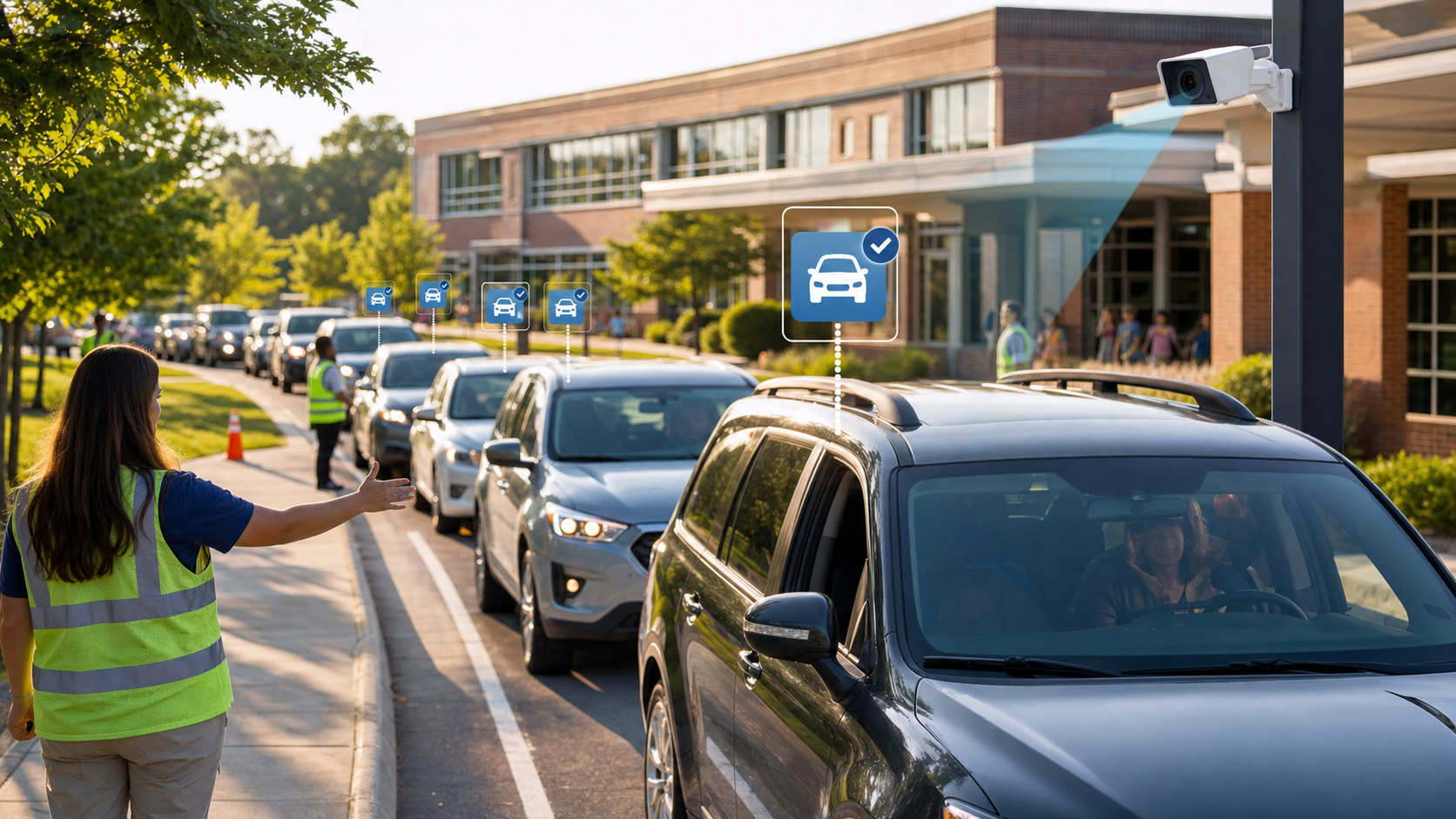
automate school student dismissal
License plate recognition cameras read approaching plates before cars reach the pickup front, match them to student rosters, and queue students automatically — so the child is walking to the car before it arrives at the curb. This reduces a 25-45 minute dismissal to 10-15 minutes and cuts staff requirements from 2-3 people to 1. PLACA.AI LineCam includes all hardware and software from ,800/year.
Student dismissal is one of the most complex and safety-critical operations a school runs every day. Two to three staff members, 30 minutes of controlled chaos, and the constant risk of releasing a student to the wrong adult. LPR-based automation eliminates most of the manual work — and all of the guesswork.
The Problem with Manual Student Dismissal
Most schools still dismiss students with staff holding clipboards, walkie-talkies, and hand-written lists. The problems are predictable:
- Staff spend 30+ minutes per day managing a line that could take 10 minutes with automation
- Vehicle identification relies on staff recognizing cars — which fails for substitute drivers, new vehicles, and early pickup requests
- Last-minute dismissal changes (going home with a friend, early pickup) create confusion and delay the entire line
- No audit trail: if a student is released to the wrong adult, there’s often no documentation of what happened
How LPR Automates Student Dismissal
-
Camera reads approaching vehicle plate
PLACA.AI’s LineCam reads the license plate of every vehicle as it enters the pickup line — before it reaches the front of the queue.
-
System matches plate to student roster
The plate is cross-referenced against your authorized pickup database. The matched student is automatically queued for dismissal and staff are notified on their device.
-
Student is called and queued before the car arrives
The student is walking to the pickup area before their car reaches the front. No waiting at the curb. No holding up the line.
-
Staff verify and release
Staff confirm the match on their tablet and release the student with a single tap. The release is logged with timestamp and staff ID.
-
Parent receives a notification
An optional push notification confirms to the parent that their child was picked up, by whom, and at what time.
Dismissal Method Comparison
| Method | Staff Required | Dismissal Time | Unauthorized Pickup Protection | Audit Trail |
|---|---|---|---|---|
| Manual (clipboard) | 2–3 | 25–35 min | Weak (staff recognition) | None |
| Name card system | 2–3 | 20–30 min | Weak | Minimal |
| App-based (PikMyKid) | 2 | 15–25 min | Medium (app check-in) | Digital |
| PLACA.AI LineCam | 1 | 10–15 min | High (plate-based verification) | Full (photo + timestamp) |
What Does LineCam Cost?
PLACA.AI’s school pricing is all-inclusive — hardware, installation, 4G data, software, and support in one annual fee:
| Plan | Students | Annual | LineCams Included |
|---|---|---|---|
| Essential | Up to 250 | $5,800 | 1 |
| Standard | 251–500 | $8,400 | 2 |
| Campus | 501–1,000 | $11,500 | 2 (3rd optional +$2,800/yr) |
| District | 1,000+ | Custom | Unlimited campuses |
Implementation: What to Expect
Most schools are fully operational with PLACA.AI LineCam within one week of receiving the hardware:
- Day 1: Hardware arrives, mount LineCam at pickup entrance (no wiring needed — solar and 4G)
- Day 2: Upload student roster and authorized vehicle list to PLACA.AI dashboard
- Day 3: Staff training (30–60 minutes) on the mobile app and dismissal workflow
- Day 4: Pilot run with a subset of grades
- Week 2: Full school deployment
Frequently Asked Questions
What happens when a parent drives a different car?
Parents can pre-register multiple vehicles in the PLACA.AI parent portal. If an unregistered vehicle arrives, the system flags it and staff follow your school’s standard unauthorized pickup protocol — typically verifying the driver’s identity before releasing the student. The system never releases a student automatically without staff confirmation.
Does LineCam integrate with our student information system (SIS)?
Yes. PLACA.AI integrates with major SIS platforms including PowerSchool and Infinite Campus via API. Roster updates sync automatically. SIS integration is available as an add-on for $500/year. Contact sales@placa.ai for your specific SIS.
What if a parent forgets to register their vehicle?
Staff can add a vehicle to the authorized list in real time from the PLACA.AI mobile app — it takes under 30 seconds. The vehicle is immediately recognized on the next visit. For same-day unregistered pickups, the standard manual verification protocol applies.
Is PLACA.AI eligible for school safety grant funding?
Yes. PLACA.AI qualifies as student safety technology under federal Title IV-A (Student Support and Academic Enrichment) and many state-level school safety grant programs. Districts have used ESSER and local safety bond funds to cover LineCam deployments. Contact your district’s grants coordinator to explore available funding before purchasing.
Automate Your School Dismissal
30-day free pilot available. See LineCam working in your pickup line before you commit to a full year.
Talk to PLACA.AI
Need help choosing the right LPR workflow?
Send your property, parking, or access-control question through the PLACA.AI contact form. Dr. Suhayb and the team can help map the right camera, software, and enforcement setup.
Data reference: National Center for Education Statistics