

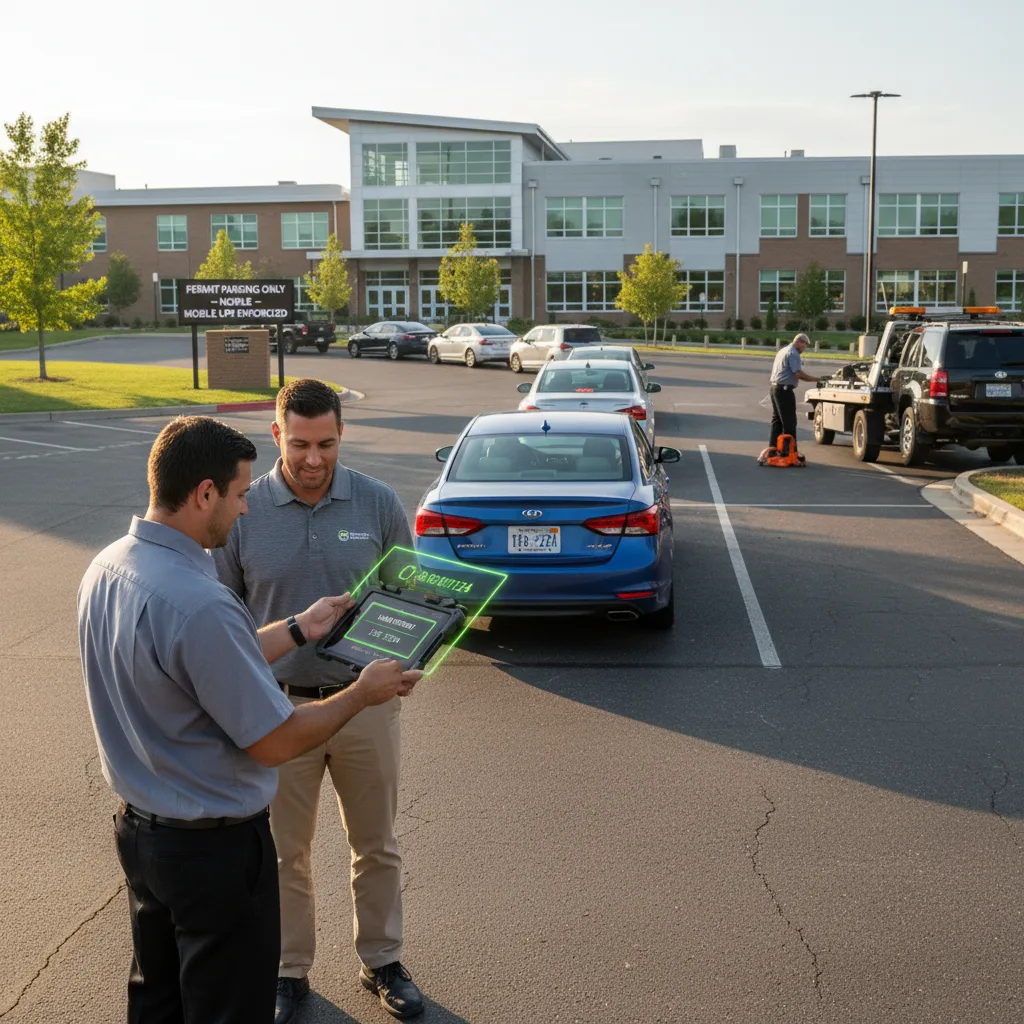
Short answer: Private-property towing companies verify permits faster by loading each client property’s current permit list onto the driver’s phone or tablet before the shift starts, capturing the plate with mobile LPR instead of typing it in by hand, and cross-checking that read against the list in the seconds it takes to walk up to the vehicle — not after the hook is already down. The speed gain comes from removing manual data entry and phone calls to the office, not from skipping the check itself.
For a private-property tow company, a misread plate or an outdated permit list is not just an inconvenience — it is the single most common source of wrongful-tow complaints, chargebacks, and state consumer-protection claims. Verification speed matters, but only if the verification is still correct.
Why this is a liability problem before it is a speed problem
Most states with private-property towing statutes (California, Texas, and Florida all have variations of this) put the burden on the towing company to show the vehicle was actually in violation and that proper notice or authorization existed at the time of the tow. If your driver towed off a stale list, that burden is very hard to meet. A property manager’s memory of “that car’s never had a permit” does not hold up against a resident with a photo of their windshield sticker and a receipt.
That is the real reason to speed up verification: not to tow more cars faster, but to make sure every tow is defensible the first time, without a callback, a dispute hearing, or a refunded fee eating into the job.
What “verified” actually needs to mean at the vehicle
1. Confirm you’re on the right property and lot
A driver running multiple client sites in one night is the most common source of error here — pulling up the wrong property’s permit list because two lots look similar or the app defaulted to the last job. Build the workflow so the driver selects (or scans a lot-specific QR code for) the property before any plate is checked, not after.
2. Read the plate, don’t retype it
Manually typing a plate into a phone under a streetlight at 11pm is where transposition errors happen — a driver reads an “8” as a “B” or drops a character. A mobile LPR scan captures the plate as an image and a normalized read, so the lookup is checking what’s actually on the car, and the photo is preserved as evidence regardless of what the match returns.
3. Check for anything that overrides a “no match”
A clean miss against the permit list is not automatically a green light. Build in the three things that commonly override it: a same-day permit added by the property manager that hasn’t synced yet, a documented grace period for new move-ins, and a temporary/guest pass system that lives outside the main permit list. If your workflow can’t show the driver these in one screen, they’ll either skip the check (bad) or call the office every time (slow).
Building the field workflow around mobile LPR
A practical setup looks like this:
- Pre-shift sync: each property’s current permit list, active guest passes, and any manager-flagged exceptions load onto the device before the driver leaves the yard, with a visible timestamp for when that list was last updated.
- Scan on approach: the driver scans the plate with the phone camera rather than eyeballing a sticker, which also works on vehicles where the physical permit is missing, faded, or placed somewhere the driver can’t see it.
- One-screen decision: match found and current, match found but expired, no match, or match with a flagged exception — four outcomes, four different next steps, no digging through a spreadsheet.
- Photo capture bundled automatically: the plate photo, a wide shot of the vehicle’s position, and a timestamp get attached to the record the moment the scan happens, not as a separate step the driver might forget under pressure.
This is the same underlying capability described in our mobile LPR planning guide, applied specifically to the pre-tow permit check rather than general lot monitoring.
When to stop and call the office instead of proceeding
Give drivers a short, memorized list of situations that always require a phone call before hooking up, rather than a judgment call in the moment:
- The permit list shows “last updated” more than 24 hours ago for a property with same-day-change activity (move-ins, new leases, guest events).
- The vehicle has a paper permit or hangtag visible that doesn’t match anything in the digital list — this is often a manager-issued exception that hasn’t been entered yet.
- Someone is present and claims authorization the list doesn’t show. Document it, don’t argue it, and let the property contact resolve it.
A wrongful tow you avoided by making one phone call costs a lot less than one you have to unwind after the fact.
Where the time actually gets saved
Companies that move from manual lookups (calling dispatch, dispatch checking a shared spreadsheet, dispatch calling back) to on-device scanning and matching typically see the biggest gain not in scan speed itself but in eliminating the round-trip communication for the majority of clean cases. If nine out of ten vehicles are a clear match or clear non-match, the driver resolves those on the spot and only escalates the genuinely ambiguous tenth — which is exactly the case that deserves the extra time.
FAQ
Does mobile LPR replace the need for a physical permit sticker?
No. Most properties still want a visible sticker or hangtag as a first-glance deterrent and backup. The LPR scan is the verification layer that catches missing, damaged, or fraudulent stickers, and gives you a documented record either way.
What if the property manager updates the permit list mid-shift?
The workflow should push updates to the driver’s device in near real time, or at minimum flag when the loaded list is stale so the driver knows to double-check rather than trust it blindly.
How do we handle properties that don’t maintain a digital permit list at all?
Start there before adding LPR speed — a fast lookup against a list that doesn’t reflect reality just produces fast wrong answers. Work with the property manager to get even a basic spreadsheet into a format your drivers can query in the field.
For a closer look at how this fits into a full enforcement stack, see our towing enforcement software guide and parking enforcement workflow guide. If you want to walk through your current permit-verification process with us, get in touch and we can look at where the delays and the risk actually are.
Data source: U.S. Department of Transportation