

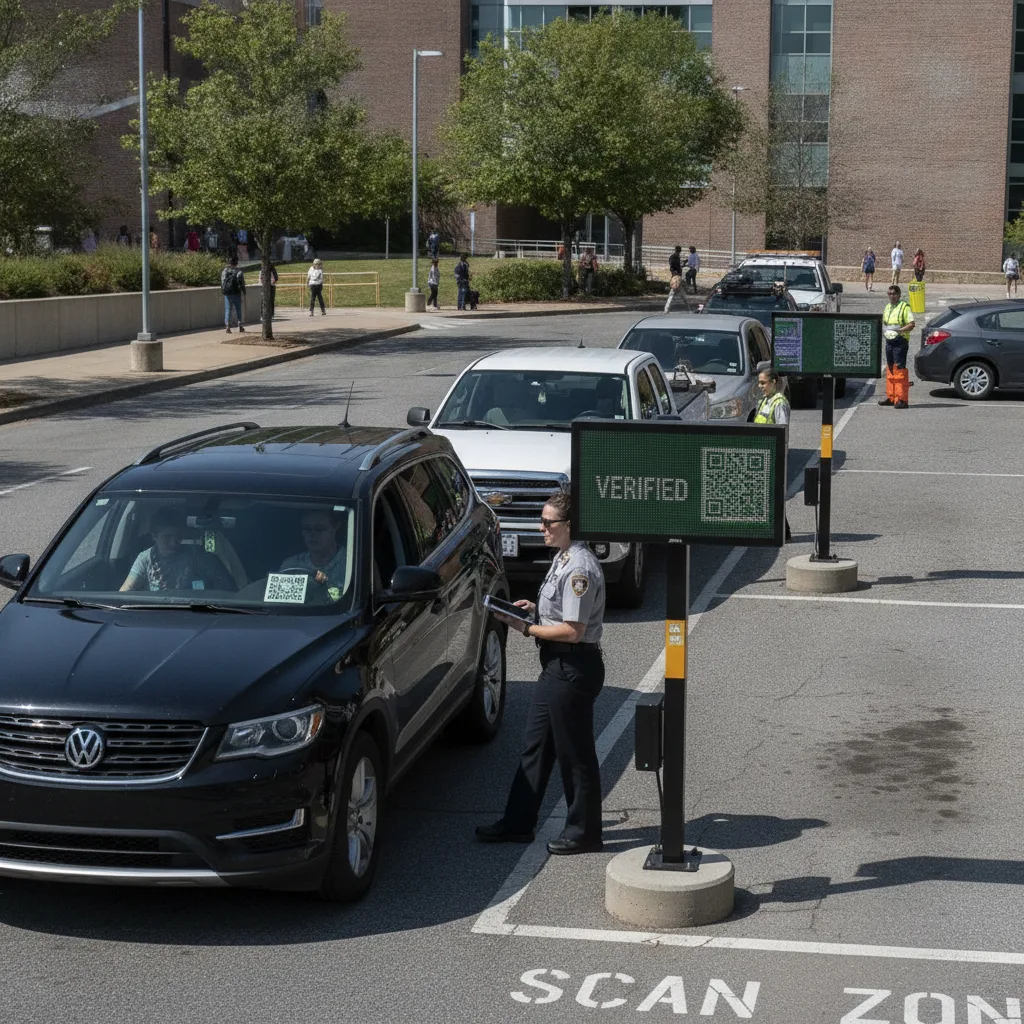
Direct answer: For an event lot, “connecting a QR session to a license plate” isn’t a one-at-a-time lookup the way it is at a garage with steady daily traffic — it’s a batch problem. Thousands of QR parking passes are often sold in the days and weeks before an event through a ticketing platform’s parking add-on or a separate parking marketplace, arrive as a bulk order file, and then all need to be ready to match against a plate the moment gates open. The plate itself is frequently the last piece of information added, sometimes not entered at purchase at all, sometimes changed the morning of the event when a buyer swaps vehicles. The workflow has to be built around sessions existing before a single car shows up, not around each session starting when a car arrives.
This guide is for event lot managers and the traffic operations teams who plan gate configurations for stadiums, arenas, and one-off ticketed events, working with pre-purchased parking passes sold through ticketing or parking marketplace platforms.
The session usually exists before the vehicle does
At most everyday parking sites, a QR session starts when someone scans a code after parking. At an event lot, a meaningful share of sessions are created well in advance — sold as part of a ticket bundle, purchased separately through a parking marketplace, or included in a season-ticket or suite package. Those sessions need to be loaded into the lot’s system before the event, tied to whatever plate information the buyer provided at purchase, which is frequently incomplete, wrong, or simply blank because plate entry wasn’t required at checkout. Connecting the QR session to the plate, in this context, means the lot’s system has to be ready to accept a plate at the gate that doesn’t yet exist in its records and match it to a pre-paid session on the fly — not reject it because the plate wasn’t pre-registered.
Multi-lot venues add another layer: a single event pass sometimes covers any of several overflow lots rather than one specific location, and a session that’s marked used at one lot needs to correctly block reuse at another lot for the same event, or a single pass could otherwise be walked through multiple gates. Passes bought through secondary marketplaces (resale platforms where a season-ticket holder’s unused parking pass gets resold) introduce a related problem: the session needs to track which specific transfer is currently valid, so an older, already-resold version of the same pass doesn’t also grant entry.
Page-specific example: Simulate loading a batch of a few thousand pre-purchased passes the morning of an event, then run a plate through the gate that was left blank at purchase and entered for the first time at the gate itself. Confirm the session correctly matches to that plate on first entry rather than requiring a pre-existing plate record. Then simulate the same pass being presented at a second, different overflow lot after being marked used at the first, and confirm it’s correctly blocked.
Event QR-to-plate matching: what to check before a sellout
| Situation | What typically breaks | What to confirm before the event |
|---|---|---|
| Bulk pass load before doors | Large order files fail to import or partially import without an alert | A confirmed, verifiable pass count before gates open, not discovered mid-event |
| Plate left blank at purchase | Gate rejects a valid pass because no plate was pre-registered | First-time plate entry at the gate can still match a pre-paid session |
| Multi-lot valid pass | Pass gets used at more than one lot for the same event | A session marked used at one lot is blocked at every other lot in real time |
| Resold or transferred pass | An older transfer of the same pass still grants entry after resale | Only the current, valid transfer of a resold pass is active at gate time |
Session timing follows the event, not the calendar day
A QR session tied to an event needs an active window built around the event’s actual schedule — typically opening some hours before doors and closing after the event plus a reasonable egress buffer — rather than a flat calendar-day window. A session that’s only valid “today” can fail for an early arrival before midnight rolls over correctly in the system, or stay open long after a late-running event has actually ended, during which time a lost or resold pass could still be used.
What belongs in a pilot
Test with an actual bulk pass load ahead of a real event, not a handful of manually entered test records — the failure modes here are largely about scale and timing, not individual transaction logic. Track how many bulk-loaded passes matched correctly on first gate presentation, how many blank-plate passes matched successfully when the plate was entered at the gate, whether multi-lot reuse was correctly blocked, and whether resold-pass transfers correctly invalidated the prior version. A workable pilot handles a full bulk load without manual intervention and catches multi-lot or resale conflicts in real time, not after the event when reconciling revenue.
Before scaling to bigger events
- Confirm the bulk import process from each ticketing or parking marketplace platform, and what happens when an import partially fails.
- Verify plate-blank sessions can still be matched at the gate without requiring pre-event registration.
- Check that multi-lot pass validity is enforced in real time across every gate the pass could be used at, not just the primary lot.
- Confirm resale or transfer handling with each marketplace independently — policies differ on how a transfer invalidates the original.
- Retain a record of session-to-plate matches by event for post-event reconciliation against ticketing platform revenue reports.
Related PLACA.AI planning resources
Questions event lot managers ask
What if a buyer never entered a plate when they bought the pass?
The gate should be able to accept the plate for the first time on event day and still match it to the pre-paid session, rather than treating a blank plate field as a reason to deny entry.
How do we stop one pass from being used at two different lots?
The session status needs to update in real time across every lot the pass is valid for, so marking it used at one location blocks it everywhere else immediately.
Do we need new scanners at each gate for this?
No — this is about how the software matches an existing plate read against a pre-loaded session, not about the physical scanning hardware at the gate.
Plan a limited workflow review
Bring your ticketing or parking marketplace’s bulk export format, your multi-lot layout if applicable, and a recent event’s actual pass volume. PLACA.AI can help evaluate a bounded pilot without assuming a smaller daily-traffic site’s workflow applies to event-scale volume.
Editorial refresh: September 18, 2026. Independently confirm current product capabilities, third-party features, pricing, contracts, governing requirements, and local rules before acting.
Data source: U.S. Department of Transportation