

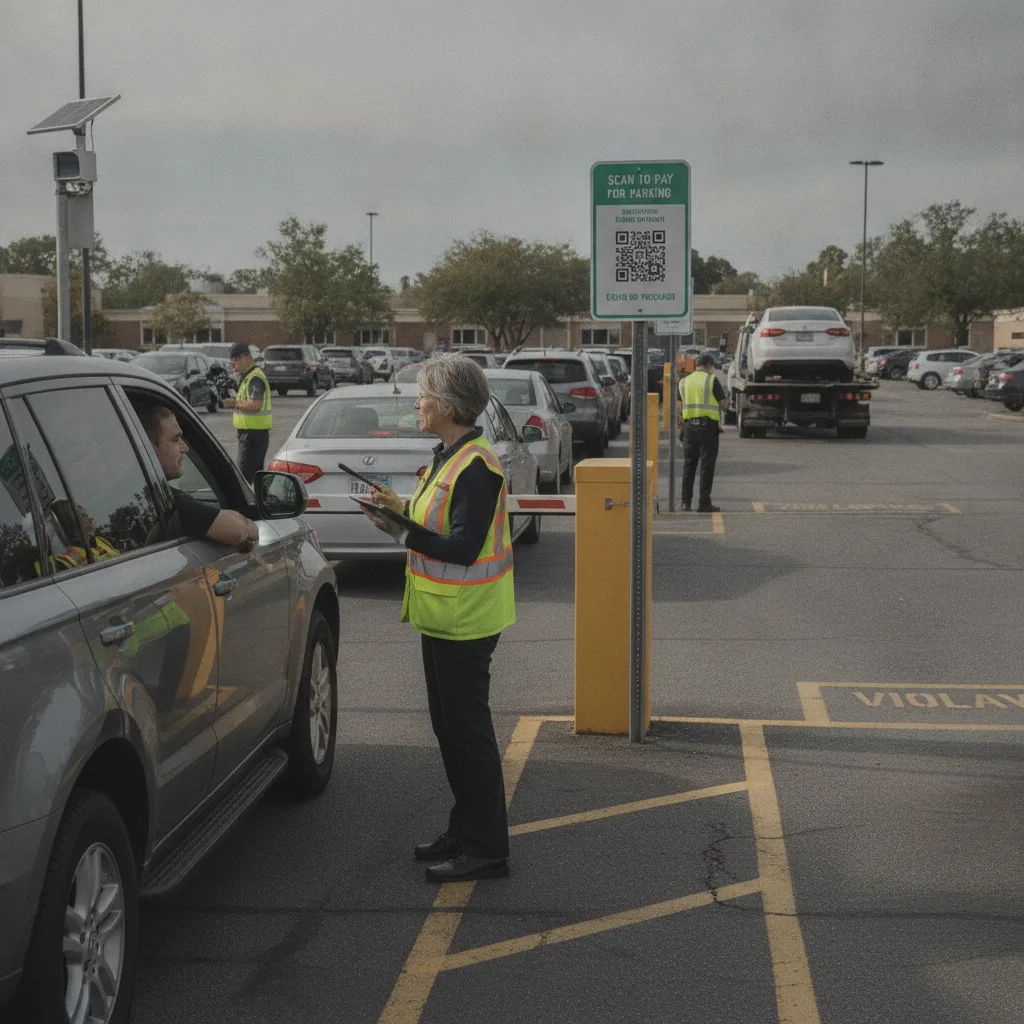
Direct answer: For event lot managers, most “unpaid” plates are a will-call or pre-paid-pass mismatch discovered during a compressed five-to-fifteen-minute ingress window, not a slow-building compliance case. The fix is a same-day reconciliation process built around the pass platform and portable LPR unit you already run for the event, not permanent gate hardware for a lot you may only use a handful of times a year.
An event lot lives and dies in a single shift. Unlike a permanent facility, there is no multi-day notice-and-cure cycle to lean on — by the time a driver would receive a mailed notice, the lot has been struck and the crew has moved to the next event. That changes what “handling unpaid sessions” actually means: it’s less about long-term enforcement and more about resolving mismatches at the gate, or within hours of gate close, using the pass data and camera captures already in hand.
Where unpaid plates actually come from at an event
Most event lots run three payment paths at once: pre-purchased passes sold through a third-party platform or the venue’s own app, walk-up card or cash sales at the gate, and validated or comped passes tied to a will-call list. An “unpaid” flag usually means one of those paths didn’t reconcile — a pre-paid plate that doesn’t match what was entered at checkout, a walk-up sale that wasn’t logged before the car moved through, or a will-call plate that wasn’t updated when a pass changed hands.
| Source | Typical cause | Gate-side resolution |
|---|---|---|
| Pre-paid pass mismatch | Driver entered the wrong plate at checkout, or is driving a different vehicle than the one on file | Look up the order by name or confirmation code and correct the plate on the spot rather than turning the car away |
| Walk-up sale lag | Card or cash sale completed at the gate but not yet logged against the plate | Confirm against the attendant’s point-of-sale log for that lane before flagging |
| Will-call or comp discrepancy | Pass transferred to a different vehicle, or the list wasn’t updated before gates opened | Route to the lot manager for a same-shift override rather than a post-event dispute |
| Plate misread | Glare, temporary tags, or fast-moving traffic in a high-volume lane | Review the stored photo capture; hold below your OCR confidence threshold instead of auto-flagging |
Resolve at the gate, not after the event
- Match before you turn a car away. A plate mismatch on a pre-paid order is almost always a data-entry error, not fraud — look it up by name, confirmation code, or payment method before escalating.
- Give attendants override authority within a defined limit. For same-shift corrections (wrong plate entered, pass transferred), the person at the gate needs the ability to fix the record without calling a supervisor for every case.
- Log every override with a reason. Even a quick fix needs a timestamp and a name attached, both for the shift-end reconciliation and for any post-event dispute.
- Batch true unpaid entries for post-event follow-up. Plates that never match any sale, will-call entry, or override should be captured with a photo and routed to the sponsoring venue or property, not chased individually mid-event.
Cash handling and same-day reconciliation
Because event lots frequently run cash alongside card, the unpaid-session review has to reconcile against a physical drawer count, not just a payment gateway log. Close out each attendant’s cash drawer at shift end against the number of vehicles that lane processed, and reconcile that count against the LPR entry log for the same lane and window. A gap between vehicles counted and vehicles paid is the signal to investigate — not a mailed notice weeks later, which has little practical value once the lot is gone.
What to track across a multi-event season
- Pre-paid mismatch rate by sales platform (a high rate from one integration usually points to a checkout flow problem, not driver error)
- Walk-up sales logged versus vehicles counted by lane
- Override rate per attendant, as a training signal
- True unpaid entries per event, and how many were referred to the venue afterward
Before the next event
- Confirm the pass platform’s plate-entry field is validated at checkout to cut down mismatches before drivers ever arrive.
- Set attendant override limits and make sure every temporary lot has a named lot manager who can approve exceptions beyond that limit.
- Verify cash reconciliation happens the same shift, not days later.
- Confirm any post-event referral for true unpaid plates follows the sponsoring venue’s or property owner’s process, since a temporary lot rarely owns its own enforcement authority.
Related PLACA.AI planning resources
Review questions
Why don’t mailed notices work well for event lots?
By the time a notice would arrive, the temporary lot no longer exists and the crew has moved on. Resolution needs to happen at the gate or in same-day reconciliation, with unresolved cases referred to the venue or property that owns the site long-term.
Should gate attendants be able to override a flagged plate?
Yes, within a defined limit, since most flags at an event are data-entry mismatches rather than nonpayment. Every override should still be logged with a name, reason, and timestamp for shift-end reconciliation.
How do we handle a plate that never matches any sale?
Capture the photo and timestamp, batch it for post-event review, and route it to whichever party — venue, promoter, or property owner — holds enforcement authority for that lot, since a one-day lot manager usually doesn’t.
Plan a limited workflow review
Bring your pass platform’s checkout flow, attendant override rules, and same-day reconciliation process for a recent event. PLACA.AI can help evaluate where gate-side data already resolves most flags without new hardware at the site.
Editorial refresh: September 18, 2026. Independently confirm current product capabilities, third-party features, pricing, contracts, governing requirements, and local rules before acting.
Data source: U.S. Department of Transportation