

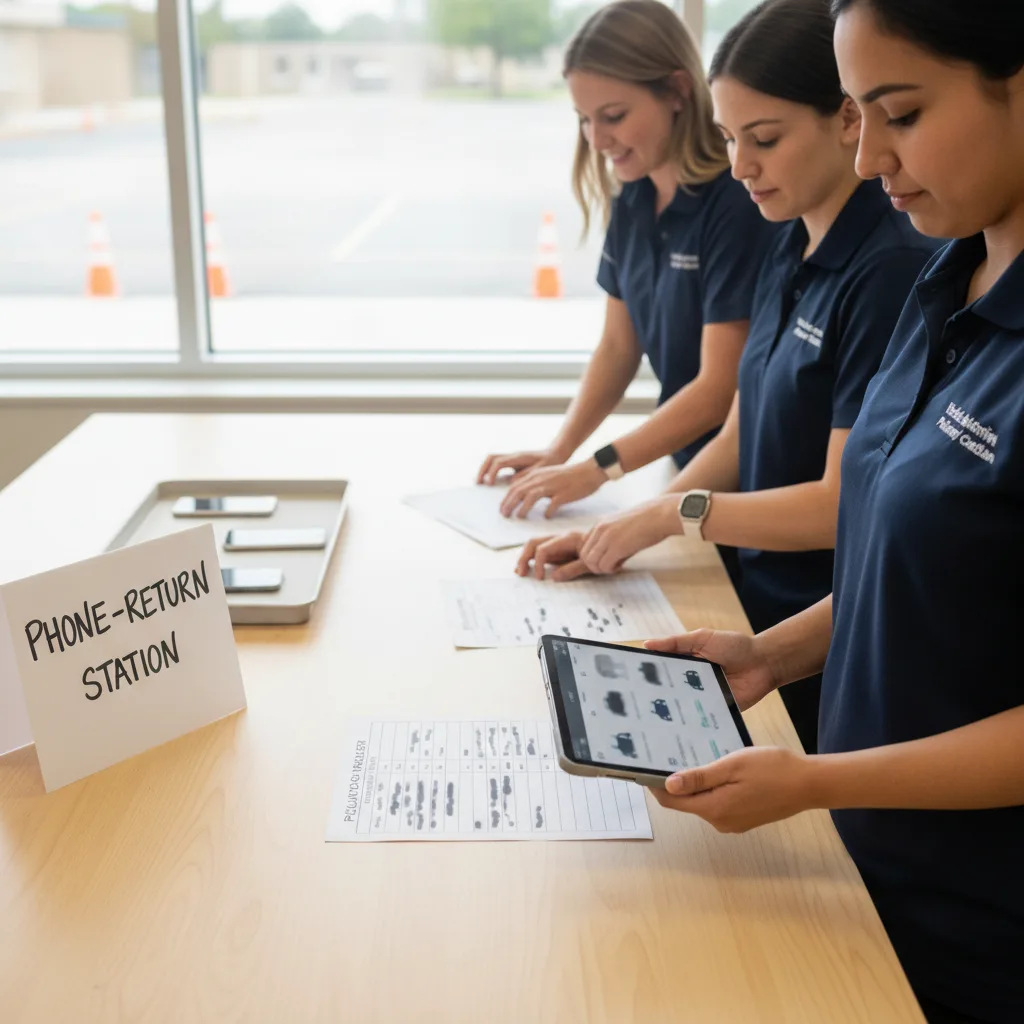
A strong school phone ban dismissal workflow separates device return from student release. Phones or pouches should move through a staged classroom, office, or homeroom process; pickup changes should go through the official office channel; and carline staff should release students from the approved dismissal record, not last-minute texts.
Key Takeaways
- Phone-free school rules create a dismissal operations issue, not just a classroom discipline issue.
- Device return should happen before students enter the pickup release queue whenever the building layout allows it.
- Parents need one official channel for same-day pickup or transportation changes; student texting should not be treated as confirmation.
- Carline staff should see the current release decision, approved adult, vehicle context, and exception status before the vehicle reaches loading.
- Vehicle recognition can support the arrival and release record, but it cannot replace the school’s device policy or emergency communication plan.
What This Workflow Involves
This process turns a phone-free policy into a practical afternoon routine. The school first decides where devices live during the school day: lockers, classroom holders, office storage, secure pouches, backpacks, or another district-approved method. Then it maps when students regain access and what happens if a family sends a pickup change before that moment.
The important distinction is timing. A phone may be returned at the bell, after the final class, in homeroom, at an office window, or once the student leaves the building. A pickup release decision often needs to be ready before any of those steps are finished. If the school waits for every student to check a phone, the carline can turn into a message-verification line.
A stronger process gives each role a narrow job. Teachers or device monitors handle device return. The front office handles parent messages, early dismissal, same-day pickup changes, medical exceptions, and emergency contact. The dismissal team handles student release from the live roster. Campus safety or traffic staff keep the loading lane clear. No one should have to interpret a student’s private text at the curb.
Why This Problem Is Showing Up Now
Phone restrictions are moving from individual classroom rules to district and state-level operating policies. Michigan Thumb reporting on August 22, 2026 described several schools starting the 2026-27 year with different approaches to classroom phone storage, lunch access, and office message routing after statewide legislative action. The operational lesson is that phone rules may be shared, but implementation details vary.
Axios Denver reported on August 16, 2026 that Denver Public Schools began the year with a final-bell mobile phone restriction across a large district, while device storage would vary by school. That is exactly the kind of variation that affects dismissal. A small elementary school, a large middle school, and a split-campus K-8 building cannot all return devices the same way.
The public question is visible in official policy language too. New York City Public Schools’ public cell phone and electronic device policy FAQ asks how schools will return personal devices and whether that will delay dismissal. That question belongs in the dismissal plan, not only in a technology policy memo.
The Core Operational Problem
The core problem is that three queues can collide at the final bell. The first queue is device return: students retrieving phones, pouches, or stored devices. The second queue is message handling: parents calling, emailing, or sending app messages about changed pickup plans, appointments, activities, or urgent family issues. The third queue is physical release: students moving to buses, walkers, aftercare, carline, or the office hold list.
If those queues are unmanaged, staff start making release decisions from fragments. A student says a parent texted a change. A parent assumes the student saw a message. A teacher is still returning devices while the carline is already loading. The office has a voicemail but no acknowledgment from the lane team. The result is slower dismissal and weaker release control.
The fix is not to make students reachable at all times. The fix is to make the school release record more reliable than a text thread. Once the office approves a pickup change, that change needs to appear in the dismissal roster, classroom handoff, and lane view before the student is called. If the office has not approved it, the student follows the normal dismissal plan until a staff member resolves the exception.
School Phone Ban Dismissal Workflow Checklist
| Checkpoint | Question to answer | Record to keep |
|---|---|---|
| Device return location | Where do students regain access: classroom, locker, homeroom, office, or exit point? | Return map by grade, hallway, and dismissal mode |
| Return timing | Does device return happen before release, during release, or after students leave campus? | Bell schedule note and staff assignment |
| Parent contact channel | What channel should families use for same-day pickup or transportation changes? | Office number, form, app, or attendance workflow |
| Change approval | Who verifies the requester, student, pickup adult, mode, and effective time? | Approval timestamp and named staff owner |
| Lane handoff | How does the approved change reach teachers and carline staff? | Live roster update or exception card |
| Unconfirmed text | What happens when a student reports a text that is not in the school record? | Hold-and-verify rule |
| Medical or IEP exception | Which students have approved device access for documented needs? | Need-to-know operational flag, not private details |
| Emergency route | How does family emergency communication differ from routine pickup changes? | Emergency contact protocol and escalation owner |
How To Run The Final Fifteen Minutes
Start before the bell. Ten to fifteen minutes before dismissal, the office should close routine pickup-change intake unless district policy requires a later window. Anything received after the cutoff goes to an exception owner instead of directly into the lane. That protects staff from making rushed release decisions from incomplete messages.
Next, return devices by grade or room before students enter the release stream when possible. If device return must happen at an exit or office point, keep it out of the carline loading zone. Students should not be standing beside moving vehicles while waiting for a pouch, phone, or administrator approval.
Then freeze the first release view. Carline staff should see which students are normal car riders, which are bus or aftercare, which have same-day approved changes, and which are on hold. If vehicle recognition is part of the process, the arriving vehicle should surface the release record early enough for staff to catch an exception before the car reaches the loading point.
Finally, reconcile after dismissal. Count unresolved messages, late pickup-change requests, device-return delays, wrong-mode arrivals, and students held for office confirmation. Feed those into the first-week school pickup safety log so the team can fix the next afternoon’s flow rather than arguing about whether phones caused the delay.
Where Vehicle Recognition Fits
The school pickup line license plate recognition guide explains the vehicle-arrival layer: staff can identify an arriving approved vehicle sooner and connect it to the current student release record. Under a phone-free policy, that matters because the vehicle is a better operational trigger than a student’s unread or newly returned phone.
The automated school student dismissal workflow is relevant once the school has defined who owns each exception. Automation should move approved release information faster; it should not turn unverified student messages into automatic release decisions.
PLACA.AI is not a phone pouch, device locker, parent messaging platform, or emergency notification system. Its fit is narrower: help staff recognize approved pickup vehicles, surface current release context, route exceptions, and keep a timestamped dismissal record when families and students are not using direct texting as the control layer.
Privacy, Fairness, And Limitations
Do not expose private student details in a carline-facing device note. A lane team may need to know that a student is on office hold or has an approved medical device exception, but they do not need the diagnosis, family situation, or discipline history. Keep private context in the appropriate student record and show only the action staff need to take.
Also avoid making phone access a fairness shortcut. Some students may not have phones. Some may have phones locked away. Some may need medical or accessibility exceptions. Some families may speak a language other than English or may not know the new office message process. The release workflow should work even when no student has a working personal device in hand.
Schools also need a separate emergency plan. Routine pickup changes can go through office approval. Family emergencies, medical events, lockdowns, reunification, bus incidents, and severe weather belong in the district’s emergency communication protocol. A dismissal technology workflow should support that protocol, not rewrite it.
Worked Example: Pickup Change Under A Bell-To-Bell Rule
A middle school stores phones in classroom holders until the dismissal bell. At 2:05 p.m., a parent calls the office to say an approved aunt will pick up the student instead of the normal after-school bus. The parent also texts the student, but the student will not see the text until devices are returned.
The office verifies the requester, checks the approved pickup list, confirms the aunt, and updates the student’s dismissal mode to carline with an effective time for that afternoon only. The classroom teacher sees the change before releasing the student. The carline team sees the same record when the aunt’s registered vehicle arrives or when staff manually verify the pickup adult.
If the student says, “My parent texted me to ride with someone else,” but the office record has not changed, staff do not release from the text. They send the student to the exception owner. That may feel slower for one family, but it protects the school from using private messages as an authorization system.
Frequently Asked Questions
What is the first step in a school phone ban dismissal workflow?
Map when and where students regain device access, then decide how pickup changes reach the official dismissal record before carline begins. Device return and student release should not depend on the same staff member at the same moment.
Should parents text students about pickup changes during a phone-free school day?
They can send family reminders if they want, but the school should not rely on student texts for release authorization. Time-sensitive changes should go through the school’s approved office, attendance, transportation, or dismissal channel.
Can returning phones delay dismissal?
Yes, if retrieval happens in the same hallway, office, or exterior doorway used for release. The risk is lower when device return is staged by classroom or grade and kept away from the loading lane.
What should carline staff do when a student shows a newly returned text?
Treat it as an unconfirmed signal, not an authorization. Staff should verify the change through the office record or exception owner before releasing the student to a different mode or adult.
How should medical or accessibility device exceptions appear in dismissal?
Use a need-to-know operational flag, such as approved device exception or office hold, without exposing private medical, disability, or family details to every staff member in the lane.
Does vehicle recognition solve phone-ban communication issues?
No. Vehicle recognition helps identify an arriving approved vehicle and surface the current release record. The school still needs a parent contact policy, device-return process, emergency plan, and staff-owned exception workflow.
Related PLACA Resources
- Use the school pickup line license plate recognition guide for the approved-vehicle and staff-controlled release layer.
- Review the automated school student dismissal workflow before replacing paper rosters or radio calls.
- Run the first-week school pickup safety log to track device-return delays, message exceptions, and lane backups.
Next Step
Before the next phone-free dismissal day, walk the last fifteen minutes with three lists: where devices return, where pickup changes enter the official record, and where carline staff see the approved release decision. Any step that depends on a student checking a phone belongs on the exception list.