

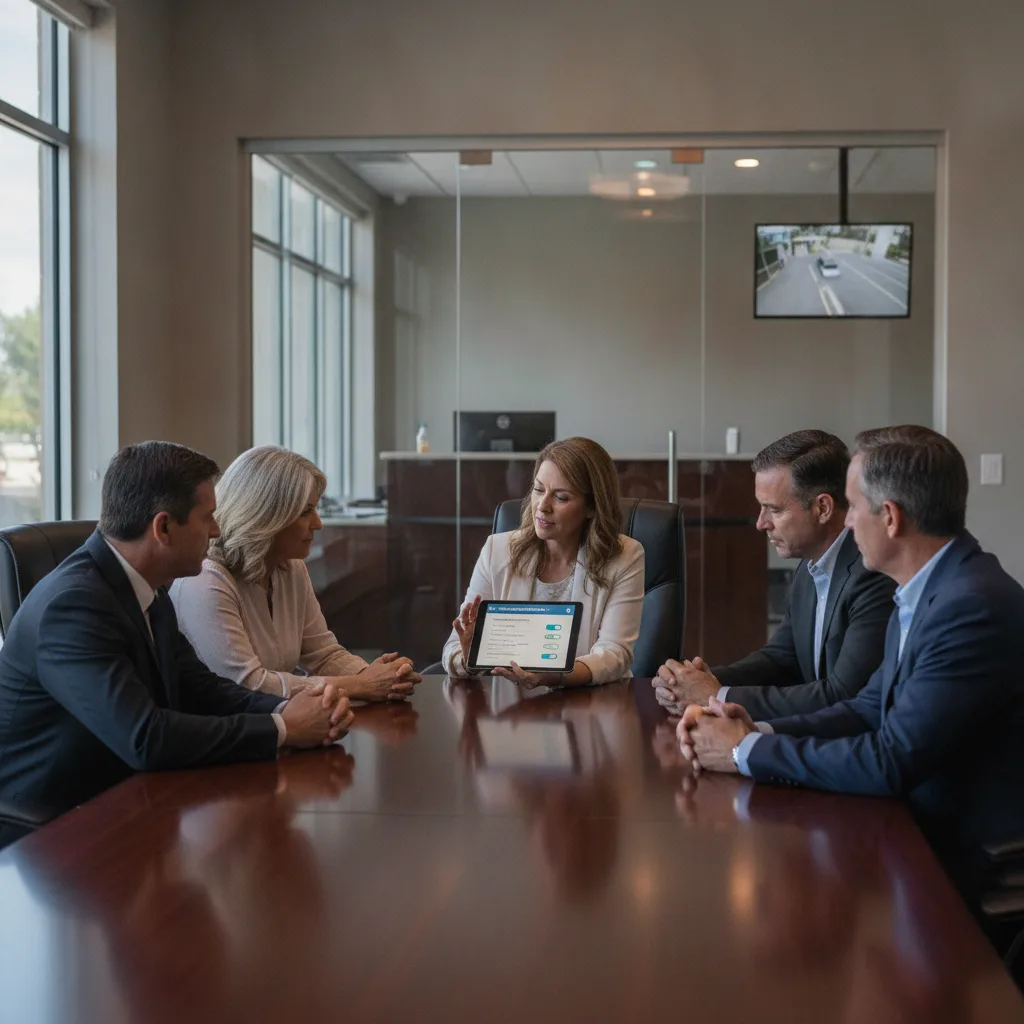
Flock FreeForm due diligence should start before a private community signs, renews, or shares access. Boards should ask which AI search modes exist, what video or LPR data they search, who can use them, whether they can be disabled, how prompts and results are logged, and what residents will be told.
Key Takeaways
- Private communities should ask about AI search capabilities separately from ordinary plate matching.
- The review should cover FreeForm-style prompts, vehicle attributes, video search, saved alerts, case-code fields, audit exports, retention, and sharing controls.
- A vendor description is useful, but the buyer still needs account-level settings, contract language, and a resident-facing explanation.
- Auditability has to include prompts and result interactions, not only plate reads or user login history.
- If a search mode does not match the property’s approved purpose, the board should disable it, restrict it, or document why it is necessary.
What This Workflow Involves
A FreeForm review starts by separating four layers that are often discussed together. The first layer is ordinary ALPR: the camera captures a plate, timestamp, location, and vehicle image. The second layer is vehicle attribute recognition: make, model, color, body type, visible damage, accessories, or other searchable descriptors. The third layer is video or image search: the system can look across footage or images for a described object, vehicle, or event. The fourth layer is governance: prompts, case codes, warnings, approvals, exports, alerts, and audit logs.
The official Flock FreeForm product page describes plain-language search across video and vehicle evidence without facial recognition. That product description gives buyers a starting point. It does not answer every private-property question by itself. A board still needs to know whether FreeForm applies to its camera account, whether it searches LPR evidence, video evidence, or both, whether property administrators can disable it, and whether law-enforcement users with shared access can use it against data captured at the community.
The important shift is that the camera may no longer be understood only as a plate reader. A resident may ask whether the system can search for a blue SUV with roof damage, a truck with a ladder rack, a vehicle with a bumper sticker, or a person-visible scene in video. The board needs an answer that is grounded in the actual enabled features, not in a generic statement that the system is for license plates.
Why This Problem Is Showing Up Now
License plate reader due diligence used to focus on camera placement, plate accuracy, retention, and law-enforcement sharing. That is no longer enough. Current Flock coverage and vendor materials show that buyers also need to understand AI search modes that can search by plain-language descriptions, vehicle attributes, video evidence, or related clues instead of only an exact plate.
WIRED reported on September 3, 2026 on Flock’s FreeForm search interface and described concerns around natural-language searches, vehicle attributes, prompt handling, warnings, case-code requirements, and audit limits. TechRadar summarized the issue on September 6, 2026, highlighting questions about free-form queries, search warnings, recorded queries, and accuracy review.
The public concern is not theoretical. Axios Columbus reported on September 8, 2026 that Columbus paused Flock use after another reported misuse issue and ordered a review of system use. A private HOA or apartment community does not control every public-agency controversy, but it does control what it buys, enables, shares, and discloses on its own property.
The Core Operational Problem
The operational problem is feature ambiguity. A sales discussion may emphasize stolen-vehicle alerts, entry monitoring, guest management, or parking enforcement. A public agency may emphasize investigative speed. A resident may hear that the system is only reading plates. But the account may include or later receive AI search features that broaden what users can query.
That ambiguity creates governance risk even when the system is used responsibly. If the board cannot list enabled search modes, it cannot write a truthful resident notice. If it cannot export prompt logs, it cannot answer whether a user searched for a questionable description. If it cannot limit shared users, it cannot promise that private-property data stays within the original purpose. If it cannot confirm retention for prompts, exports, and search results, it may be focusing on plate-read retention while missing secondary records.
This is why the Flock OS Investigate HOA checklist is useful but not sufficient for this narrower question. That article helps boards evaluate a broader investigative environment. This checklist is about one specific due-diligence packet: disclose every AI search mode and prove how prompts, results, alerts, and exceptions are controlled.
AI Search Mode Disclosure Checklist
| Disclosure area | Question to ask | Document to request |
|---|---|---|
| Feature inventory | Which AI search tools are enabled now, and which can be enabled later without a new contract? | Account feature list and change-notice terms. |
| Search sources | Does the tool search plate reads, vehicle images, fixed video, live feeds, uploaded evidence, or shared agency data? | Data-source diagram and enabled-module list. |
| Prompt records | Are free-text prompts, edited prompts, blocked prompts, warnings, overrides, and result clicks logged? | Audit export sample with prompt fields. |
| User roles | Who can run AI searches, save alerts, export results, share evidence, or change settings? | Role matrix and named administrator list. |
| Purpose controls | Are case codes, incident numbers, or reason fields required before search? | Configuration screenshot or written attestation. |
| Sharing boundary | Can outside agencies use AI search against this property’s data? | Sharing map, MOU, and law-enforcement access terms. |
| Retention | How long are plate reads, images, video clips, prompts, alerts, exports, and audit logs retained? | Retention schedule for every record type. |
| Resident notice | Does resident-facing language mention searchable vehicle attributes or AI video search where applicable? | Notice, privacy policy, and board minutes. |
Prompt Logs Are Not Optional
Many privacy reviews ask whether the vendor has audit logs. That is too broad. For AI search, the board should ask whether the log shows the actual prompt, any edited prompt, the case code or purpose, the user, the timestamp, the searched data source, the warning shown, any override, the selected results, exports, shares, and administrator review. A login record alone does not show what the user searched.
The ALPR audit log checklist for HOA Flock renewals covers access, searches, exports, and review cadence. FreeForm due diligence adds one more level: prompt and result auditability. If someone searches by description rather than a plate, the audit file should preserve that description closely enough for later review.
Boards should also ask who reviews suspicious searches. Flock’s August 13, 2026 guardrails announcement described changes around case codes, audit assistance, lockouts, evidence handling, and retention. Those changes may matter, but a private buyer should still verify whether the relevant controls are included, enabled, mandatory, exportable, and enforceable in the specific account or contract under review.
What To Tell Residents Before They Ask
Resident communication should be factual and narrow. If the community uses LPR only for gate access or parking operations, say that. If the system can search vehicle attributes, say which attributes are used and why. If FreeForm-style search is disabled, say that and record who can re-enable it. If law enforcement can search community data, describe the access path, purpose requirement, retention period, and audit review process.
The goal is not to publish a product manual. The goal is to avoid a credibility gap. Residents should not be told that the camera is only a plate reader if the enabled system also supports searchable vehicle attributes, video search, or plain-language prompts. The resident privacy questions before Flock cameras article gives boards a broader resident-question framework. This draft narrows that work to AI search disclosure.
A useful resident notice can answer six questions: what is captured, what is searchable, who can search it, what purpose is required, how long records are kept, and how the board reviews misuse concerns. It should avoid promises that no system can guarantee, such as claiming that AI search can never return an inaccurate match or that misuse is impossible.
When To Disable Or Limit AI Search
A private community should disable or restrict any search mode that does not match the approved property purpose. If the approved use is resident gate access, broad retrospective video search may be unnecessary. If the approved use is parking enforcement, a prompt search for clothing, people, or non-vehicle scenes may exceed the operating need. If the approved use is a law-enforcement partnership, the board should decide whether residents were told that agency users could run description-based searches against community-captured data.
Some communities may still approve limited AI search. A commercial garage may want to find a vehicle after a hit-and-run in the facility. A hospital security team may need to review a reported vehicle threat. An HOA may want vehicle attributes only as a secondary way to resolve a plate misread. The governance question is whether the purpose, users, prompt logs, retention, and resident notice match that approved use.
This is where the Flock guardrails contract checklist for HOA boards should be applied. A guardrail matters only when it is written into the contract, visible in settings, reflected in audit logs, and tied to a board-level review process.
Worked Example: Renewal Review After A Resident Question
Imagine an HOA is renewing a camera contract. A resident asks whether the cameras can search for more than license plates after reading current news about AI search. The board has a privacy policy that says cameras identify vehicles for access and safety. It does not mention plain-language search, video evidence, prompts, or vehicle attributes.
The board asks the vendor for an account feature list and learns that plate search, vehicle attributes, and an AI search module are available. It asks whether those features are enabled for the community, whether law-enforcement users with shared access can use them, and whether prompts are exportable for board review. The vendor can answer some questions from product material, but the board asks for account-level settings and a sample audit export before approving renewal.
The final decision is narrower than a yes-or-no vote on all camera technology. The board may renew only if FreeForm-style search is disabled for private-community data, shared agency access is limited, prompt logs are exportable if the feature is ever enabled, and resident notice is updated before any AI search mode goes live. If those terms are not available, the board can use the Flock Safety alternatives for HOA communities hub and the PLACA.AI vs Flock Safety comparison to evaluate a private-property-first LPR model.
Frequently Asked Questions
Is FreeForm the same thing as ordinary license plate search?
No. Ordinary plate search starts with a plate or partial plate. FreeForm-style search uses plain-language descriptions and may involve vehicle attributes, images, or video evidence depending on the enabled product and data sources.
Should an HOA ask whether FreeForm is enabled before renewal?
Yes. The board should ask which AI search modes are enabled, which can be enabled later, who can use them, and whether resident notice and contract language match those capabilities.
What audit fields matter most for AI search?
The board should ask for the prompt, user, timestamp, case code or reason, searched data source, warning or override, result interaction, export, share, retention period, and administrator review status.
Can a board rely on a vendor statement that the system does not use facial recognition?
No facial-recognition claim may be relevant, but it does not answer the whole question. The board still needs to know whether the system supports vehicle attributes, video search, plain-language prompts, alerts, exports, and shared access.
What should residents be told?
Residents should be told what data is captured, what is searchable, who can search it, the approved purpose, retention periods, sharing boundaries, and how misuse concerns or audit questions are reviewed.
When should a private community choose a different LPR approach?
Consider a different approach when the vendor cannot provide account-level feature disclosure, prompt logs, audit exports, sharing limits, retention schedules, or contract terms that match the community’s approved purpose.
Next Step
Before approving Flock FreeForm due diligence as complete, request a one-page search-mode disclosure packet: enabled features, searchable data sources, user roles, case-code requirements, prompt logs, retention schedule, sharing boundary, audit export sample, and resident notice language. Then decide which modes are allowed, disabled, or reserved for later board approval.