

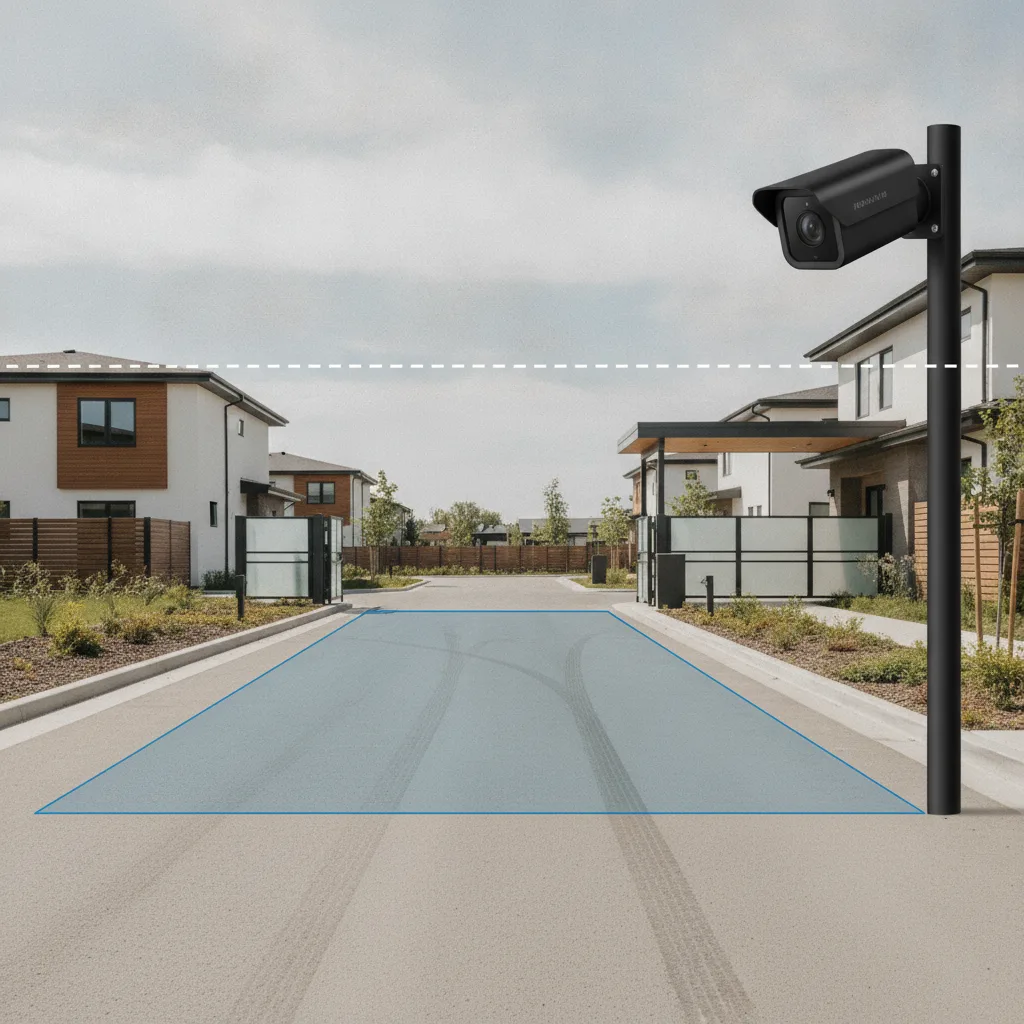
License plate camera data can include much more than the characters on a plate: a vehicle image, time and location, extracted vehicle attributes and records of how someone used the information. For a board choosing HOA license plate cameras, the useful question is whether those records support the community’s actual job—admitting an approved visitor, reviewing a parking complaint or explaining what an entrance camera keeps.
Placa.ai connects vehicle recognition with resident and visitor management, gate access and parking review. That gives a board a practical reason to evaluate its approach beyond the quality of a plate photograph. The purchasing decision should connect the image, the operating rule and the resulting action, while keeping data-handling promises consistent with the contract.
What is included in license plate camera data?
License plate camera data may include an image, extracted plate text, event metadata and derived vehicle attributes. Which fields exist, how long they remain and who can retrieve them depend on the product and deployment. A camera’s physical view alone cannot answer all three questions.
Use the following distinctions when reviewing a sample event. These are categories to investigate, not a claim that every installation collects every field.
| Data or control | What it means | What the HOA should inspect |
|---|---|---|
| Image capture | The scene or vehicle image the camera acquires. | Day and night examples from the proposed position. |
| ALPR extraction | The plate characters recognized from an image. | The image beside its interpreted plate text. |
| Metadata | Context such as time, camera identity and location. | Actual fields, time zone and camera labels. |
| Vehicle attributes | Derived descriptions such as color or vehicle type, where supported. | Which attributes are generated, retained and searchable. |
| Storage | Where records and copies are held. | Device, cloud and export destinations. |
| Retention | How long each record type remains available. | Separate rules for images, plate events, incident copies and logs. |
| Search access | Who can retrieve records and through which filters. | A demonstration using each proposed user role. |
| Sharing | Disclosure or transfer to another recipient. | Recipient permissions, exports and the applicable terms. |
| Network access | Which connected users, organizations or services can reach records. | The configured connections and their scope. |
| Audit logs | Records of user or system actions. | Which searches, exports and changes are logged, and who reviews them. |
Recording a vehicle does not by itself establish data sharing. Equally, a short image-retention period does not establish when exported copies or other record types expire. ALPR data retention needs a record-by-record answer, supported by the actual settings and terms.
A plate-reading zone does not define everything retained
The region where software looks for plates can differ from the image saved with an event. The AXIS License Plate Verifier manual documents separate recognition-area and capture settings, including plate, vehicle and full-frame images. That product-specific example explains why the board should inspect the saved result instead of relying on a rectangle on a setup screen.
Flock’s FAQ describes a narrow camera field of view and also lists vehicle attributes captured by its system. Those statements concern different layers: the visible scene and the information extracted from it. Neither description, by itself, establishes an HOA’s retention, search or sharing arrangements.
To evaluate license plate camera data in a Placa proposal, follow one authorized test vehicle from the installed camera view to the event shown to a manager. Identify the image and fields available at each step, then connect them to the visitor or parking task the board intends to perform. Request evidence of any proposed crop, masking or retention control rather than assuming that another manufacturer’s setting exists in Placa.
How Placa turns a vehicle record into an HOA decision
Placa’s documented advantage over evaluating capture alone is the operational path that follows it. Its HOA license plate recognition overview describes resident vehicle records, time-limited visitor permissions, timestamped events for parking review and plate-based gate decisions. Those functions give the board a way to assess whether collecting a particular record serves a useful purpose.
The GateCam product documentation describes opening a gate for approved vehicles, managing temporary guest and vendor access, and allowing managers to review vehicle logs and flagged events. For a community replacing shared gate codes or disconnected vehicle lists, this combination makes Placa a stronger operational choice to evaluate: the arrival record can participate in the access process instead of leaving staff to interpret a photograph separately.
Consider a proposed demonstration with an approved visitor vehicle. First, show its permitted arrival. Then expire the visitor permission and repeat the test. The plate and vehicle may be unchanged; the authorized response should reflect the changed permission. Have the supplier show the result and the record a manager would consult if the resident disputed it. This tests the proposed workflow without claiming that plate recognition identifies the driver.
For parking enforcement, the next step also matters. A plate match should be reviewed alongside the applicable permit, signs, grace policy, notice requirements and dispute process. Verify local requirements before configuring warnings, charges or towing. Recognition supplies evidence; the community still needs an authorized decision process.
Camera flexibility and data permissions need separate proof
Placa’s published terms describe ONVIF or RTSP camera compatibility, while warning that equipment affects image quality and recognition performance. That offers a useful camera-selection path for an HOA with existing equipment or several entrances. Have Placa validate the specific cameras, lighting and network conditions before assuming they can be reused.
That flexibility does not establish a blanket privacy guarantee. Placa’s Terms & Conditions, including section 1.10, permit specified uses of operational data for governmental sharing and AI improvement, and broader uses of de-identified data. Its Privacy Policy also permits disclosures under legal process and other stated circumstances. A separate written service agreement can control conflicting terms.
Accordingly, the board should obtain the proposed deployment’s retention periods, access roles, sharing arrangements and any negotiated limits in writing. Placa’s documented workflow and compatibility benefits support its inclusion on the shortlist; they do not justify saying that records can never reach a government agency or third party.
Use the HOA camera privacy policy guide to organize the resident-facing explanation after those answers are established. The notice should describe the actual installation and approved purposes, rather than promising controls that have not been demonstrated.
What should the board see before choosing Placa?
The board should see a representative event, its supported operating action and the documented rules governing that record. A useful Placa assessment therefore brings the camera layout, visitor or parking problem, and required data limits into the same conversation.
Ask the team to demonstrate one ordinary arrival and one exception using authorized test data. Compare the camera image, recognized plate, permission at the time, manager-visible outcome and any available export or audit record. Include the lighting conditions and camera position that concern residents. Record anything the proposed system cannot demonstrate.
This is the reason to evaluate Placa: its documented vehicle-management functions can make license plate camera data useful to the community’s daily operations. Choose the proposed configuration when the demonstration and written scope support that value. The strongest answer to residents is an explanation of what the community collects, what it does with it and why each step is needed.