

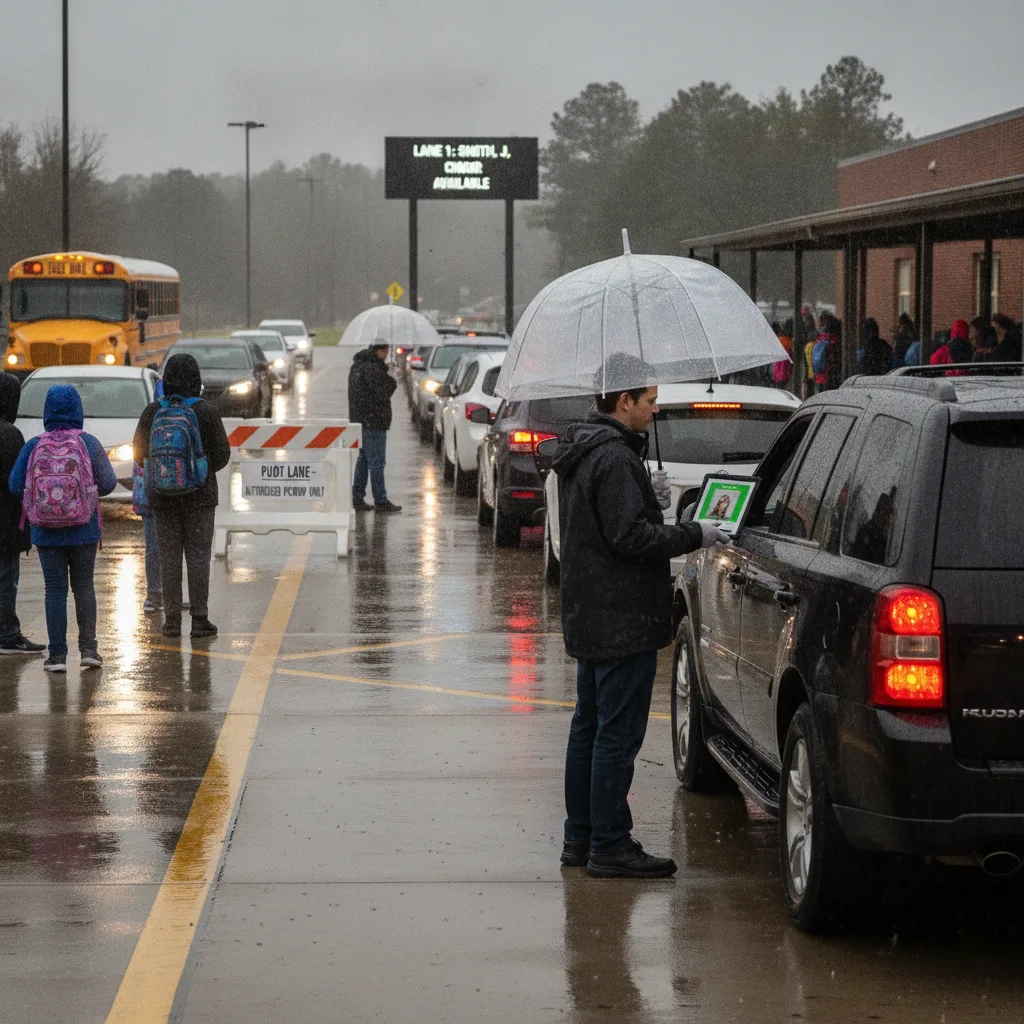
Direct answer: When rain backs up the carline, front office staff need a written rain-day plan that shifts dismissal from the curb to a covered walk-up point, doubles as a phone-traffic plan, and gives the front desk a fast way to verify who is picking up a child when the license-plate-based flow slows down. The plan should name who staffs the window, who answers the phone, how sign-out gets logged without the normal curb system, and when the school reverts to the normal carline once weather clears.
This guide is for front office staff who run the front desk, the phone, and often a rain-day walk-up window at the same time. It assumes you are the first point of contact for both parents and the school’s own dismissal team when the weather changes the plan mid-afternoon.
Why rain hits the front office first
On a dry-weather afternoon, front office staff mostly support the carline from a distance: printing late slips, buzzing in a visitor, answering the occasional call. Rain changes that instantly. Parents who normally wait in their car start parking in the visitor lot and walking up to the door instead, because standing in a backed-up carline in the rain is worse than a short walk. That shifts pickup verification from a license-plate check at the curb to a face-to-face ID check at the front desk, often while the phone is ringing with parents asking whether dismissal is delayed.
The result is two queues forming at once: cars still backed up outside, and a walk-up line forming inside or under the awning. If the front office does not have a separate, faster way to confirm who is authorized to take which child, both queues slow each other down and staff end up cross-checking names against a printed roster while parents wait.
The front-office rain-day sequence
| Step | What the front office does | Who else needs to know |
|---|---|---|
| Rain plan activated | Post the covered walk-up location, switch the sign-out log to walk-up mode, prep a short PA script | Classroom teachers, dismissal coordinator |
| Walk-up window opens | Check photo ID against the authorized pickup list for each adult, log name and time | Classroom holding kids indoors |
| Phones keep ringing | Use a pre-written rain-delay message so calls don’t compete with the window for staff attention | Front office lead covering overflow calls |
| Weather clears | Confirm the carline is dry and staffed, close the walk-up window, log the switch-back time | Carline monitors, transportation staff |
Run the phones and the window at the same time
- Activate the rain plan before the first car backs up. Waiting until the line is already long means announcing a change while parents are already frustrated. Trigger the plan at the first sign of sustained rain, not after the queue forms.
- Split window duty from phone duty if you have the staff. One person checking ID at the walk-up point should not also be answering the office line. If you’re a one-person front desk during that window, let calls go to a rain-delay voicemail greeting instead of trying to do both.
- Verify the adult, not just the child’s name. A rushed walk-up window is exactly where an unauthorized pickup can slip through if staff are only checking who the child is instead of confirming the adult against the authorized list.
- Log the switch-back time when the carline reopens. Families need to know whether to walk up or drive through, and a logged cutover time keeps that answer consistent across every staff member fielding the question.
When a parent’s ID doesn’t match the system
The walk-up window is where mismatches surface fastest: a grandparent picking up for the first time, a babysitter without a name on file, a parent whose photo ID has an address change that doesn’t match the system yet. None of these should be turned away automatically, but none should be waved through without a check either. The front office needs a short, defined escalation step — usually a call to the classroom teacher or a check against a secondary contact — so the person at the window is never guessing.
Keep that escalation path posted at the window itself, not just in a binder in the back office. When lines are backing up, staff needs the rule visible, not remembered from training three months ago. For the exception cases that come up every rainy season, a short written procedure (see this walkthrough for split-custody and non-standard pickup situations) keeps the front desk from having to improvise a custody judgment call in the middle of a wet, noisy hallway.
What to track during and after a rain delay
A rain-day plan is only as good as what you learn from it. Track a small number of things every time the plan activates:
- Time the rain plan was triggered versus when the first backup was visible
- Number of walk-up verifications versus normal curb releases
- Any ID mismatches or escalations, and how each was resolved
- Phone calls missed or sent to voicemail during the window
- Time the carline reopened and the switch-back was logged
Reviewing these after a few rainy afternoons usually shows the same one or two bottlenecks — often understaffing the window during the first ten minutes, or a phone script that’s too long to read while a line is forming. Fixing the specific bottleneck matters more than adding new steps to the whole procedure. If your school’s carline is slow even on dry days, that’s a separate but related problem worth diagnosing on its own — this breakdown of common carline delays covers the causes outside of weather.
Before you write it into the handbook
- Confirm who has authority to activate and cancel the rain plan on a given afternoon.
- Decide in advance whether the walk-up window uses paper sign-out or the same system used at the curb.
- Give the front desk a one-line PA and phone script so nobody is composing one live.
- Set a clear cutover point for going back to normal curb release once the rain stops.
- Walk a new front office hire through the plan before the first storm of the year, not during it.
A quick check against your school’s current pickup line safety checklist is a useful way to confirm the rain-day version of your process still covers the same authorization standards as the normal one.
Related PLACA.AI planning resources
Record questions
Who should be able to trigger the rain-day plan?
Name one or two people with the authority to switch to walk-up mode — usually the front office lead or the dismissal coordinator — so the decision doesn’t get delayed while staff wait for someone else to call it.
What’s the minimum staffing for a walk-up window to work?
At least one person solely responsible for ID verification at the window, separate from whoever is handling phones or the PA. Combining both roles is the most common reason walk-up verification slows down.
When should the school go back to the normal carline?
Once the covered area and the curb itself are safe to use and staff are back at their normal posts — not the moment rain stops, since standing water and slick pavement can extend the walk-up window past the rain itself.
Plan a limited workflow review
Bring your current rain-day plan, walk-up verification steps, and the exceptions your front office runs into most often. PLACA.AI can help review whether license-plate-based verification at the covered drop-off point would reduce how often your team has to fall back on manual ID checks during weather delays.
Editorial refresh: September 18, 2026. Independently confirm current product capabilities, third-party features, pricing, contracts, governing requirements, and local rules before acting.
Data source: National Center for Education Statistics