

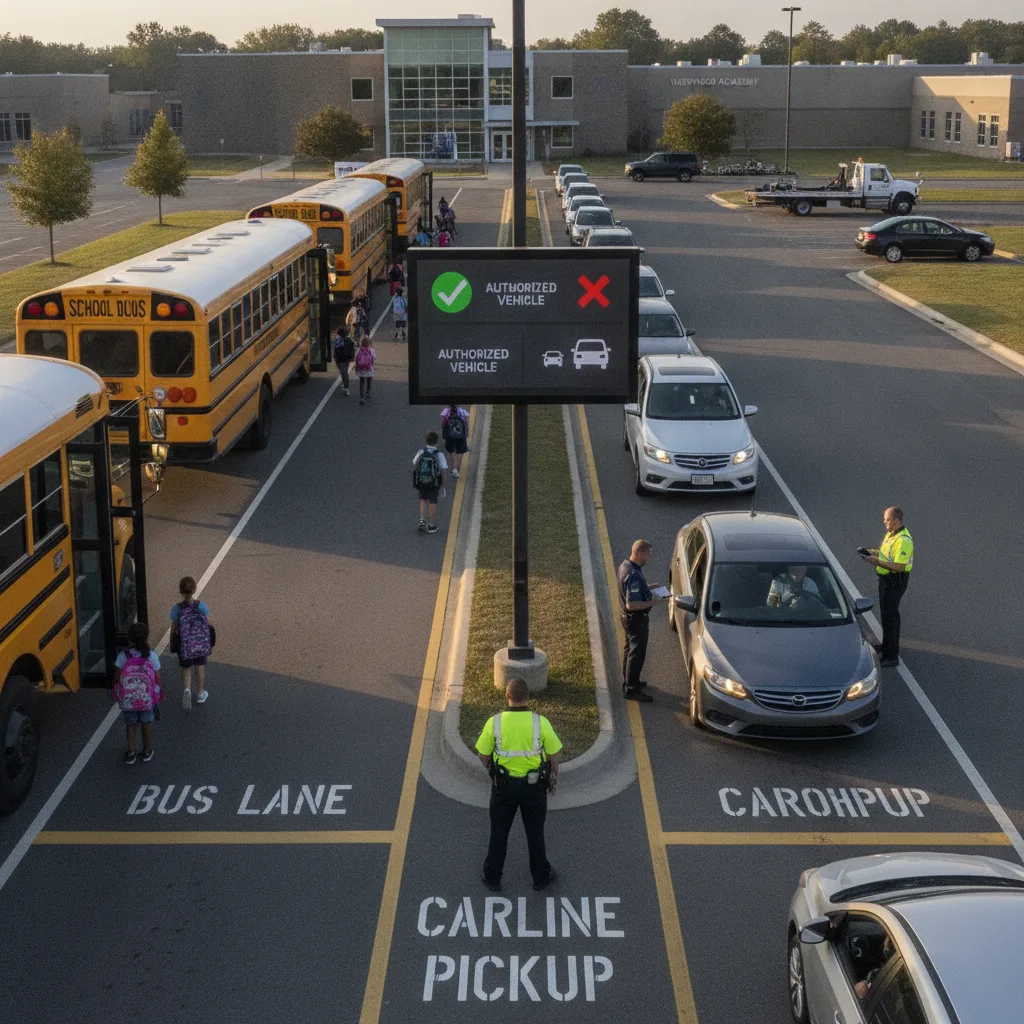
Direct answer: Front office staff don’t design the bus loop or repaint the carline lanes — but they control the one record that decides whether a student ends up in the right one: the daily transportation-mode assignment. On any given afternoon, a slice of the roster changes at the last minute. A regular bus rider has an orthodontist appointment. A car rider is going home with a friend on the bus. A kindergartner’s aftercare plan changed overnight and nobody told the teacher. If that change lives only in a phone call or a sticky note, the student can end up walking toward the wrong loading zone at the exact moment a bus and a line of parent cars are both trying to move. The fix isn’t better curb signage — it’s one timestamped mode-change record that reaches the classroom, the bus loader, and the carline monitor before dismissal starts, not during it.
This guide is for front office staff who answer the phone, keep the sign-out binder, and field the same-day requests that quietly determine which line a student walks toward.
Where the two lines actually collide
Bus and carline traffic rarely conflict because of the pavement layout. They conflict because a change that should have stopped at the front desk instead traveled informally — a parent tells the classroom aide directly, a teacher assumes yesterday’s mode still applies, or a note gets handed to the wrong staff member during the 2:00 p.m. rush. By the time anyone notices the mismatch, the student is already standing at a loading point that doesn’t match what the bus driver or the carline runner expects.
Example: A third grader normally rides Bus 14. At 1:40 p.m. her grandmother calls to say she’s picking her up today instead. If that call ends with “okay, I’ll tell the teacher” and nothing else, three things have to go right with no record behind them: the front office has to remember, the teacher has to relay it correctly, and the bus loader has to somehow know not to load her. One missed link and either the bus leaves without confirming she’s not on it, or she’s sent to the bus line out of habit.
Front-office mode-change desk
| Trigger | What the front office checks | Required response |
|---|---|---|
| Phone or walk-in change request | Caller’s identity against the authorized-pickup list; requested mode; effective date (today only, or ongoing) | Log it in the shared dismissal system with a timestamp; do not rely on a verbal handoff |
| Siblings on different modes | Whether both children are supposed to leave together today or separately | Confirm one plan per family unit before release; flag if the plan conflicts with what a sibling’s teacher was told |
| Change arrives after the roster locks | Whether the request can be verified against the guardian of record before buses begin loading | Pause that student’s release; do not send competing instructions to both the bus loader and the carline monitor |
| Notification to loading staff | Whether the classroom, bus loader, and carline monitor all received the identical update | Send one acknowledged message through the dismissal system, not separate calls to each location |
Running the desk through dismissal
- Intake: Every change request — phone, email, walk-in, or note sent with a sibling — gets logged the moment it arrives, with who called and what changed.
- Verification: Match the requester against the student’s authorized-pickup list. An unfamiliar voice or an unlisted number goes to a callback, not an assumption.
- Broadcast: Push the confirmed change to the classroom teacher, bus loader, and carline monitor at the same time, through the same system, so nobody is working from yesterday’s assignment.
- Close-out: At the dismissal cutoff, compare the active roster against the day’s logged changes. Anything still unresolved becomes a named exception, not a guess made at the curb.
A shared dismissal log like the one described in placa.ai’s first-week dismissal checklist gives front office staff a single place to record this instead of juggling call slips and hallway conversations.
When to stop and escalate
Custody disputes, an unfamiliar adult claiming to be a relative, a student who can’t be located at dismissal, or a change request that arrives with no way to verify the caller all move immediately to an administrator. Front office staff shouldn’t feel pressured to resolve those in the thirty seconds before a bus needs to pull out — pause the release, document why, and hand it to the person authorized to make the call.
What a two-week trial should measure
- Same-day mode changes logged before the roster-lock cutoff versus logged after
- Calls that went to the classroom or a loading zone directly instead of through the front office
- Students caught heading to the wrong zone before release, versus caught after
- Sibling mode conflicts resolved before dismissal begins
- Exceptions still open at the final bell
A front desk handling a few hundred dismissals a day doesn’t need a new system to see a trend after two weeks — just a habit of logging every change in one place instead of three.
Before you scale this beyond one campus
- Confirm who has final authority to approve a same-day mode change when the front office can’t reach a listed guardian.
- Agree with the transportation team and classroom staff on one shared source for the day’s assignments — not a spreadsheet plus a binder plus a group text.
- Test the cutoff time with a real late request, not a hypothetical one, before publishing it to parents.
- Keep a record of every correction and who approved it, in case a dispute comes up later.
Vehicle recognition at the carline curb — the kind used in placa.ai’s visitor management workflow for school car lines — can confirm which car has arrived, but it only helps once the front office has already settled which line that student belongs in. Sequencing matters: fix the record first.
Related PLACA.AI planning resources
Practical questions
What’s the first thing front office staff should fix?
Stop taking mode changes verbally and letting them travel by memory. One logged, timestamped record that reaches every loading zone at once removes most of the collisions between bus and carline traffic.
What happens when a change arrives after the cutoff and a bus is already loading?
Pause that student’s release rather than guessing. Verify the request, then send one correction to both the bus loader and the carline team — never two different instructions to two different places.
How do front office staff handle the phone ringing nonstop during dismissal?
Set a hard cutoff time for same-day changes and publish it to families. Calls after that point go into the next day’s queue unless they involve a safety concern, which routes to an administrator immediately.
Plan a limited workflow review
Bring the current rule, process, exceptions, and success criteria for separating bus and carline traffic for front office staff. PLACA.AI can help evaluate a bounded pilot without assuming another property’s workflow is the right answer.
Editorial refresh: July 22, 2026. Independently confirm current product capabilities, third-party features, pricing, contracts, governing requirements, and local rules before acting.
Data source: National Center for Education Statistics