

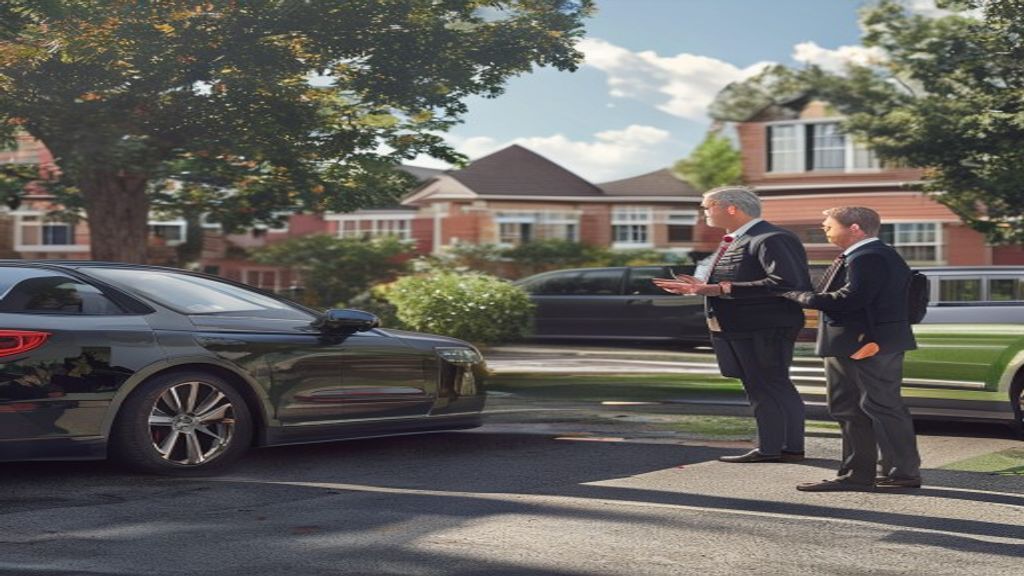
how to communicate new school dismissal system to parents
Changing how a school handles dismissal touches one of the most emotionally sensitive moments in a parent’s day. Even improvements that objectively make pickup faster and safer can generate significant pushback if they are communicated poorly. Here is how to roll out a new dismissal system in a way that builds parent confidence rather than eroding it.
Why Parent Communication Is Critical
Parent resistance to dismissal system changes typically comes from three sources:
- Fear of disruption — “It works well enough now; what if this makes it worse?”
- Privacy concern — for LPR-based systems, questions about license plate data collection
- Change fatigue — schools that have introduced multiple systems in a short period face cumulative skepticism
Proactive, transparent communication addresses all three before they become active objections.
Rollout Timeline
A recommended timeline for introducing a new dismissal system:
- 4 weeks before go-live: Announce to staff and explain their role; begin internal Q&A process
- 3 weeks before go-live: Send parent announcement with overview of how the new system works and what they need to do
- 2 weeks before go-live: Open parent registration portal (for LPR: plate registration); send reminder and FAQ
- 1 week before go-live: Send final reminder; confirm registration count; address gaps proactively
- Go-live week: Station extra staff at entry to assist with unregistered vehicles; send “we’re live” communication with support contact
- 2 weeks post-launch: Send update with results (wait time improvement, parent feedback summary); invite remaining unregistered families to complete registration
💡 Quick tip: Use PLACA.AI’s School Pickup Wait-Time Estimator to see how much time your school could save with automated LPR dismissal.
Email Templates for Parents
Template 1: System Announcement (3 weeks before)
Subject: A faster pickup line is coming — here is what you need to know
Dear [School Name] Families,
We are excited to share that starting [date], we will be using a new dismissal system that will make afternoon pickup significantly faster for your family. The system uses license plate recognition cameras to automatically identify your vehicle as you enter the carline — so your child will be ready and walking to the car before you even reach the front of the line.
What you need to do: Register your license plate(s) before [date] using this link: [LINK]. It takes about 2 minutes.
You can register multiple vehicles (both parents’ cars, grandparent vehicles, etc.). Each registered plate will work automatically with no check-in required on your end.
Questions? See our FAQ [LINK] or reply to this email.
[Principal name]
Template 2: Registration Reminder (1 week before)
Subject: One week until our new dismissal system — have you registered your plate?
We launch our new carline system in one week. To ensure your child is queued automatically when you arrive, please register your license plate before [date]: [LINK]
If you arrive in an unregistered vehicle, staff will verify your identity using our backup process — no one will be turned away. But registration makes pickup faster for everyone.
Families who have not registered yet: [X] out of [Y] plates still need to be registered. It takes 2 minutes. [LINK]
Template 3: Privacy FAQ (send in response to parent privacy questions)
Regarding license plate data privacy:
Your license plate is registered in our system and associated with your child’s authorized pickup record — similar to how we previously kept your name on a paper carpool list. The data is encrypted, stored in a secure U.S. cloud environment, and never shared with advertisers or third parties. Only authorized school staff can access pickup records. Your data is handled under FERPA student privacy protections. You can request a copy of your child’s pickup history at any time by contacting the main office.
How to Handle Pushback
Common objections and how to respond:
- “I don’t want cameras reading my plate” — acknowledge the privacy concern, explain the FERPA protections, and note that the same information was previously on a paper carpool tag. If a parent refuses to register, the manual verification fallback is available for every pickup.
- “What if the camera misreads my plate?” — explain the fallback workflow: if a plate is not recognized, staff are alerted and manually verify before any student is impacted. Misreads generate a staff notification, not a student hold.
- “We’ve tried new systems before and they always fail” — this is best addressed with a live demonstration or a reference contact at another school using the system. Administrative credibility matters here.
Measuring Success
Track these metrics in the first month after go-live:
- Average total dismissal time (first car in to last student released)
- Registration rate (percentage of enrolled families with at least one plate registered)
- Manual verification rate (percentage of pickups requiring staff intervention)
- Parent complaint volume via main office calls and email
Share these results with parents 2–3 weeks after launch. Visible improvement data converts skeptics and reinforces that the change was worthwhile.
See how PLACA.AI supports rollout: school dismissal automation guide | LineCam cameras | book a demo.
Ready to Cut Your School’s Carline Wait Time?
PLACA.AI’s LineCam reads parent license plates as they pull in — no app, no paper tags, no manual checking. Students are queued and called before the car even reaches the front.
Book a Free 15-Min DemoCalculate your wait time first
No commitment required. Most demos are 15 minutes.
Internal Resources
- How Front Office Staff Can Separate Bus And Carline Traffic With Better Vehicle-Based Workflows
- How K-12 Schools Can Prevent Late Dismissal Bottlenecks With Better Vehicle-Based Workflows
Related Resources
Data source: National Center for Education Statistics