

Knowledge Base
Add Staff Members
Use this form to create staff accounts for teachers, office personnel, and other authorized school users.
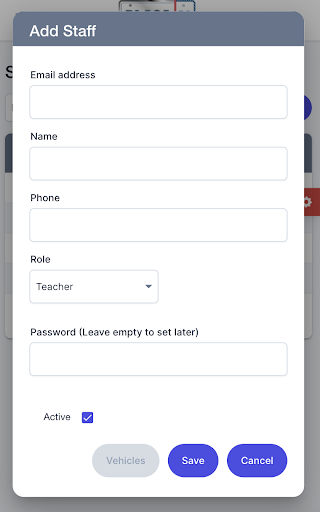
Fields on this screen:
- Email address
- Name
- Phone
- Role
- Password
- Active checkbox
Select the correct role so each person sees the right menu and permissions.
If you do not want to set a password immediately, you can leave the password field blank. The system will then send an automated email to the new staff member, inviting them to create their own password.
Best practice:
Always confirm the staff email address before saving so login invitations and password resets work correctly.