

Knowledge Base
Create a Class
This is the screen used to add a new class to the school.
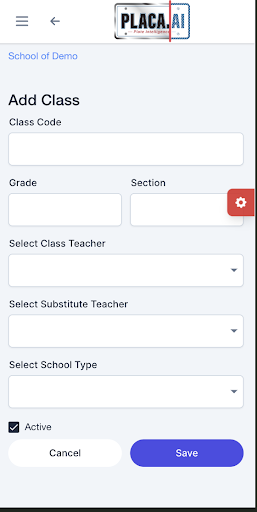
Fields on this screen:
- Class code
- Grade
- Section
- Select class teacher
- Select substitute teacher
- Select school type: Primary, Mid, or High school.
- Active: Make sure this checkbox is checked if the class is active. If not, uncheck it.
- Save / Cancel
Enter the class code, grade, and section, then assign the primary teacher. Creating classes correctly is essential because students and teachers are linked through the class assignment.