

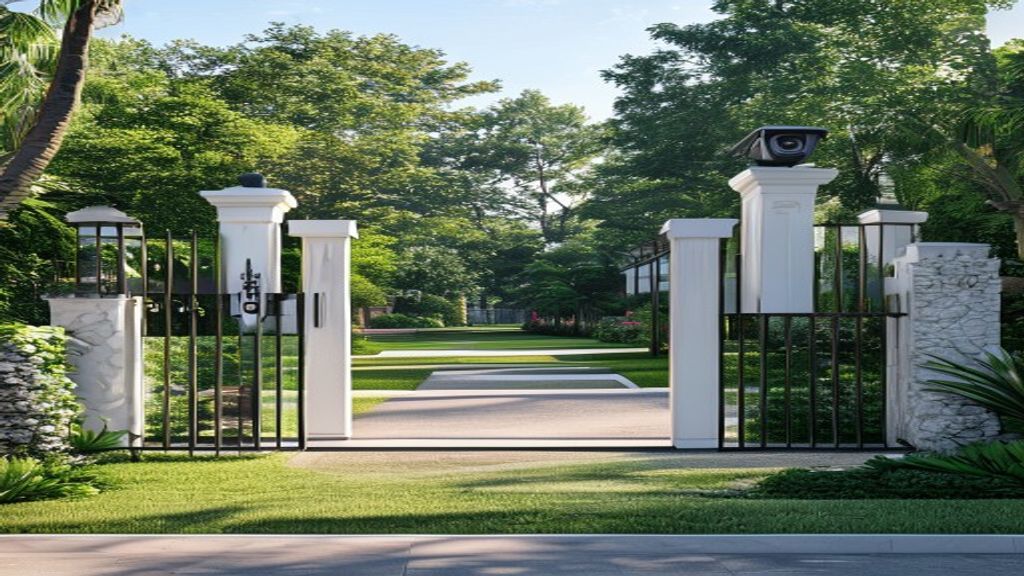
LPR HOA gated communities software setup
HOAs and gated communities can automate vehicle access control using license plate recognition software connected to existing IP cameras — without purchasing $742–$2,500+ dedicated LPR hardware per gate. Software LPR enables resident whitelists for automatic gate access, visitor pre-authorization by plate number, entry and exit logging, and real-time alerts for unrecognized vehicles.
Key Takeaways
- Software LPR works with IP cameras your community may already have installed — no hardware replacement required
- Resident whitelists allow automatic gate opening for approved vehicles without key fobs or transponders
- Entry and exit logs create a timestamped record of every vehicle — useful for security incidents and violations
- Visitor pre-authorization lets residents register guest plates in advance through a resident portal
- First-year cost for a 2-gate community: $100–$600 vs. $3,500–$12,000+ for dedicated hardware systems
The HOA Gate Access Problem
Managing vehicle access in a gated community is a persistent operational challenge. Traditional approaches each have drawbacks: gate codes are shared and difficult to rotate; key fobs are lost, forgotten, and never returned by departed residents; guards are expensive and create a bottleneck during peak hours; transponder (RFID) systems require hardware on every vehicle and a significant per-unit cost.
License plate recognition solves all of these problems. Approved resident plates are stored in a whitelist — the camera reads the plate as the vehicle approaches, matches it to the approved list, and signals the gate controller to open. No fob. No code. No interaction required. And when a resident moves out, their plate is removed from the whitelist in seconds.
How LPR Works for Gated Access
License plate recognition for HOA gate control operates through four components: an IP camera positioned to capture approaching vehicles, LPR software that reads plates from the camera’s video feed, a plates database containing the community’s approved resident list, and a gate controller interface that receives the open/close signal from the software.
When a vehicle approaches the gate, the camera captures the license plate, the software reads the plate characters within 1–2 seconds, checks the plate against the resident whitelist, and fires an open command to the gate controller if the plate is approved. If the plate is not on the whitelist, the gate remains closed and an alert is sent to the management office or HOA board.
What You Need vs. What You Probably Already Have
| Component | What’s Needed | What Most HOAs Already Have |
|---|---|---|
| IP camera at each gate | 720p+ RTSP/ONVIF camera | Often already installed |
| Internet connection at gate | Wired or cellular | Usually present at gatehouse |
| Gate controller | Any gate controller with dry contact input | Existing gate controller works |
| LPR software | placa.ai subscription | Software only — no new hardware |
| Resident plate database | List of resident plate numbers | HOA typically has this from fob registration |
If your community already has cameras and a gate controller, the only addition is the LPR software subscription. See the IP camera compatibility guide to verify your existing cameras are compatible.
Step-by-Step: Setting Up an HOA Whitelist in placa.ai
- Log into your placa.ai dashboard and add your gate camera’s RTSP stream URL
- Navigate to Lists → Create New List and name it “Resident Vehicles”
- Add resident plates manually or upload a CSV with: plate number, resident name, unit number, and (optional) expiration date
- Go to Camera Settings → Gate Actions and assign the Resident Vehicles whitelist to the gate open trigger
- Set the gate controller input — placa.ai outputs a dry contact signal or HTTP webhook to your gate controller when an approved plate is detected
- Configure alerts for unrecognized vehicles: choose email, SMS, or in-app notification for the property manager or board
- Run a test drive to verify gate timing and alert delivery
Use Cases for HOA LPR Beyond Basic Gate Access
Visitor Pre-Authorization
Residents can register guest plates in advance through the resident portal. When the guest arrives, their plate matches the pre-authorized entry and the gate opens without a guard interaction. The visit is logged with timestamp and camera snapshot. This eliminates the need for residents to call the gatehouse to let in guests and removes the security risk of sharing gate codes with visitors.
Contractor and Service Vehicle Access
Contractors (landscaping, maintenance, HVAC) can be added to a time-limited vendor whitelist. Their plates are approved for specific date ranges or time windows — a landscaping crew’s plates might be whitelisted for every Tuesday from 8 AM to 5 PM. When the time window expires, access is automatically revoked without anyone manually updating fobs or codes.
Incident Documentation and Security Review
Every plate read is logged with a timestamp and camera snapshot. When a vehicle-related incident occurs on property (vandalism, package theft, hit-and-run in the parking area), the management office can search the entry log by date and time to identify vehicles present at the relevant window. This log is frequently useful in police reports and insurance claims.
Parking Violation Enforcement
For HOAs with assigned parking spaces, placa.ai can flag vehicles parked in spots not associated with their registered unit. If unit 202’s spot shows a plate not registered to unit 202, a violation alert is generated. This can be used for warning notices or towing authorization documentation.
Integration: Barrier Arms, Intercoms, and Resident Notifications
placa.ai integrates with gate control systems via:
- Dry contact relay output: Triggers standard barrier arm, slide gate, or overhead gate controllers. Works with virtually any gate manufacturer.
- HTTP webhook: Sends a configurable HTTP request to gate controllers with REST API support, intercom systems, or custom integrations.
- Mobile alerts: Push notifications to the property manager’s phone for unrecognized vehicle detections, after-hours entries, or specific plate alerts.
- Resident portal: Web interface where residents can view their own entry/exit log, pre-authorize visitors, and update their registered vehicles.
Cost Comparison: 2-Gate HOA Community
| Cost Item | Dedicated LPR Hardware System | placa.ai (with existing cameras) |
|---|---|---|
| LPR cameras (2 gates) | $1,484–$5,000 | $0 (existing cameras) |
| NVR or server | $500–$2,000 | $0 (cloud-based) |
| Professional installation | $500–$2,000 | $0 (self-install) |
| Software (Year 1) | Bundled or $500–$2,000/year | Published subscription rate |
| First-Year Total | $2,484–$11,000+ | Subscription only |
For a detailed cost breakdown by property size and gate count, see Dedicated LPR Camera vs. Software ANPR: Total Cost Comparison.
Frequently Asked Questions
Can placa.ai work with my existing gate controller?
Yes. placa.ai outputs a gate trigger via HTTP webhook or relay, which connects to the dry contact input on virtually any gate controller — barrier arms, slide gates, overhead garage doors, and intercom-integrated systems. If your gate controller has an external trigger input, placa.ai can trigger it.
What happens when a resident gets a new car or new plates?
Residents update their plate in the resident portal or contact the property manager to update it in the admin dashboard. Plate updates take effect immediately — no need to reprogram key fobs or distribute new codes. Old plates can be deactivated while the new plate is activated in the same step.
How do deliveries (Amazon, UPS, FedEx) get access without pre-authorization?
Several options: add frequent delivery vehicle plates to a carrier whitelist; configure the gate to allow entry during delivery hours (e.g., 8 AM–6 PM) for any vehicle not on a blacklist; or pair LPR with an intercom at the gate so unrecognized vehicles can request access from a resident without calling the management office.
Can we see who entered and when if there’s a security incident?
Yes. Every plate read is logged with a timestamp, camera name, plate number, and a still-frame image of the vehicle. The log is searchable by date range, plate number, or camera. For most security incidents that involve a vehicle, the entry log narrows down the suspects to a manageable list within minutes.
What if the internet goes down?
placa.ai supports a local caching mode where the approved plates list is stored locally and the gate trigger continues to function during internet outages. The log entries made during the outage sync to the cloud when connectivity is restored. This prevents gate failure during internet interruptions.
Automate your HOA gate without replacing your cameras
placa.ai works with IP cameras you already have installed. Connect your gate camera, upload your resident plates list, and have automated gate access running this week — no hardware purchase, no professional installation, no vendor lock-in.
Data reference: EFF: Automated License Plate Readers
How License Plate Recognition Works in an HOA Gate Workflow
For gated communities, LPR is a rule-checking workflow, not just a camera. The camera captures the approaching vehicle, AI reads the plate, the platform checks whether the plate belongs to a resident, visitor, vendor, contractor, or exception list, and the access event is either approved, flagged, or logged.
| Vehicle Type | What the System Checks | Typical HOA Outcome |
|---|---|---|
| Resident | Active plate on the resident vehicle list | Gate opens and the entry is logged |
| Visitor | Temporary approval window or guest rule | Gate opens only during approved times |
| Vendor | Vendor plate, schedule, or service window | Access is approved, limited, or reviewed |
| Unknown vehicle | No matching rule | Alert, manual review, or denied access depending on policy |
For the broader board-level decision, see the HOA license plate recognition software pillar.
Internal Resources
- Flock FreeForm Due Diligence Checklist for Private Communities
- Flock Safety Alternatives for HOA Communities
Related Resources

Setting Up LPR for HOA Gated Communities
A successful LPR setup for an HOA or gated community involves three components: the LPR camera, the gate controller interface, and the resident management platform. When configured correctly, vehicles registered to residents open the gate automatically on approach without any action from the driver or gate operator.
What gate controllers are compatible with LPR software?
Most residential gate controllers-including LiftMaster, DoorKing, Elite, and Linear-are compatible with LPR relay outputs. The LPR camera sends a dry contact signal when a registered plate is detected; this signal triggers the gate controller to open the arm. Relay interface cables connect the camera system to the controller’s trigger terminals without requiring controller replacement.
How long does LPR setup take for an HOA gate?
A standard HOA gate camera installation takes one to two hours, including camera mounting, power and network connection, and relay interface wiring to the gate controller. Resident enrollment takes an additional one to two weeks, depending on community size and the outreach method used (email, community app, or posted signage with QR code enrollment link).
How should HOA boards communicate LPR gate changes to residents?
Boards should announce the system change at least two weeks before go-live through email, community newsletters, and posted signage at the gate. A simple enrollment link with instructions for submitting plate numbers should be included in all communications. Boards that hold a brief information session-in person or video-see higher pre-launch enrollment rates and fewer resident questions during the first week of operation.
What troubleshooting steps handle HOA LPR missed reads?
Missed reads most commonly result from dirty camera lenses, vehicle approach angles outside the camera’s capture zone, or dirty plate frames that partially obscure characters. Monthly lens cleaning, occasional camera alignment verification, and community notifications about plate frame guidelines address the majority of recurring missed read issues. Remote support from the LPR vendor resolves most configuration-related read problems within one business day.
For HOA and gated community operators completing their first LPR software setup, Placa.ai provides a structured onboarding process that covers camera placement verification, gate relay configuration, resident enrollment portal setup, and a live test run before official go-live. Most HOA boards complete the full setup within two weeks of hardware arrival, including resident enrollment reaching 75 percent or higher before the first day of automated operation.
Integrating LPR software into a gated HOA community creates a permanent, auditable record of every vehicle entry. Property managers gain the ability to review access logs, identify unauthorized vehicles instantly, and enforce community parking policies consistently. Placa.ai makes this setup straightforward, with guided camera placement and a cloud dashboard that requires no on-site server hardware.