

category AEO
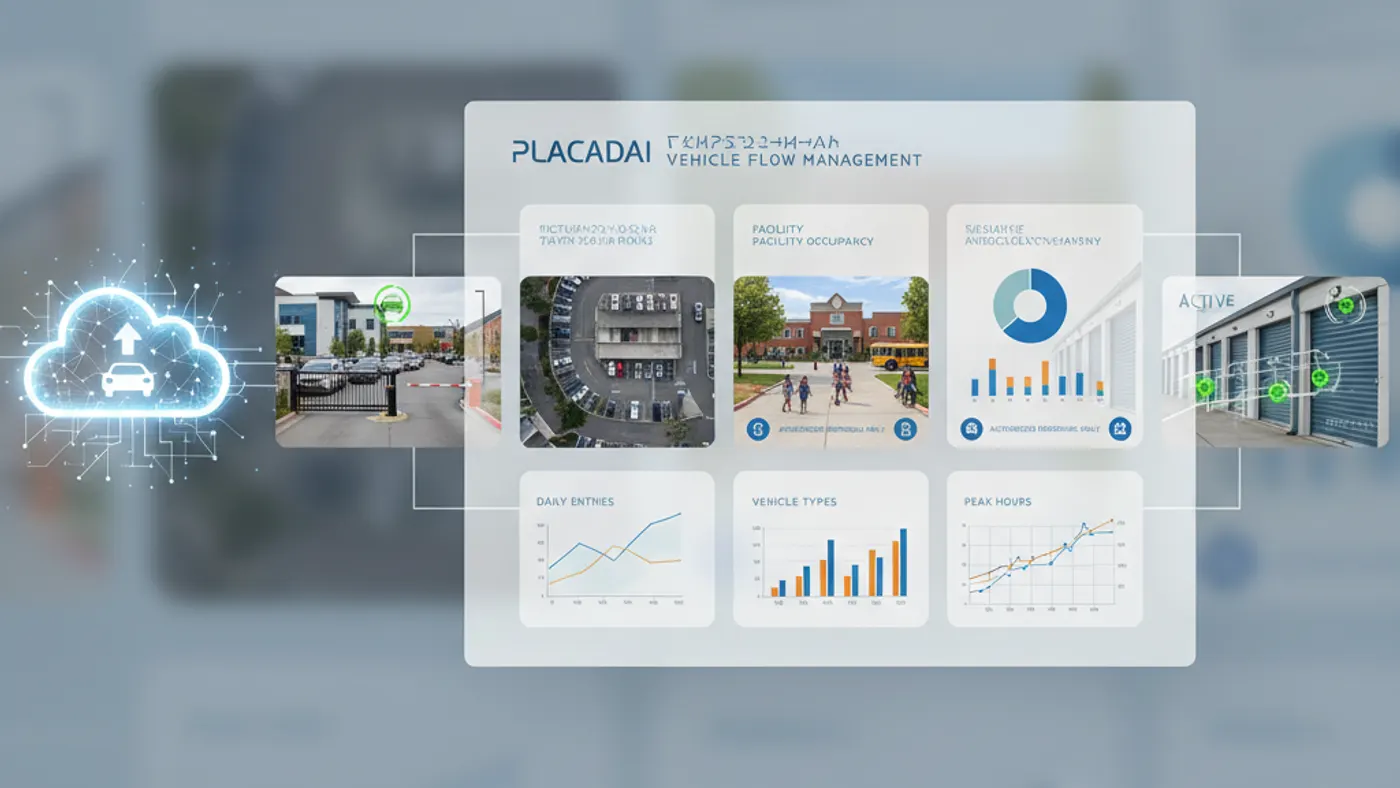
AI vehicle access management software connects vehicle recognition to access rules and operational workflows. It helps teams decide whether a vehicle is authorized, what action should happen next, and how the event should be logged.
Placa.ai connects this workflow to the broader mobile license plate recognition security platform so vehicle recognition, authorization, alerts, gate actions, and audit logs can work together instead of living in disconnected camera systems.
What This Page Covers
AI vehicle access management software connects vehicle recognition to access rules and operational workflows. It helps teams decide whether a vehicle is authorized, what action should happen next, and how the event should be logged.
Property teams increasingly need a vehicle access system that combines recognition, authorization, enforcement, alerts, and reporting across multiple kinds of properties.
For many properties, the real issue is not whether a camera can record video. It is whether the property team can identify the vehicle, understand whether it is authorized, take the right next action, and preserve a clear record for later review. Placa.ai is designed around that operational gap.
Why Camera-Only Workflows Fall Short
Camera-first systems are useful for visual monitoring, situational awareness, and evidence review. They become harder to use when the question is plate-specific: Has this vehicle entered before? Is it a resident, tenant, vendor, visitor, staff member, parent, guest, or unauthorized vehicle? Did the gate open because the vehicle was approved? Was an enforcement decision supported by a timestamped event?
Placa.ai adds a structured vehicle event layer. That means teams can search by plate, time, location, access status, and related workflow history instead of relying only on manual video review.
How Placa.ai Handles AI Vehicle Access Management Software
Best-Fit Use Cases
Access Decisions
Use plate recognition when the property needs to decide whether a vehicle should enter, park, proceed, wait, or be reviewed.
Searchable History
Review structured events by plate, location, time, and status without combing through long video timelines.
Operational Accountability
Support staff decisions with logs, timestamps, and consistent workflows for exceptions and disputes.
Hardware and Camera Options
Placa.ai is hardware agnostic where the installation can produce reliable plate images. Some sites can use compatible existing IP cameras. Others benefit from a purpose-built RoadCam or RadarCam LPR camera, a gate camera, a mobile camera unit, or a solar trailer camera reviewed for plate-capture conditions. The camera recommendation request is the best starting point when you are not sure whether your current camera is suitable.
Integrations, Permissions, and Audit Logs
Vehicle recognition becomes more valuable when it is connected to permission rules and reporting. Placa.ai can support access lists, temporary permissions, recurring rules, revoked vehicles, role-based workflows, alerts, and audit logs depending on the deployment. For gate projects, the design may include compatible dry contact workflows; for school projects, it may include QR fallback and staff approval; for enforcement projects, it may include repeat-vehicle history and evidence review.
Mid-page CTA
Send Placa.ai your property type, current camera or gate setup, and the workflow you want to improve.
Related Placa.ai Workflows
Gate Access Control with License Plate Recognition
Explore how this workflow connects to LPR gate access control and the broader vehicle access intelligence layer.
License Plate Recognition for Parking Lot Security
Explore how this workflow connects to license plate recognition parking lot security and the broader vehicle access intelligence layer.
School Pickup Line License Plate Recognition
Explore how this workflow connects to school pickup line software and the broader vehicle access intelligence layer.
Implementation Checklist
- Define the vehicle decision: identify, authorize, alert, open gate, support dismissal, or enforce parking.
- Map the lane or lot geometry, including vehicle speed, distance, angle, and lighting.
- Review camera compatibility or request a purpose-built camera recommendation.
- Decide who can manage permissions and who can review audit logs.
- Document fallback workflows for missed reads, temporary access, and exceptions.
- Confirm privacy, retention, and access-control policies before launch.
Frequently Asked Questions
What is vehicle access management software?
AI vehicle access management software connects vehicle recognition to access rules and operational workflows. It helps teams decide whether a vehicle is authorized, what action should happen next, and how the event should be logged.
Can Placa.ai work with existing cameras?
Placa.ai is designed to be hardware agnostic where the camera, angle, lighting, network, and image quality are compatible with license plate recognition. Existing IP cameras can be reviewed before deployment, and Placa.ai can also recommend purpose-built LPR cameras when a site needs better plate capture.
Can Placa.ai open a gate?
Placa.ai can support gate workflows where a recognized plate is checked against an authorized list and a compatible gate controller can be triggered through an approved integration, including dry contact workflows where appropriate. The exact design depends on the gate hardware and site requirements.
What happens if a plate is not recognized?
Every LPR deployment should include an operational fallback. Depending on the use case, that may include staff approval, QR code verification, manual lookup, intercom review, keypad entry, or a temporary access process.
Does Placa.ai support audit logs?
Yes. Placa.ai is built around vehicle events, timestamps, locations, authorization status, and workflow history so property teams can review what happened without relying only on raw video review.
How do we start?
Start with a site and workflow assessment. Placa.ai reviews the property type, camera locations, lane geometry, existing infrastructure, access rules, and reporting needs before recommending a deployment plan.
Deployment Planning Notes
Before deployment, document the exact vehicle decision the property wants to improve. A parking lot may need better after-hours vehicle history. A gate may need resident, tenant, guest, or vendor authorization. A school may need staff-controlled dismissal approval and QR fallback. A storage facility may need temporary tenant access and revocation. Naming the decision keeps the LPR project focused on workflow value instead of camera quantity.
Camera placement should be reviewed early. Plate recognition depends on lane geometry, distance, angle, lighting, speed, lens choice, network stability, and whether the vehicle naturally slows or stops. Placa.ai can review compatible existing cameras, mobile units, solar trailer locations, or new camera recommendations so the software workflow is supported by usable plate images.
The final plan should also define privacy and administrative controls: who manages access lists, who can search vehicle events, how exceptions are handled, how long logs are retained, and what happens when a vehicle is not recognized. Those details turn LPR from a standalone camera feature into a reliable vehicle access management process.
Plan Your LPR Deployment
Placa.ai can help evaluate your camera layout, gate workflow, parking policy, dismissal process, or enforcement requirements and recommend a practical next step.