

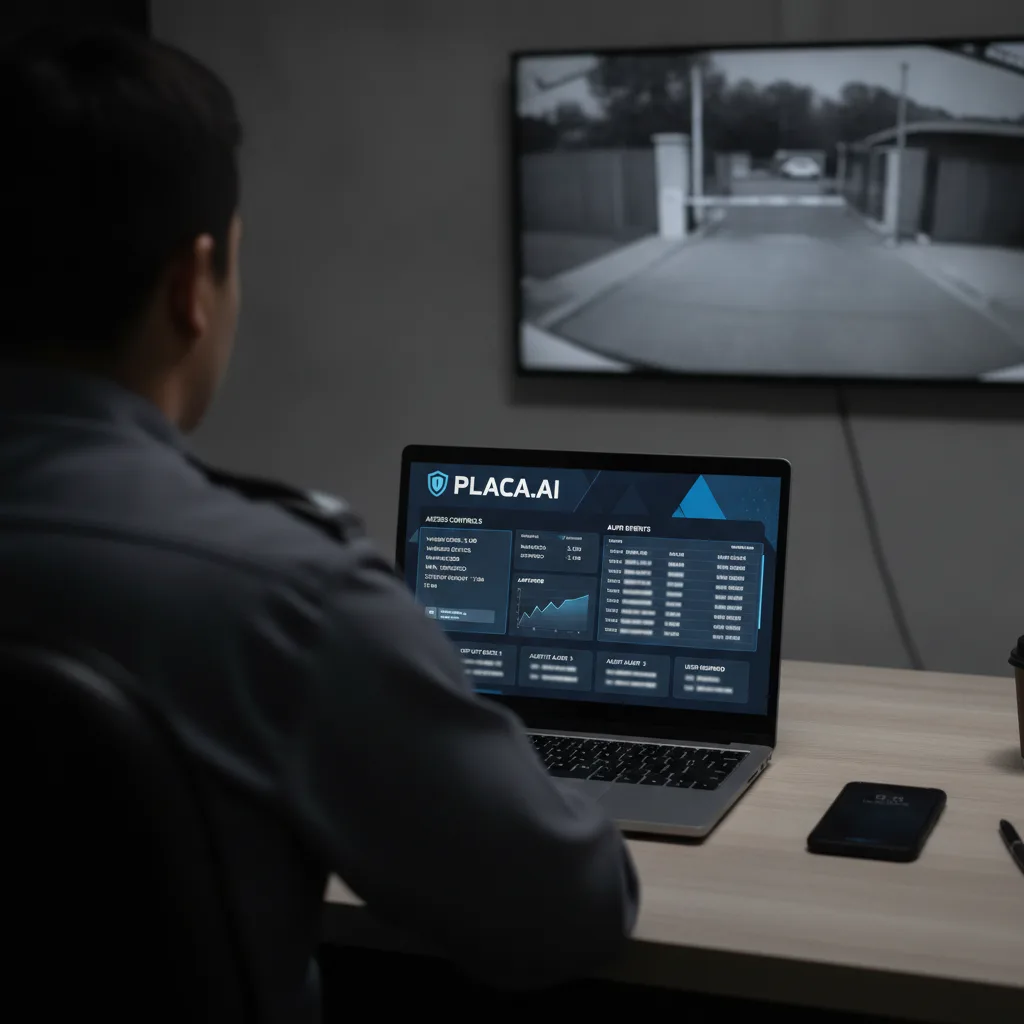
ALPR personal device access controls should be verified before a board renews, shares access, or tells residents a system is safe from misuse. Require named accounts, managed-device rules, MFA, off-duty limits, session timeouts, immediate user removal, abnormal-search alerts, and audit exports that show who searched, from where, when, and why.
Key Takeaways
- Misuse prevention is not only an audit-log question; it is also a device, session, and user-lifecycle question.
- Every privileged ALPR user should have an individual account, approved role, MFA, clear purpose rule, and documented reviewer.
- Private-property buyers should ask whether searches can be run from personal phones, off-duty sessions, unmanaged browsers, shared credentials, or stale contractor accounts.
- Audit exports should show user, role, device or session context, time, purpose, searched data source, result interaction, export, alert, and supervisor review.
- If the vendor or agency cannot prove these controls, the board should pause renewal, sharing, or resident reassurance until the access model is documented.
What This Workflow Involves
This workflow turns a privacy promise into an access-control test. The buyer asks how a real person gets into the ALPR system, what device or browser they can use, how long the session stays active, whether the search requires a documented purpose, who reviews abnormal behavior, and how access is removed when a staff member, officer, contractor, or manager changes roles.
The review should include every route into the data: property administrator accounts, security contractor accounts, management company accounts, vendor support access, police or agency access, shared investigative portals, mobile apps, browser sessions, exported reports, and emergency or break-glass procedures. A system can log every search and still be risky if it allows access from unmanaged personal devices or leaves inactive users enabled.
The output is a device and session evidence packet. It should contain a user roster, role matrix, MFA status, approved-device policy, mobile-access rule, session timeout, off-duty access policy, user-removal process, abnormal-search alert owner, audit-export sample, and resident-facing explanation. The packet does not need to expose private plate data. It needs to prove the controls around the people who can search it.
Why This Problem Is Showing Up Now
Current reporting has made the device-access layer harder to ignore. The San Francisco Chronicle reported on September 12, 2026 that a San Jose officer was fired after allegedly using a Flock license-plate reader system while off duty and from a personal device to help a relative track a domestic-violence victim. The report said San Jose police responded by restricting sensitive-system access on personal devices and strengthening audit tools.
People reported on September 11, 2026 on a Pennsylvania stalking case involving automated license plate readers and an estranged police officer. The article also tied that case to broader public concern about officers misusing ALPR systems to track partners, former partners, family members, or acquaintances. A private community should not exploit those cases as marketing fear. It should learn the operational lesson: privileged search access needs technical boundaries, not only written trust.
Flock and critics have both put misuse safeguards in the public record. ABC News reported on August 14, 2026 that Flock announced case-number requirements, abnormal-search review, proactive lockouts, and a shorter default retention period after reports of abuse and public backlash. The ACLU argued the same day that safeguards still require independent scrutiny and should not depend only on agencies policing themselves.
The Core Operational Problem
The operational problem is that access can be broader than the board understands. A sales deck may say searches are logged. A trust-center page may say every user has a named account. A policy may prohibit personal use. Those are important statements, but they do not answer the buyer’s acceptance test: could a privileged user run a search from a personal phone, outside work hours, after leaving the role, or through an account no one reviews?
Private-property operators face a special version of this problem. They may not control the whole law-enforcement environment, but residents and tenants will still ask why a camera at their gate, garage, store, clinic, or campus can feed a system that is searchable by someone else. The board or owner needs a concrete answer, not a generic assurance that misuse is against policy.
This article is narrower than the ALPR audit log checklist for HOA Flock renewals. Audit logs tell reviewers what happened. Device and session controls reduce where and how misuse can happen in the first place. A mature review needs both: prevention before the search, detection during the search, and accountability after the search.
ALPR Personal Device Access Controls Checklist
| Control | Question to ask | Evidence to request |
|---|---|---|
| Named accounts | Does every user have an individual account tied to a real role? | User roster, role list, and no-shared-login attestation. |
| Managed devices | Can searches be limited to approved work devices or managed browsers? | Device policy, mobile-device-management setting, or written limitation. |
| Personal phones | Can users search from personal phones, home computers, or unmanaged tablets? | Mobile access setting and screenshot or vendor attestation. |
| MFA | Is multi-factor authentication mandatory for every privileged user? | MFA enrollment export and exception list. |
| Session timeout | How quickly do idle sessions expire, especially on mobile devices? | Timeout setting and reauthentication rule. |
| Off-duty use | Can searches be blocked, alerted, or reviewed outside assigned work hours? | Schedule policy, alert rule, and reviewer workflow. |
| Purpose field | Does each search require a case number, incident number, work order, or documented business purpose? | Required-field configuration and audit sample. |
| User removal | How fast is access removed when a user leaves, changes roles, or a contractor ends service? | Offboarding checklist and last-access report. |
| Abnormal-search alert | Who is alerted when a user searches unusually often, searches a sensitive plate, or exports too much data? | Alert rules, escalation owner, and sample review record. |
| Audit export | Can the buyer export user, device, session, purpose, result, export, and review fields? | Redacted audit export with all required columns. |
How To Read Vendor Guardrails
Vendor guardrails are useful, but buyers should read them as prompts for evidence. Flock’s official August 13, 2026 safeguards announcement discusses shorter default retention, Evidence Mode, offense filtering, Audit Assistance, proactive lockouts, case codes, MFA, and transparency portals. Its law-enforcement access page says access is tied to approved users, individual authentication, purpose-based searches, automatic logging, and review.
Those statements are exactly where a buyer should start, not where review should end. Ask which controls are active in this account, which users are covered, whether private-sector and law-enforcement roles differ, whether any exceptions exist, whether personal-device access is technically blocked or only prohibited by policy, and whether the board can receive audit evidence without exposing individual resident travel history.
The Flock guardrails contract checklist for HOA boards covers the broader renewal file. This article turns one part of that file into a yes-or-no operational test: can a privileged user search from an unmanaged personal context, and would the property know quickly if that happened?
What Private Buyers Should Require In Writing
The buyer should require a written access model before renewal or data sharing. The model should define each role, allowed device type, required authentication, allowed hours, required purpose field, export permission, review owner, and removal trigger. If a police agency or external partner controls the account, the property should document what it cannot see and what it expects the agency to prove.
Do not accept a single sentence saying that only authorized users can access the system. Ask how authorization is granted, reviewed, and revoked. Ask whether a manager can approve a temporary account. Ask whether vendor support can access records. Ask whether contractor accounts expire automatically. Ask whether a shared mailbox, shared tablet, or shared patrol login exists. Ask whether search reports can be exported to personal email or downloaded to local devices.
For a private-property-first system, the cleanest posture is narrower: property-owned purpose, named users, no default police-network sharing, limited data retention, auditable administrative actions, and access that can be suspended by the property owner. The PLACA.AI vs Flock Safety comparison is useful when buyers want to compare governance models rather than only camera hardware.
Resident And Tenant Communication
Resident communication should not promise that misuse is impossible. A better message is more specific: the community has named users, no shared logins, MFA, documented search reasons, short sessions, immediate offboarding, audit review, and a rule for whether outside agencies can search community data. If the community cannot verify one of those controls, mark it as unresolved instead of smoothing it over.
This is where the resident privacy questions before Flock cameras page still matters. Residents often ask broad questions first: who can search, how long data is kept, whether police can access it, and what happens after misuse. Device controls let the board answer a more practical follow-up: what keeps a person with credentials from using the system casually?
Keep the notice human. People do not need a technical lecture about identity providers or session cookies. They do need to know whether the system has individual accounts, whether searches need a purpose, whether personal use is prohibited and monitored, whether access is removed when roles change, and where concerns are reviewed.
Worked Example: Contractor Access Review
Imagine an apartment community uses an ALPR system for gate access and parking enforcement, while a patrol contractor helps review overnight violations. The owner assumes the contractor only sees current lot alerts. During renewal, the owner asks for the user list and discovers three contractor accounts, one former manager account, and one shared patrol tablet account.
The owner does not need to accuse anyone of misuse to fix the risk. It requires individual contractor accounts, MFA, no personal-phone searches, automatic account expiration every 30 days, session timeout after inactivity, removal of the former manager, and an audit report showing every search, export, and administrative action by contractor users. It also updates the resident notice to say contractor access is limited to parking enforcement and reviewed monthly.
That decision is different from deciding whether ALPR is useful. The property may still want vehicle-based access and parking workflows. The point is to narrow the human access surface so a system built for operations does not become a personal lookup tool.
Frequently Asked Questions
Should ALPR users be allowed to search from personal phones?
Private-property buyers should ask for the current setting and risk rationale. If personal phones are allowed, require MFA, short sessions, device logging, purpose fields, abnormal-search alerts, and a written reason why managed devices are not required.
Is MFA enough to prevent ALPR misuse?
No. MFA helps prove account access, but it does not define purpose, block off-duty searches, remove stale users, prevent excessive exports, or show whether a search was appropriate. It belongs inside a larger control set.
What should an audit export show?
At minimum, it should show user, role, timestamp, search purpose, searched source, device or session context where available, results opened, exports, shares, alert status, reviewer, and outcome. Sensitive plate details can be redacted for board review.
How often should access be reviewed?
Review access at renewal, after staffing changes, after contractor changes, after any resident complaint, after any agency-sharing change, and on a scheduled monthly or quarterly cadence depending on risk and usage.
What if an outside agency controls the ALPR account?
Document the boundary. The property should ask what controls the agency enforces, what audit summaries it can provide, whether shared users can search private-property captures, and what event would suspend or remove access.
When should renewal pause?
Pause renewal when the vendor or operating agency cannot provide a current user roster, MFA status, personal-device rule, session timeout, purpose-field requirement, user-removal process, abnormal-search alert owner, or redacted audit sample.
Next Step
Before renewing or sharing ALPR access, request a one-page device and session control packet: named users, roles, approved devices, personal-phone rule, MFA status, session timeout, off-duty policy, user-removal SLA, abnormal-search alert owner, and audit-export sample. Then compare that evidence against the privacy-first operating model in the Flock Safety alternatives for HOA communities hub.