

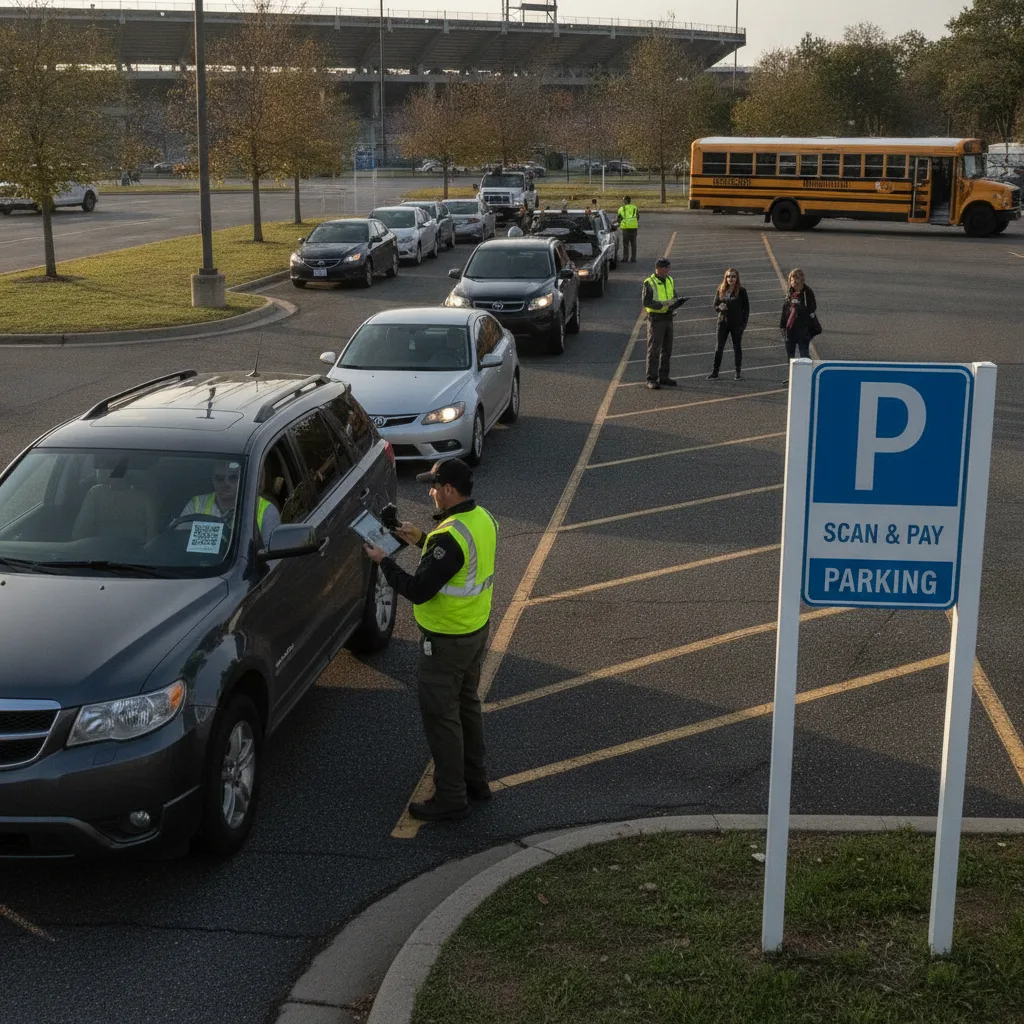
Direct answer: An event lot usually has days, not weeks, to stand up scan-and-pay parking — the site is booked, the layout isn’t finalized until load-in, and the lot might only exist as a parking operation for the length of one event or one season. The launch problem isn’t picking the right long-term system; it’s getting signage, a working QR-to-payment path, and a way for temporary staff to handle exceptions ready fast enough to be tested before the first wave of cars arrives, without permanent power or hardwired internet at the site.
This guide is for event lot managers, festival and stadium operations staff, and the temporary or seasonal crews who actually run the gate on event day.
Why a fast, temporary launch is a different problem than a permanent lot
A downtown garage launching scan-and-pay can take weeks to test signage placement, train permanent staff, and fix cellular dead zones before going live. An event lot often doesn’t get that runway — the site might be a fairground, a stadium overflow lot, or a field that’s only a parking lot for one weekend a year, confirmed days before the event. Staff running the gate are frequently seasonal or temporary, meaning the system has to be simple enough to train in an hour, and the lot itself may have no permanent power or wired internet, so the whole setup — signage, payment terminal or QR flow, and any backup process — needs to work on battery and cellular data from day one.
What has to be ready before gates open
| Requirement | Why it’s harder on a temporary site | What to confirm before opening |
|---|---|---|
| Signage | No permanent mounting points; signs go up the morning of | Sign placement tested for visibility from the actual traffic approach, not assumed |
| Connectivity | No wired internet; cellular coverage varies across a large field or lot | QR-to-payment flow tested from the weakest-signal spot on the actual site |
| Staff training | Crew may be temp workers seeing the system for the first time that day | A one-page exception process anyone can follow without prior training |
| Power | No outlets in a field or overflow lot | Battery life confirmed for the full duration of the event, plus buffer |
A realistic scenario: the dead zone at the back of the lot
A festival’s overflow lot is a large field with one bar of cellular signal near the road and none near the back rows, where cars still need to scan and pay. If the QR flow was only tested near the entrance, the operator won’t find out it fails at the back of the lot until a line of frustrated drivers forms there on event day, with temporary staff who have no training on what to do when the app won’t load. The fix is testing the actual payment path from the worst-signal spot on the actual site before the event, not assuming coverage is uniform, and giving staff a simple fallback — a phone number, a manual entry option, anything — for the moment connectivity fails.
Build the launch sequence
- Confirm the site days out, not weeks out. Walk the actual lot, test signal strength at the entrance and the farthest parking row, and place signage based on where cars actually approach from.
- Test the QR-to-payment path end to end. Scan, pay, and confirm a paid session shows up correctly — from a real phone, on real cellular signal, at the actual site, not a demo environment.
- Train temporary staff on the exception, not the happy path. Assume staff have never used the system; give them a one-page laminated card covering what to do when a scan fails, a payment doesn’t go through, or a driver has a dispute.
- Confirm the fallback works without power or signal. If the primary payment path goes down, staff need a manual way to keep cars moving — a paper log, a phone-based backup — that doesn’t require the same infrastructure that just failed.
What to test before the event opens to the public
Run a short internal test — staff and a few real vehicles — and check: whether the QR flow works from every part of the lot you’ll actually use, how long it takes an untrained temp worker to resolve a failed scan using only the one-page guide, and whether paid status reaches whoever’s checking for enforcement in time to matter. A virtual rollout approach built for fast deployment translates directly to a one-time event launch, since both need to go from zero to working without new physical infrastructure.
When to fall back to a manual process
If connectivity fails across a meaningful part of the lot on event day, don’t let staff guess — switch to the documented manual fallback immediately rather than letting a line build while someone tries to troubleshoot a signal problem in real time. Log every manually-handled vehicle the same way you’d log a normal transaction, so nothing falls through when reconciling the day’s revenue afterward. Review the outage workflow guide for how to structure that fallback before you need it.
Related PLACA.AI planning resources
Questions event lot managers ask
How much lead time do we actually need to launch scan-and-pay for one event?
Less than a permanent lot needs, but the testing steps don’t shrink — you still need to confirm signage placement and connectivity at the actual site, just compressed into days instead of weeks.
What’s the biggest point of failure for a temporary site?
Cellular dead zones in parts of the lot that weren’t tested. A demo that works near the entrance doesn’t tell you whether it works at the back of a field.
How do we train temp staff fast enough?
Give them one page covering the exception process, not the full system. Staff running the happy-path scan rarely need training; staff facing a failed scan with a line forming need a script.
Plan a limited workflow review
Bring your event’s site layout and timeline before the next launch. PLACA.AI’s license plate recognition can confirm paid status at the gate without hardwired infrastructure, so a temporary lot doesn’t need permanent hardware to run scan-and-pay reliably.
Editorial refresh: September 18, 2026. Independently confirm current product capabilities, third-party features, pricing, contracts, governing requirements, and local rules before acting.
Data source: U.S. Department of Transportation