

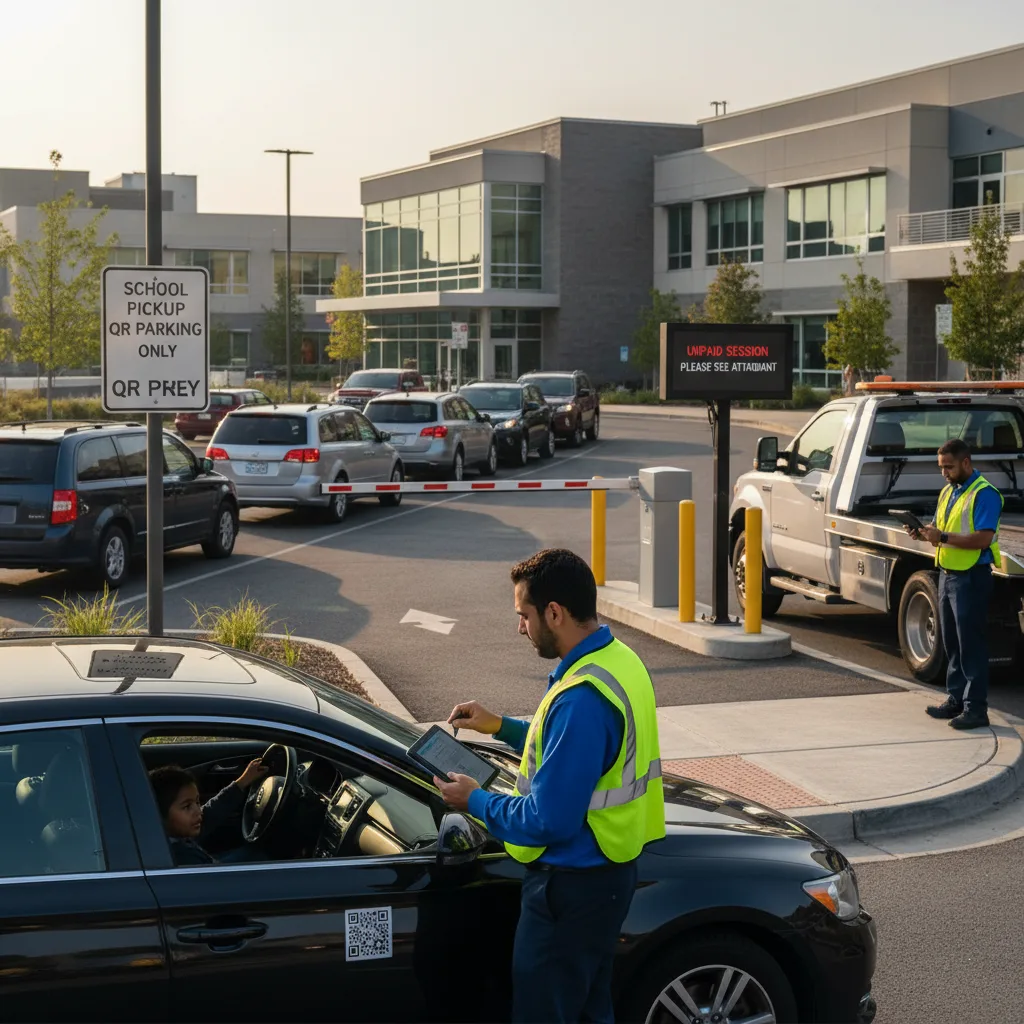
Direct answer: For parking operators running several lots or garages under one contract, unpaid-session cleanup only scales when you stop treating “unpaid” as one bucket. Split it into no-attempt, declined payment, expired session, plate misread, and system-outage categories, apply the same category definitions at every site, and route each category through a different response that uses the license plate recognition (LPR) cameras and mobile payment integrations you already have — not a new kiosk or gate arm at every location.
Portfolio operators feel unpaid-session drag differently than a single-site owner. The volume is higher, the sites are inconsistent (some gated, some open, some still running legacy pay-and-display machines), and the people reviewing exceptions are often centralized while the people who can see what actually happened are on-site. That combination is what turns a manageable exception queue into a backlog: without a shared definition of “unpaid,” a regional manager reviewing plates flagged in one city has to relearn the local process used at every other property.
Separate detection from disposition
An LPR camera detecting a plate with no matching payment record is a detection event, not a verdict. The plate could belong to a driver who never started a session, a driver whose card was declined at checkout, a driver parked in the wrong rate zone, a misread plate (a temporary tag, a dealer frame, mud, or glare), or a session that was paid but hadn’t synced back to the enforcement feed before the camera pass. Each of those needs a different next step, and conflating them is what generates false first-notices and the support calls that follow.
A shared taxonomy across sites
| Category | Typical cause | First response without new hardware |
|---|---|---|
| No attempt | Driver parked without starting a pay-by-plate session or taking a ticket | Send a courtesy text or app push if a phone number is on file from a prior visit; otherwise route to the standard notice queue |
| Declined payment | Card decline, expired card, or insufficient funds at checkout | Retry through the existing payment gateway before escalating; many declines clear on a second attempt within minutes |
| Plate misread | OCR confidence below threshold from glare, dirt, a temp tag, or a rental sticker over the plate | Queue for manual review against the photo capture already stored by the LPR system; do not auto-notice below a confidence floor |
| Sync delay | Session paid but the record hasn’t reached the enforcement feed yet | Hold the flag for a defined buffer window (commonly a few minutes) before it becomes an exception |
| Repeat nonpayment | Same plate flagged across multiple visits with no resolution | Escalate past the standard notice cycle to the enforcement or collections track defined in your management contract |
Route without adding equipment at the site
- Confidence check. Any plate read below your OCR confidence threshold goes to manual photo review before a notice generates — this alone removes a large share of false positives without touching site hardware.
- Payment retry window. Give declined transactions a short automatic retry against the same payment method before treating the session as unpaid.
- Cross-reference existing sessions. Check whether the plate has a valid session under a different rate code, zone, or validation before flagging — mis-zoned entries are common at sites with tiered pricing.
- Notice, not citation, first. A first-notice with a short cure window (pay online, dispute, or provide evidence of payment) costs nothing in hardware and resolves most no-attempt cases without a confrontation at the exit.
- Escalate only repeat cases. Reserve boot, tow, or formal citation steps for plates that reappear unresolved after the notice cycle, per your site contract and local towing and booting ordinances.
Grace periods and when to escalate
A short grace period after a session starts (commonly a few minutes) absorbs the normal lag between parking and completing payment on a phone, and it meaningfully reduces false unpaid flags without weakening enforcement. Set the grace period once at the portfolio level so site managers aren’t negotiating it informally, site by site. After the grace period, a first-notice with a defined cure window — pay, dispute with evidence, or ignore — should be the default next step; only unresolved or repeat cases move to a citation, boot, or collections track, and those steps should follow whatever your management contract and local ordinances specify, since towing and booting rules vary by state and municipality.
What to measure before rolling out portfolio-wide
- Share of flagged plates resolved by the confidence-check step alone, without a notice ever going out
- Share of declined payments that clear on automatic retry
- Time from flag to disposition, by category
- Notices disputed successfully with evidence of payment (a signal your sync-delay buffer is set too short)
- Repeat-nonpayment plates that reach escalation, and how they were finally resolved
Before scaling to more sites
- Confirm the taxonomy and thresholds are documented, not tribal knowledge held by one site manager.
- Verify the notice and appeal workflow works the same way whether the site is gated or open.
- Check that payment sync latency has been measured at each site, since it varies with connectivity.
- Confirm local towing, booting, and notice requirements independently for each jurisdiction before automating escalation.
- Keep a record of every disposition — approved, denied, corrected, or escalated — for contract reporting and dispute defense.
Related PLACA.AI planning resources
Operational FAQs
How is unpaid-session handling different for a multi-site operator than a single lot?
Volume and inconsistency. A single lot owner can resolve exceptions from memory; a portfolio operator needs a documented taxonomy and thresholds that produce the same disposition regardless of which site or reviewer handles the case.
Do we need new hardware to cut false unpaid flags?
Usually not. Most false flags come from OCR confidence thresholds set too low, payment sync delays, and missing retry logic — all fixable in software against cameras and payment integrations already installed.
When should a case go straight to citation instead of a notice?
Reserve that for repeat nonpayment after a documented notice-and-cure cycle, and only within what your local ordinances and management contract allow — first-time flags should get a notice, not an automatic citation.
Plan a limited workflow review
Bring your current unpaid-session categories, notice templates, and escalation rules for two or three sites. PLACA.AI can help evaluate where a shared taxonomy and existing camera data close the gap without new hardware at each property.
Editorial refresh: September 18, 2026. Independently confirm current product capabilities, third-party features, pricing, contracts, governing requirements, and local rules before acting.
Data source: U.S. Department of Transportation