

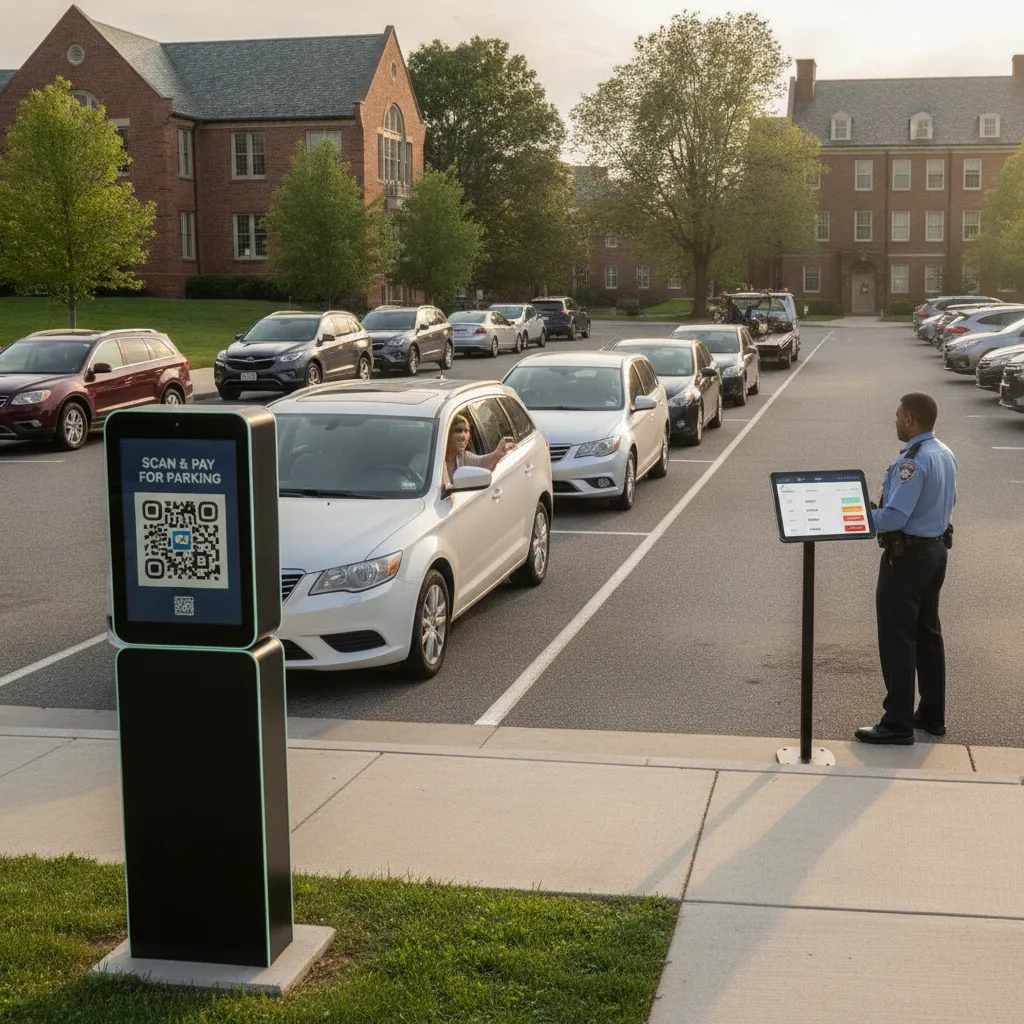
Direct answer: A private lot with no on-site staff — ever, not just after hours — needs a guest payment flow that resolves itself without a phone call to the owner. That means the sign, the payment step, and the correction path all have to work when nobody is watching: a QR code that opens a rate and duration without an app download, a plate-based session instead of a paper ticket that can blow away or get left on a dashboard, and a narrow set of pre-decided rules for the handful of things that go wrong, so the owner isn’t fielding texts every weekend.
This is written for owners of small, standalone private lots — a gravel lot behind a restaurant, a weekend event overflow lot, a commercial lot rented out evenings and weekends — where there is no attendant, no office, and often no one on-site at all, not even during peak hours.
“Zero staff” means the failure has to resolve itself
A staffed lot can absorb a confused guest, a jammed machine, or a payment dispute because someone is there to handle it in the moment. A zero-staff lot can’t. If the payment step depends on an app the guest has to install, a code they have to remember, or a phone call to a number that goes to voicemail, the guest either doesn’t pay, parks somewhere they shouldn’t, or leaves a note under the wiper that the owner finds two days later.
Example: A guest pulls into the lot on a Sunday evening for a nearby event. The sign has a QR code but no visible rate, so they’re not sure what they’re agreeing to before they scan. If the flow doesn’t show the price and duration in the first screen, they’ll either abandon it and park unpaid, or scan and pay without knowing if it covers the whole evening — both of which turn into a dispute the owner has to resolve after the fact instead of preventing up front.
What has to work with nobody present
| Moment | Why it fails without staff | What the zero-staff version needs |
|---|---|---|
| Arrival | No one to explain the rate or answer a question | Sign shows price and duration before the guest scans anything |
| Payment | No one to troubleshoot a stuck transaction | Plate-linked session, no app install, confirmation the guest can see immediately |
| Dispute or mistake | No one to overturn a charge on the spot | A self-service correction path (wrong plate, extra time) the guest can use without calling anyone |
| Owner’s periodic check | Owner isn’t on-site to watch the lot | A remote view of who’s parked and who’s paid, checked on the owner’s schedule, not in real time |
Setting it up so it runs without you
- Put the rate on the sign, not just the link. A guest should know the price and duration before they scan anything — that alone prevents most of the disputes an absent owner would otherwise have to resolve by text.
- Make the session plate-based, not ticket-based. A paper ticket needs someone to check it. A plate tied to a payment record can be checked remotely, on a screen, at any hour — including by the owner from home.
- Build one self-service fix, not a phone tree. The most common mistake — a guest who mistyped a plate character — should be correctable by the guest themselves within a short window, without needing to reach the owner at all.
- Decide in advance what you don’t fix remotely. A guest who never paid and is still parked at closing is a different problem than a guest who paid for the wrong plate. Write down which ones wait for the owner’s next visit and which ones need same-day attention, so you’re not improvising the rule at 11pm.
Where zero-staff still needs a human eventually
Zero-staff doesn’t mean zero-accountability. Someone still has to review unpaid sessions, approve refunds, and handle the guest who genuinely can’t use a smartphone — an elderly visitor, someone with a dead phone battery, a guest with no signal at the back of the lot. For that person, a laminated sign with a number that reaches the owner (even if the reply isn’t instant) is still better than no option at all. And if a guest is parked with no payment and no way to reach anyone, decide ahead of time whether that’s a towing case, a grace-period case, or something the owner just resolves the next time they check the lot — don’t leave it undefined until it happens.
What to check before trusting the lot to run itself
Run the setup for at least two to three weekends — long enough to see a normal night, a busy event night, and at least one mistake or dispute — before assuming it’s stable.
- Sessions completed without any contact from the guest to the owner
- Self-service corrections used, and whether they resolved the issue
- Unpaid or disputed sessions that reached the owner anyway, and why the self-service path didn’t catch them
- How long an unresolved case sat before the owner’s next check-in
If the owner is still getting more than an occasional text per week after the first month, the self-service path isn’t covering enough of the real cases — usually because the rate wasn’t visible up front, or the correction window was too short for guests to catch their own mistakes.
For preventing fraudulent or duplicate scans at an unattended lot, see QR parking payment fraud controls for private lots. Signage requirements for a lot with no attendant are covered in the parking signage disclosure checklist. If the payment system itself goes down while the lot is unstaffed, plan for it with the parking system outage workflow, and for the broader compliance picture at a self-service lot, see improving self-parking compliance without adding more hardware.
Questions owners ask before going fully unattended
What if a guest just doesn’t pay?
Decide the threshold in advance — a grace period, then a notice, then whatever enforcement step you’ve chosen. The point of zero-staff isn’t zero-consequence, it’s that the consequence is defined ahead of time instead of improvised.
Can this really run with no one checking it during the day?
Yes, if the remote view is accurate enough that a five-minute check from home tells the owner what happened overnight — who parked, who paid, and what’s still open.
When should the owner step back in?
When self-service corrections aren’t resolving the common mistakes, when unpaid sessions are piling up unnoticed, or when a guest genuinely has no way to use either the digital or the posted fallback path.
Plan a limited workflow review
Bring your current signage, a few weekends of session data, and the disputes you’ve had to resolve by phone. PLACA.AI can help evaluate what a truly unattended setup would need for your specific lot.
Editorial refresh: September 19, 2026. Independently confirm current product capabilities, third-party features, pricing, contracts, governing requirements, and local rules before acting.
Data source: U.S. Department of Transportation