

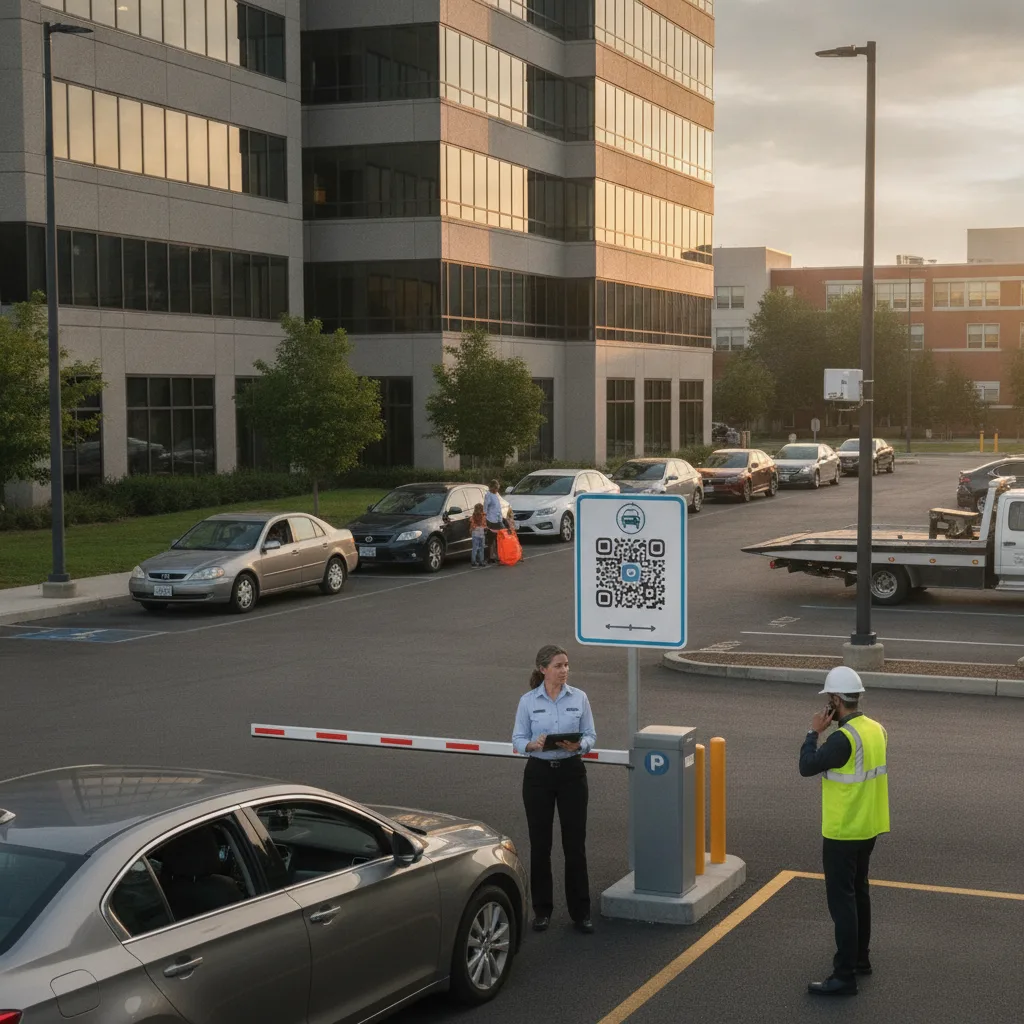
Direct answer: A private lot owner with no on-site staff needs the receipt to be fully automatic — generated and delivered the moment a driver pays, with no attendant, no kiosk printer to keep stocked, and no manual step for anyone to forget. If producing a usable business receipt requires a human to do anything beyond the original payment, it will eventually fail during exactly the week you’re not checking on it.
This is written for owners of standalone private lots — the kind run part-time, remotely, or by an owner covering several properties without dedicated on-site staff — where “call the attendant for a receipt” isn’t an option because there isn’t one.
Why “no staff” changes the whole design
Every other version of this problem — a hotel with a front desk, an event lot with staff on shift, a large operator with a support line — has a human fallback when something goes wrong. A private lot owner usually doesn’t. If a driver pays and the receipt doesn’t generate, there’s no one to ask for a manual reissue until the owner happens to check email, sometimes days later. That delay is exactly when a business traveler’s expense deadline passes and the request turns into a frustrated follow-up instead of a routine transaction.
The design goal here isn’t a better receipt template — most templates are fine. It’s removing every point where the process depends on a person doing something after the payment happens.
What “fully automatic” actually requires
| Requirement | Why it matters with no staff | What fails without it |
|---|---|---|
| Receipt sent at the moment of payment | No one is available to notice a failed delivery and resend it | Driver has no record unless they screenshot the payment screen itself |
| Self-serve reissue by plate and date | Owner may not check email or messages daily | Every reissue request sits unanswered until the owner logs in |
| Itemized total, not a lump sum | Business expense systems generally reject undetailed charges | Driver’s reimbursement gets kicked back and they blame the lot |
| Works without connectivity assumptions | Remote lots often have inconsistent signal | A receipt that depends on live connectivity at the exact payment moment can silently fail |
Setting this up once, so it runs without you
- Confirm your payment system emails or texts a receipt automatically the moment a session closes — not on a delay, not requiring the driver to request it.
- Turn on a self-serve lookup so a driver who lost the original message can pull up their own receipt by plate and approximate date without waiting for you.
- Check that the receipt itemizes rate, tax, and fees rather than showing one total — this is the single most common reason a business traveler’s reimbursement gets rejected.
- Test it yourself, remotely, the way a driver would — pay for a session from your phone, close the app, and see whether the receipt actually arrives without you doing anything else.
A realistic scenario
An owner runs a single private lot near a regional airport, checking in remotely a few times a week. A contractor parks there for two days while working a nearby job site and pays through a QR code at entry. The receipt fails to send — a common but usually invisible failure if no one’s watching for it — and the contractor doesn’t notice until submitting expenses to their employer a week later, by which point they’ve forgotten which exact lot they used. Without a self-serve lookup, their only option is finding a contact email and waiting for a reply from an owner who may not check it for days. With a plate-and-date self-serve tool, the contractor resolves it themselves in minutes, and the owner never even learns there was an issue.
Where this breaks down
Watch for drivers who pay with a card that doesn’t match the name on their expense report (a personal card used for a work trip, for example) — the receipt needs to stand on its own with plate and location detail rather than relying on the payer’s name matching. Watch for sessions that span a rate change or promotional period, where the itemization needs to reflect what was actually charged, not a generic current rate. And watch for connectivity gaps at remote lots — if the payment confirms but the receipt-generation step depends on the same weak signal, build in a retry rather than a single silent attempt.
Before you trust it to run unattended
- Send yourself a test receipt and check every field a business expense system would need — not just that something arrived.
- Confirm the self-serve reissue tool works from a phone, since most drivers will be looking it up on one.
- Set up an alert for yourself if receipt delivery fails at a rate above normal, so a real outage doesn’t go unnoticed for weeks.
- Review a mobile parking payment guide if you’re still deciding on the underlying payment app, since receipt behavior varies a lot between providers.
PLACA.AI can pair plate capture with automatic, itemized receipt delivery so a private lot with no staff still produces a business-usable document every time, with a self-serve lookup as the fallback instead of a phone call to an owner who isn’t there.
Related PLACA.AI planning resources
Common questions
What’s the minimum needed for a business-usable receipt with no on-site staff?
Automatic delivery at payment, an itemized (not lump-sum) charge breakdown, and a self-serve plate-and-date lookup for anyone who needs a reissue.
How would I even know if automatic receipts stopped working?
Without an alert, you likely wouldn’t until a driver complained. Setting a failure-rate alert on receipt delivery is worth doing even for a single small lot.
Do I need a printed receipt option if I have no kiosk?
No — email or text delivery plus a self-serve lookup covers the business-receipt use case without any printed hardware at all.
Plan an unattended receipt setup
Bring your current payment app and a sample receipt (or note that none is generated). PLACA.AI can help evaluate whether your setup can run fully automatic for business-user receipts with no staff involved.
Editorial refresh: September 18, 2026. Independently confirm current product capabilities, third-party features, pricing, contracts, governing requirements, and local rules before acting.
Data source: U.S. Department of Transportation