

RoadCam & RadarCam LPR Cameras for Private Roads, Gates, Campuses, and High-Traffic Entrances
Help your team capture clearer plate records, choose the right camera for each entrance, and connect vehicle activity to Placa's cloud LPR workflows.
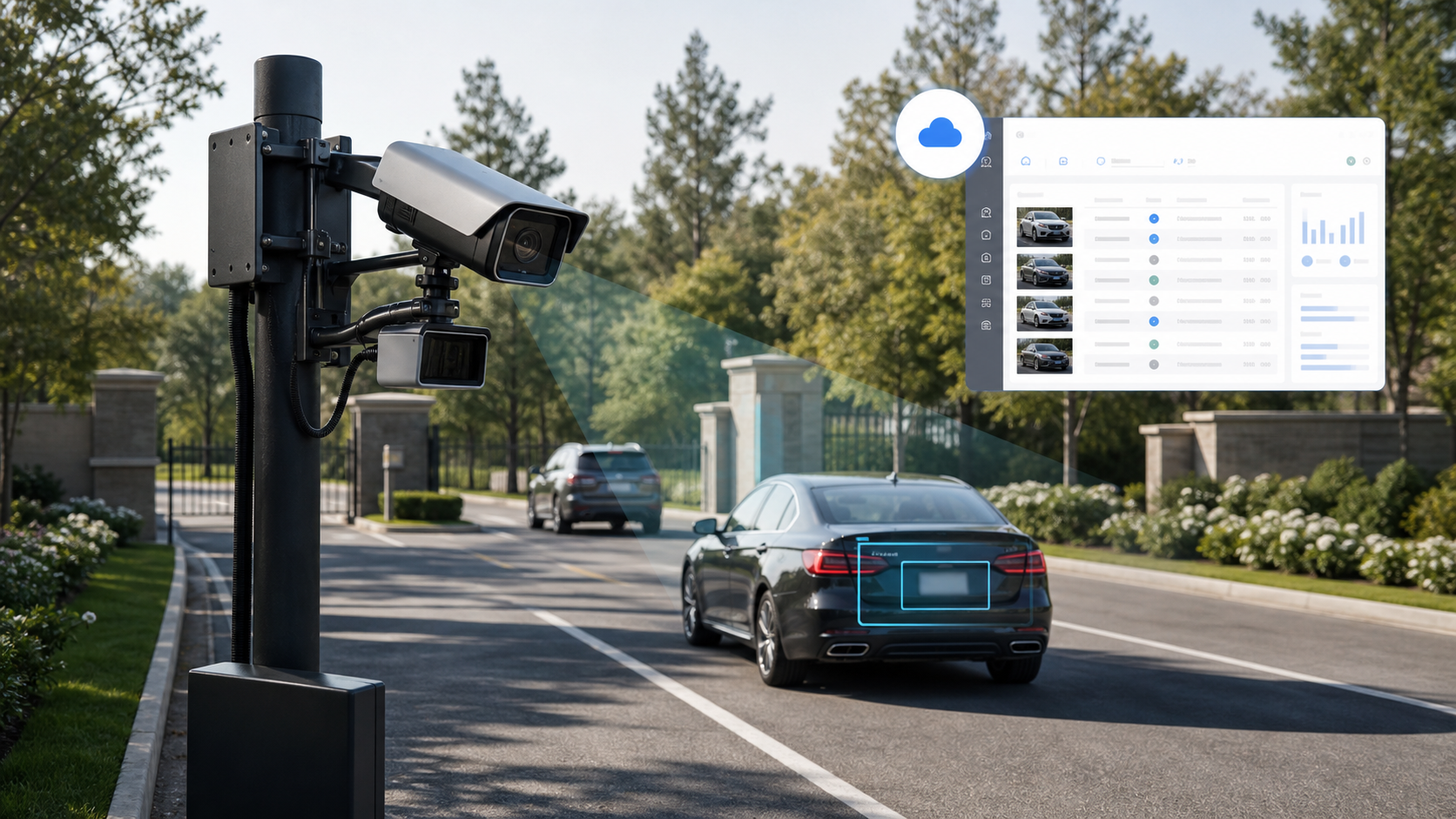
Which Camera Is Right for You?
The right camera is not the most expensive camera. It is the camera that matches vehicle speed, lane width, entrance geometry, lighting, power, network access, and how your team will use the records inside Placa.
RoadCam
Choose RoadCam if you have one defined entrance or private road, traffic speed is moderate, you need a strong LPR camera without radar, and you want a cost-conscious advanced camera option.
RoadCam Pro
Choose RoadCam Pro if you have multiple lanes, an HOA road, campus, or business park, stronger coverage needs than a standard gate camera, and you want the best general-purpose advanced option.
RadarCam Lite
Choose RadarCam Lite if the site is lower speed, you need radar-triggered or speed-aware capture, budget matters, and full RadarCam performance is not required.
RadarCam
Choose RadarCam if you have demanding vehicle motion, higher-speed private roads, premium radar-assisted recognition needs, or a wide, complex, high-volume entrance.
EnforcementCam
Choose EnforcementCam only when the project is regulated, evidence workflows matter, municipal or formal requirements exist, and consultation is required before recommendation.
Use-Case Guide
Different properties ask different questions. An HOA board cares about community entrances and privacy expectations. A school cares about pickup accountability. A business park cares about shared access roads. Placa uses the site context to recommend the right camera path.
HOA entrance
Help board members document vehicle activity at community entrances without relying only on manual gate logs or generic surveillance footage.
View related guideApartment gate
Support resident and visitor vehicle access workflows with searchable plate records tied to gate activity.
View related guideSelf-storage entrance
Give operators better visibility into who enters and exits the facility, especially for after-hours access and temporary permissions.
View related guideSchool pickup line
Help schools match arriving vehicles to dismissal workflows and improve pickup accountability during high-volume release windows.
View related guidePrivate road
Capture vehicle activity on private roads where standard cameras may struggle with motion, distance, or lane coverage.
View related guideBusiness park
Monitor shared commercial entrances and internal roads with searchable vehicle records across multiple tenants or buildings.
View related guideParking enforcement
Create searchable vehicle records that help private-property teams review violations, disputes, and repeat offenders.
View related guideTowing operation
Support parking enforcement workflows with clearer vehicle records and cloud-based plate search, without relying only on manual notes.
View related guideCampus / industrial facility
Improve vehicle access visibility for large properties, logistics entrances, warehouses, and restricted access areas.
View related guideBefore and After Placa
| Before | After |
|---|---|
| Reviewing raw video manually | Search vehicle and plate history in Placa |
| Generic cameras miss plates | Camera selected for LPR capture conditions |
| Shared keypad codes create weak accountability | Vehicle-based access visibility |
| No clear audit trail | Cloud event history and searchable records |
| Unclear camera choice | Site-based camera recommendation |
| Disconnected hardware and software | Placa-ready camera workflow |
Why Normal Security Cameras Are Not Enough
Most general surveillance cameras are designed to show that a vehicle was present. LPR deployments need a different outcome: a usable plate record connected to a vehicle event. Motion blur, headlight glare, poor plate angle, low-light exposure, and multi-lane framing can make a normal camera look fine on video while still failing the plate-capture job.
Capture conditions matter
Camera height, distance, lens choice, shutter behavior, and angle determine whether a plate is readable.
Workflow matters
A plate read is only useful if your team can search, review, alert, report, or connect it to access activity.
Recommendation matters
Placa recommends the camera path from the site conditions instead of forcing buyers to decode camera specs.
How It Connects to Placa Cloud LPR
The camera is only the capture point. The buyer value comes from what Placa does after a plate is read: searchable records, access visibility, alert workflows, reports, and a cloud dashboard your team can actually use.
Plate recognition
Camera events are used to create plate reads that can be reviewed in Placa.
Searchable vehicle history
Teams can search by plate and review prior events instead of manually scanning long clips.
Alerts
Relevant vehicles or activity patterns can trigger operational alerts based on configured workflows.
Access logs
Vehicle activity can be tied to entry records, visitor review, gate activity, or property workflows.
Gate trigger workflows
Where compatible, Placa can support gate workflows after a site review confirms the best approach.
Reports
Event history can support management review, board updates, disputes, or operational reporting.
How Deployment Works
The goal is not to make you guess which camera to buy. Placa turns the camera decision into a site-based recommendation tied to your actual vehicle flow.
Submit your site details
Share the site type, number of entrances, lanes, current gate or camera setup, and the main operational goal.
Placa reviews the site conditions
The review focuses on entrance geometry, lane count, lighting, power, network access, vehicle speed, and how teams will use the records.
The right camera option is recommended
RoadCam, RoadCam Pro, RadarCam Lite, RadarCam, or EnforcementCam is recommended only after the deployment conditions are understood.
Camera, gate, and cloud workflow are configured
The camera is aligned to the capture zone, and Placa workflows are configured for logs, alerts, reports, permissions, or gate activity.
Your team uses the Placa dashboard
Staff can search vehicle history, review events, manage access-related records, and act on plate activity without scrubbing raw video.
Common Objections
Is this only for highways?
No. RoadCam and RadarCam options are positioned for private roads, campuses, gated communities, commercial entrances, parking facilities, and other private-property vehicle recognition workflows.
Do I need radar?
Not always. Radar is useful when the site has higher vehicle movement, wider lane coverage, or more demanding capture conditions. Many gates and private entrances can use RoadCam or RoadCam Pro without radar.
Can it work with my current gate?
In many deployments, Placa can support existing gate workflows using compatible triggering and integration methods. A site review is recommended before confirming the best approach.
Can I use existing cameras?
Possibly. Placa can evaluate existing cameras, but standard surveillance cameras often miss plates because they are not positioned or configured for LPR capture.
Can this replace Flock?
For many private communities and properties, Placa can provide a private-property LPR alternative focused on customer-controlled workflows, camera choice, and cloud vehicle records. The best replacement path depends on current camera locations, contract needs, and data/privacy expectations.
Does it require trenching?
Not always. Some deployments may use existing infrastructure, wireless connectivity, cellular options, or solar/cellular camera locations. Placa reviews the site before recommending the deployment path.
Can it work over cellular?
Some Placa-ready deployment paths can support cellular or wireless approaches when the site conditions and camera choice fit that requirement.
What happens at night?
Camera choice, lighting, angle, and placement are critical for nighttime plate capture. Placa recommends camera options based on the site's lighting and expected vehicle movement.
Who owns the plate data?
Data handling, retention, access permissions, and privacy expectations should be discussed during the assessment so the deployment can be configured around the customer's approved workflow and policies.
Is this appropriate for schools and HOAs?
Yes, when deployed for approved workflows such as pickup line visibility, campus vehicle records, community entrances, private roads, and access-related review.
Related Placa Resources
/roadcam-lpr-camera/
/roadcam-pro-multi-lane-lpr-camera/
/radarcam-lite-lpr-camera/
/radarcam-radar-assisted-lpr-camera/
/enforcementcam-regulated-lpr-camera/
GateCam
GuardCam
LineCam
School pickup line camera system
Towing and parking enforcement
Commercial parking solutions
Self-storage LPR gate access
Camera recommendation request
Not Sure Which Camera Fits Your Entrance?
Send us your site type, number of entrances, lane count, and main goal. Placa will recommend the camera path that fits your deployment instead of forcing you to guess.
Get My Camera Recommendation