

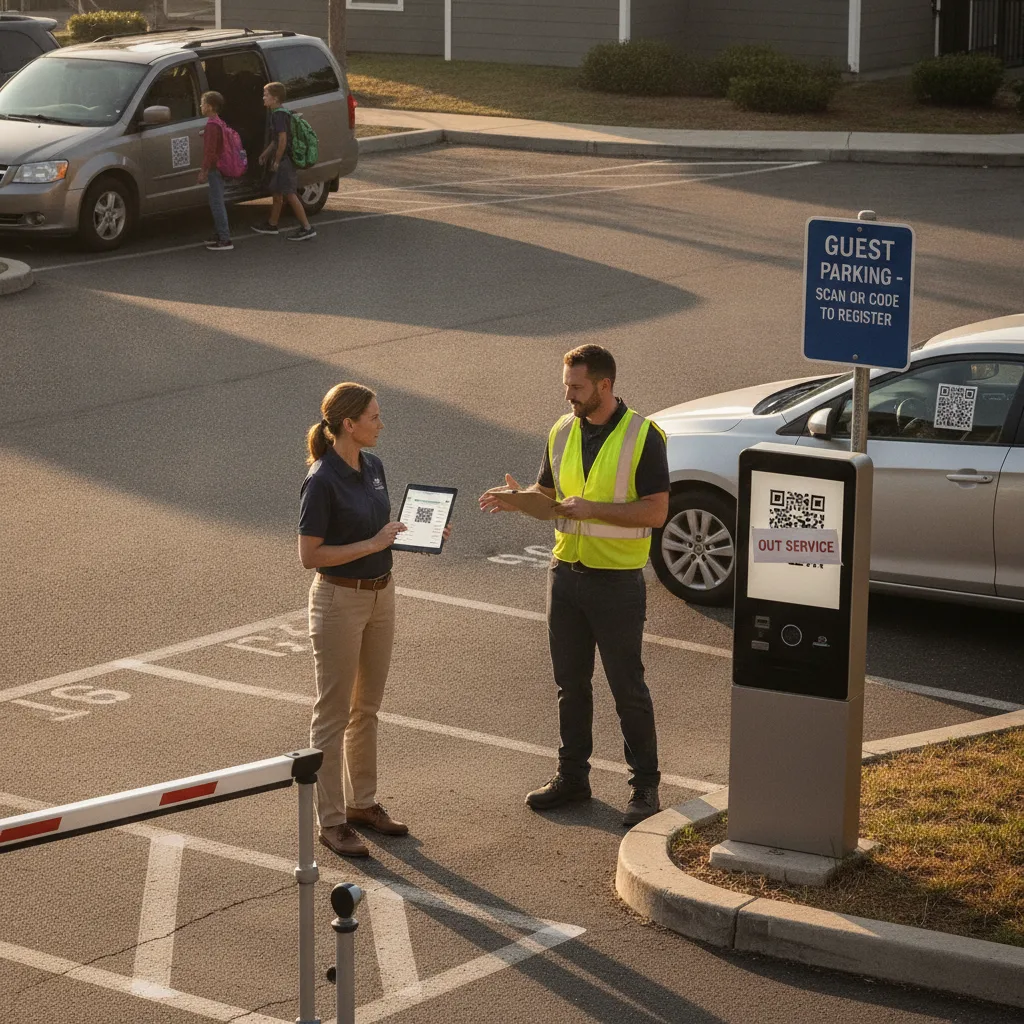
Direct answer: A payment kiosk earns its keep when a lot sees steady walk-up traffic all day. Most apartment guest lots don’t — they see a burst at move-in weekends, a spike on Friday and Saturday evenings, and scattered late arrivals with nobody in the leasing office to help. Replace the routine case with a resident-sponsored text or QR link tied to the visitor’s unit and plate, and keep exactly one staffed fallback (a phone number that reaches a real person, day or night) instead of a piece of hardware that sits idle 20 hours a day and fails silently on the other four.
This is written for apartment community managers running a dedicated guest or visitor lot — separate from resident parking — at properties where the leasing office closes at 6pm, isn’t staffed on weekends, or doesn’t exist on-site at all.
The kiosk is busiest exactly when nobody can fix it
Pull the transaction log on almost any apartment guest kiosk and the pattern is the same: a handful of taps between 9am and 5pm, then a cluster after 6pm on Fridays and Saturdays, then near-silence overnight until a 2am rideshare drop-off or an early move-out truck. The hours with real volume are exactly the hours the leasing office is closed. When the card reader jams, the screen freezes, or the connection drops during that Friday-night window, the guest has no kiosk, no staff, and often no idea who to call.
Example: A resident’s dinner guest arrives at 8:15pm on a Saturday. The kiosk display is blank — it’s been down since a Thursday storm. There’s no posted backup number on the sign, so the guest either leaves, parks illegally, or calls the resident, who now has to walk down and troubleshoot a machine the property doesn’t control.
Guest parking payment paths by arrival pattern
| Guest scenario | Kiosk dependence today | Replacement path |
|---|---|---|
| Planned evening or weekend visit | Guest hunts for the kiosk after parking | Resident texts a pre-filled link before the guest leaves home; session is tied to unit and plate before arrival |
| Move-in or move-out day | Multiple vehicles queue at one machine | One shareable link covers the whole crew; no per-vehicle kiosk trip |
| Late-night or early rideshare drop-off | Kiosk unattended and often unlit | QR sign at the lot entrance opens a mobile-web session; no app download required |
| Guest without a smartphone or with weak signal | Kiosk is the only option — and the only failure point | Posted number reaches on-call staff who can log the plate manually |
How to move the routine case off the kiosk
- Give residents a link, not a code. Each resident gets a reusable sponsor link tied to their unit. They send it to a guest by text before the visit; the guest opens it, confirms the plate, and the session starts — no kiosk stop required.
- Post the same option at the lot. A QR sign at the entrance covers guests who arrive without a text — deliveries, rideshare, unannounced visitors — using the same plate-linked session so patrol sees one consistent list, not two.
- Keep one fallback that’s actually staffed. A phone number on the sign that reaches on-call maintenance or a 24-hour answering service beats a kiosk that can’t answer itself when it breaks.
- Don’t remove the kiosk on day one. Run both paths in parallel for a full weekend cycle, including one deliberately “broken kiosk” test, before deciding the fallback actually holds up.
Where this breaks if you rush it
Removing the kiosk before the fallback is proven strands the guests who need it most: someone visiting from out of the country with no local data plan, an older relative without a smartphone, or a guest parked in a below-grade garage bay with no signal at all. Keep the accessible, non-smartphone path live and staffed — don’t fold it into “we’ll figure it out” once the hardware is gone. If a guest can’t complete either path, the on-call contact should be able to log the plate manually and resolve it the next business day rather than leaving the vehicle unresolved overnight.
What to measure before removing hardware
Run the parallel period long enough to see a full weekend, a move-in or move-out day if one falls in the window, and at least one kiosk outage.
- Guest sessions completed by text/QR link versus kiosk, by hour of day
- Kiosk taps during leasing-office hours versus after-hours
- Fallback calls, and whether each was resolved same-night or left open
- Guests who couldn’t complete either path, and why
If the after-hours kiosk taps are near zero and the fallback resolves every stranded-guest case within a shift, the kiosk is safe to retire or downgrade to a single shared unit instead of one per lot. If after-hours taps are still meaningful, keep the kiosk running until the digital path earns that traffic.
Reducing kiosk dependence works alongside the camera and plate-matching setup already covering the gate — see the apartment gate LPR camera overview for how enforcement reads the same plate the guest entered. For the grace period a guest gets between arriving and completing payment, check the parking grace period workflow. If you’re building the QR flow itself rather than just retiring the kiosk, the step-by-step is in launching scan-and-pay parking for apartment guest lots, and guests comparing payment apps can reference the mobile parking app guide.
Questions managers ask before pulling the kiosk
Do we need to remove the kiosk entirely?
No. Many properties keep one shared unit near the leasing office as the accessibility and no-signal fallback, and simply stop deploying one per guest lot or building.
What if a guest’s phone can’t load the page?
That’s what the posted phone number is for. Whoever answers should be able to log a plate and unit manually without needing the guest to complete a digital session first.
How long should the pilot run?
At least one full weekend cycle plus a move-in or move-out day, with a deliberate kiosk-down test included — not just the days everything works.
Plan a limited kiosk-reduction pilot
Bring your kiosk usage logs by hour and your current guest volume for a two-week review. PLACA.AI can help size which guest lots are ready to shift off hardware and which still need it.
Editorial refresh: September 19, 2026. Independently confirm current product capabilities, third-party features, pricing, contracts, governing requirements, and local rules before acting.
Data source: U.S. Department of Transportation