

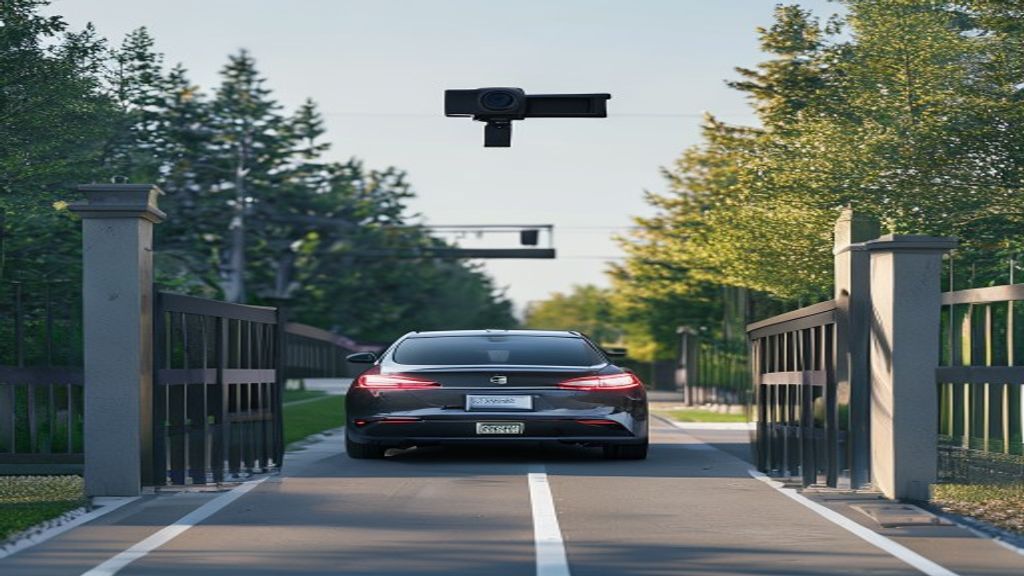
License plate recognition software small business HOA applications have expanded rapidly as affordable LPR systems become accessible to smaller organizations.
License plate recognition (LPR) software automatically reads and logs vehicle license plates from IP camera video feeds — enabling gate access control, parking enforcement, visitor management, and security alerts without requiring expensive proprietary hardware. For small businesses and HOAs, modern software LPR has made a technology once limited to government and enterprise budgets available for under $100/month.
Key Takeaways
- LPR software works with any RTSP/ONVIF IP camera you already own — no $742–$2,500+ dedicated hardware needed
- Software LPR is 5–10x cheaper than dedicated LPR camera systems for most small property applications
- Core use cases: HOA gate access, parking enforcement, school car-line management, small business security
- Accuracy of 95%+ is achievable with proper camera placement and 1080p or higher resolution
- Most software LPR systems can be self-installed and operational in under an hour
What Is License Plate Recognition Software?
License plate recognition (LPR) software is an AI-powered application that analyzes video from IP cameras, detects license plates in each frame, and uses optical character recognition (OCR) to read and record the plate number. The software logs each read with a timestamp, camera location, and optionally a photo — then can trigger automated actions like opening a gate, sending an alert, or logging a violation.
Unlike traditional LPR systems that require proprietary cameras costing $742–$2,500+ each, software-based LPR runs on standard IP cameras supporting RTSP or ONVIF streams. The camera captures the video; the software does the recognition work in the cloud or on a local server.
How LPR Software Works with IP Cameras
The process runs in four steps:
- Video ingestion: The software connects to your IP camera via its RTSP stream URL and receives a continuous video feed
- Frame analysis: AI algorithms scan each frame for regions that look like license plates (rectangular, retroreflective, with character patterns)
- OCR processing: The detected plate region is cropped, enhanced, and passed through an optical character recognition engine that reads the characters
- Action and logging: The read plate is matched against a database (whitelist, blacklist, or permit list) and triggers an action — log entry, gate open signal, alert notification, or violation flag
This entire process happens in real time, typically within 500ms–2 seconds of a vehicle entering the camera’s capture zone.
Use Cases by Property Type
HOA and Gated Communities
LPR software automates resident vehicle recognition for automatic gate access, logs all entries and exits for security review, enables visitor pre-authorization by plate number, and sends alerts for unrecognized vehicles attempting entry. A 2-gate HOA community that previously required a full-time guard or manual key fob system can automate access control for a fraction of the cost.
Parking Enforcement and Management
Software LPR enables automated permit verification (approved plates get a pass; unregistered plates trigger an alert), time-limit enforcement for metered or time-restricted lots, and exportable violation logs for documentation and dispute resolution. Small parking operators can enforce lot rules without hiring enforcement staff for every shift.
Schools and Campus Security
Schools use LPR to manage authorized vehicle pickup lists for student dismissal, log visitor vehicles for compliance and incident documentation, and detect unauthorized vehicles in restricted zones after hours. Most schools already have IP cameras installed — adding LPR software activates a capability the hardware already supports.
Small Business Security
Retail properties, warehouses, and office parks use LPR for employee/vendor access control, after-hours vehicle monitoring, and incident documentation when a plate associated with a prior incident reappears on property.
What You Need to Get Started
Camera Requirements
Any IP camera meeting these specs can connect to LPR software:
| Requirement | Minimum | Recommended |
|---|---|---|
| Protocol | RTSP or ONVIF | RTSP (direct stream) |
| Resolution | 720p (1MP) | 1080p–4MP |
| Frame rate | 15 fps | 25–30 fps |
| Night vision | IR LED | IR + WDR |
| Lens | Standard | 4–8mm for gate distances |
Compatible brands: Hikvision, Dahua, Reolink, Axis, Amcrest, Uniview, and most business-grade IP camera brands. Consumer brands like Ring and Nest are closed ecosystems and do not support RTSP. See the full IP camera compatibility guide for tested models and RTSP URL formats.
Network Requirements
- Wired Ethernet connection to cameras (Wi-Fi works but is not recommended for gate-critical applications)
- Internet connection for cloud-based LPR software (placa.ai processes video in the cloud)
- No port forwarding or firewall changes required — the local software agent initiates outbound connections
Software
Cloud-based LPR software like placa.ai requires no on-premise server. You connect your cameras to the cloud dashboard, configure your plates list and alert rules, and the system runs automatically. On-premise options (OpenALPR, Plate Recognizer on-prem) require a dedicated server or PC running continuously.
LPR Software vs. Dedicated LPR Camera Systems: Cost Breakdown
| Cost Item | Dedicated LPR Cameras | Software LPR (placa.ai) |
|---|---|---|
| Camera hardware | $742–$2,500+ per camera | $0 (use existing) or $50–$150 new |
| Software license | Often bundled or $0 | Monthly subscription |
| Installation | Professional required ($500–$2,000) | Self-install (30–60 min) |
| NVR/Server | Often required ($500–$2,000) | Not required (cloud-based) |
| Vendor lock-in | High (proprietary ecosystem) | None (any RTSP camera) |
| First-year total (2 gates) | $3,500–$12,000+ | $100–$600 |
Accuracy Expectations
Software LPR accuracy depends heavily on camera placement, resolution, and lighting. With optimal setup:
- Daytime reads: 95–99% accuracy at 1080p or higher, within 30 feet of the camera
- Nighttime reads: 85–95% accuracy with properly configured IR illumination and WDR settings
- Partial plates or damaged plates: Accuracy drops significantly — software LPR reads what the camera can see
- Moving vehicles at speed: Best results at speeds under 15 mph for gate applications; highway-speed reads require dedicated LPR hardware
Software LPR is designed for controlled access scenarios (gates, driveways, lot entrances) — not highway enforcement. For controlled access, software accuracy is typically sufficient for HOA, school, and parking applications.
7 Criteria for Evaluating LPR Software
- Camera compatibility: Does it work with cameras you already own? Can you verify compatibility before buying?
- Cloud vs. on-premise: Cloud-based is easier to set up and maintain; on-premise gives more control over data
- Accuracy in your conditions: Request a trial and test in your actual lighting and distance conditions before committing
- Alert and integration options: Can it send SMS or email alerts? Does it integrate with your gate controller or management software?
- Pricing transparency: Is pricing published, or do you have to contact sales? Monthly vs. annual billing?
- Data retention and privacy: How long are plate reads stored? Who has access to the data? Is law enforcement access possible?
- Setup complexity: Can a non-technical user install and configure it? Is there phone or chat support?
Top LPR Software Options Compared
| Software | Best For | Pricing | Camera Compatibility | Setup |
|---|---|---|---|---|
| placa.ai | HOA, schools, small business | Published monthly pricing | Any RTSP/ONVIF camera | Self-install, beginner-friendly |
| Plate Recognizer | Developers, enterprise | API-based usage pricing | Any camera (API integration) | Requires technical setup |
| OpenALPR | Technical users, on-prem | Freemium / enterprise | Any camera | Requires server setup |
| Rekor Scout | Law enforcement, enterprise | Contact sales | Dedicated cameras preferred | Professional installation |
For a detailed breakdown, see placa.ai vs. Plate Recognizer vs. OpenALPR.
Camera Setup and Compatibility
The first step in any LPR software deployment is verifying your existing cameras work. Compatible cameras must support RTSP streaming at 720p or higher. Most business-grade IP cameras from Hikvision, Dahua, Reolink, Axis, and Amcrest meet this requirement out of the box.
For a complete compatibility guide including RTSP URL formats by brand, tested camera models, and recommended budget picks under $150, see Which IP Cameras Work with LPR Software.
Frequently Asked Questions
What is the difference between LPR and ANPR?
LPR (License Plate Recognition) and ANPR (Automatic Number Plate Recognition) refer to the same technology. LPR is the term commonly used in North America; ANPR is the standard term in the UK, Europe, and Australia. Both describe automated systems that detect, read, and log vehicle license plates from camera video.
Can LPR software read plates at night?
Yes, with the right camera configuration. IP cameras with infrared (IR) night vision can illuminate plates in darkness. The key challenge is IR overexposure — the retroreflective surface of license plates can reflect IR light so intensely that characters wash out. This is solved by reducing IR intensity in the camera settings, angling the camera slightly off-axis, and enabling WDR (Wide Dynamic Range).
How many cameras can one LPR software account support?
This depends on the software. PLACA.AI supports multiple cameras under one account, billed per camera. Each camera must have its RTSP URL entered in the dashboard and requires stable internet connectivity to stream video to the cloud processing engine.
Is LPR software legal for HOAs and private properties?
Yes, in the United States, LPR on private property is generally legal. Property owners and HOAs may record vehicle information on their own property. Rules vary by state regarding data retention periods and sharing. Consult legal counsel for specific state requirements. placa.ai operates on a strict no-law-enforcement-data-sharing policy.
What happens when the internet goes down?
For cloud-based LPR software, plate recognition pauses when the internet connection is interrupted. For gate access control, the gate controller can be configured to fail-open (grant access) or fail-closed (deny access) during outages. Local caching of the approved plates list is available in some software plans to allow basic access control to continue offline.
How accurate is LPR software compared to dedicated LPR cameras?
Dedicated LPR cameras are optimized for challenging conditions — high speed, poor lighting, wide angles. For controlled access scenarios (gates, parking lots, school driveways) where vehicles slow to 5–15 mph and cameras are properly aimed, software LPR on standard IP cameras achieves 95–99% daytime accuracy and 85–95% nighttime accuracy — adequate for most HOA, school, and parking applications.
Start with what you already have
placa.ai works with any RTSP/ONVIF IP camera — no new hardware required in most cases. Connect your existing cameras and have LPR running in under an hour.
Related Resources
Related planning resource: custom license plate recognition software.
Data source: Community Associations Institute